SoftwareTestPilot
AI in TestingPublished: 15 min read

Copilot QA Testing in 2026: The Complete Playbook (Test Pyramid, Bug Reports, Prompts & FAQ)

The definitive 2026 guide to using GitHub Copilot for QA testing — test pyramid coverage, bug reports, exploratory charters, prompts for functional / non-functional / accessibility / security, a 7-point rubric and every People Also Ask question Google surfaces.

Avinash Kamble
Founder & QA Engineer at SoftwareTestPilot
Reviewed by Priyanka G.
Share:XLinkedInWhatsApp
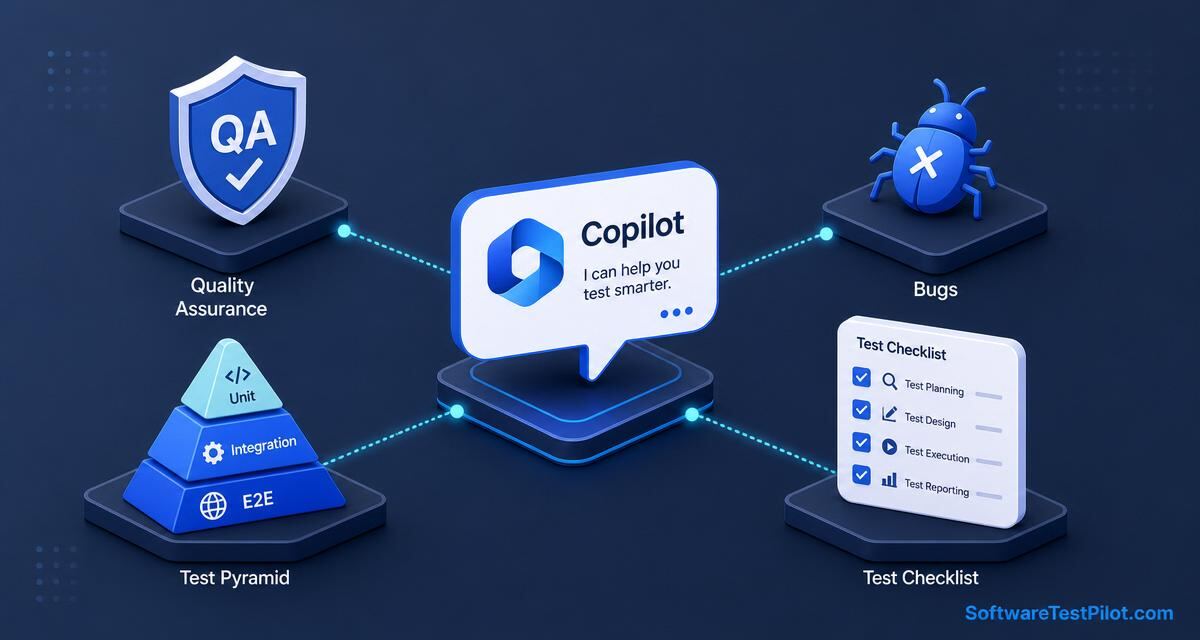
Copilot QA testing cover — central Copilot chat bubble connected to a QA shield, a bug icon, a test pyramid (unit/integration/E2E) and a test-planning checklist card, with the SoftwareTestPilot.com wordmark.

Last updated: July 14, 2026 · 14 min read · By Avinash Kamble, reviewed by Priyanka G.

Copilot QA testing is the end-to-end use of GitHub Copilot Chat, Copilot Edits and Agent Mode across the QA workflow — test planning, test-case design, test data, automation, bug reporting, exploratory charters, accessibility and security smokes — reviewed and owned by a human QA engineer or SDET. On 2026 teams, this compresses the design → implement → report loop by 50–70% and lifts technique coverage (EP, BVA, DT, ST) from ~50% to ~90%.

Pair with Copilot for testing, Copilot test automation, Copilot generate test cases, ChatGPT for QA testing and the manual testing interview questions.

Key takeaways

  • Cover the whole pyramid: unit → integration → contract → E2E → a11y → security → NFR smoke.
  • Bug reports must have 10 fields; use the RCTF prompt from the ChatGPT bug report pillar.
  • Never let Copilot invent stack traces, error codes or user data. Paste the real log.
  • Every accepted artifact — test case, spec, bug — must pass a 7-point rubric.
  • Human-in-the-loop is non-negotiable; Copilot drafts, QA files.

1. The 2026 QA workflow with Copilot

Story
  |
  v
[Copilot] test plan draft ---> [QA] review + risk-based prioritise
  |
  v
[Copilot] test cases (EP/BVA/DT/ST) ---> [QA] rubric review + Jira import
  |
  v
[Copilot] automation (/tests + Agent) ---> [SDET] CI wiring + flake budget
  |
  v
[Copilot] bug reports (draft) ---> [QA] IEEE 1044 severity + PII scrub + file
  |
  v
[Copilot] test summary report ---> [QA Lead] release sign-off

2. Ten copy-paste prompts across the QA workflow

1 — Risk-based test plan

Draft an IEEE 29119-3 test plan for [feature].
Include: scope, in/out, entry/exit, risks (5x5 matrix), NFRs (ISO 25010),
resources, schedule (Gantt). Flag anything I have not given you as
[NEEDS-INPUT].

2 — 15 test cases with techniques

See the RCTF prompt in the Copilot generate test cases pillar.

3 — Bug report from a raw observation

Paste the RCTF bug prompt from the ChatGPT bug report pillar.
Copilot handles it identically inside Chat.

4 — Exploratory charter (45 min)

Draft a 45-minute exploratory charter for [feature].
Mission, oracles, tactics, risks. No scripted steps.
Emit an SBTM-compatible note-taking template.

5 — Accessibility smoke (WCAG 2.2 AA)

List a11y smoke cases for the checkout flow: keyboard nav, screen-reader
labels, contrast (4.5:1), focus-visible, error announcement, zoom 200%,
reduced-motion. One manual case + one @axe-core check per page.

6 — Security smoke (OWASP Top 10)

Generate security smoke cases for [feature] against OWASP Top 10 2025:
XSS input sanitisation, IDOR on the resource endpoint, broken auth
(expired token, wrong role), SSRF on any URL param, rate-limit abuse.
Do not run exploits — this is a smoke, not a pentest.

7 — NFR smoke

NFR smoke acceptance table for /search: p95 < 400ms at 50 rps,
error rate < 0.1%, memory ceiling 512MB. Emit k6 outline.

8 — Regression selection from a diff

@workspace Given [PR diff], rank the top 20 regression cases in
tests/regression most likely impacted. Justify each with the file it
touches. Skip anything with zero dependency proximity.

9 — Test summary report

Given [attached CI run + coverage + open bugs], draft an IEEE 829-2008
Test Summary Report. Sections: variances, comprehensive assessment,
approvals. Executive summary in 5 bullets max.

10 — RTM check

Given [ACs] and [test cases], emit a Requirements Traceability Matrix.
Flag any AC with zero linked cases and any case with no AC.

3. The 7-point QA rubric

  1. Traceable — every artifact links to an AC / requirement / risk.
  2. Deterministic — steps repeatable; assertions independent of clocks / network.
  3. Technique named — EP / BVA / DT / ST / Exploratory labelled.
  4. Severity honest — IEEE 1044, separated from priority.
  5. PII clean — no real emails, tokens, PANs, health data.
  6. Idiomatic — matches team conventions (Jira template, POM, framework version).
  7. Reviewer names — human sign-off recorded on every artifact.

4. Governance in a regulated QA org

Use Copilot Business or Enterprise for anything touching customer data. Disable "Suggestions matching public code". Log Copilot usage per repo. Cross-check governance against the NIST AI RMF, EU AI Act and any sector rules (HIPAA, PCI DSS 4.0, SOC 2, ISO 27001). Never paste HAR files, JWTs, real emails or health data into Copilot Chat without redaction.

5. Careers and next steps

Frequently asked questions

1.Can I use GitHub Copilot for manual QA testing, not just automation?
Yes and it is one of the highest-ROI QA uses in 2026. Copilot Chat drafts test plans, test cases (EP, BVA, DT, ST), exploratory charters, bug reports, RTMs and test summary reports. The QA engineer prompts, reviews against a 7-point rubric, and files. Manual test-design time drops 60–80%; technique coverage rises from ~50% to ~90% when you name the ISTQB techniques explicitly.
2.How does Copilot compare to ChatGPT for QA work?
Copilot lives inside the editor with #file, #selection and @workspace repo context — best for QA work tied to the codebase (test cases from OpenAPI, regression selection from a PR diff, RTM from linked docs). ChatGPT / Claude Opus 4.5 are stronger for pure prose input (long PRDs, Slack threads, multi-persona reviews). Most 2026 QA teams use both — Copilot for code-linked artifacts, ChatGPT for prose-linked ones.
3.Can Copilot write bug reports?
Yes. Follow the RCTF template from the ChatGPT bug report pillar — the same prompt works in Copilot Chat. Feed it the raw observation, the redacted console log, the network response, the repro URL, the AC and the environment. Copilot returns a 10-field bug report ready to file in Jira, Linear, GitHub Issues or Azure DevOps. Never let it invent error codes or stack lines — paste the real log.
4.How do I use Copilot for exploratory testing?
Copilot writes competent Session-Based Test Management (SBTM) charters: mission, scope, tactics, oracles, risks, time-box. Use it to scaffold — never to script. Exploratory testing is a human craft; the charter is the framing, the exploration itself is you probing the app with heuristics (SFDIPOT, HICCUPPS). Time-box at 45–90 minutes and debrief with the charter as the record.
5.Can Copilot run accessibility tests?
Copilot generates two things: (1) manual a11y test cases against WCAG 2.2 AA (keyboard nav, contrast, focus-visible, screen-reader label, error announcement), and (2) automated @axe-core/playwright checks wired into your Playwright specs. Run both — automation catches ~40% of a11y issues; the other 60% need a human with a screen reader. Name WCAG 2.2 AA explicitly in the prompt or Copilot reverts to WCAG 2.1.
6.Can Copilot do security testing?
For smoke-level checks against the OWASP Top 10 2025 — yes. Input-sanitisation cases (XSS), IDOR on resource endpoints, broken auth (expired token, wrong role), SSRF on URL params, rate-limit abuse. This is a smoke, not a pentest. Do not run exploits from prompts. Escalate to a security engineer or a paid pentest for anything beyond smoke coverage.
7.How do I select the right regression cases with Copilot?
@workspace with a PR diff. "Given this diff, rank the top 20 regression cases in tests/regression most likely impacted, justify each with the file it touches, skip anything with zero dependency proximity." This is Test Impact Analysis — modern practice for cutting a 4-hour regression to a 20-minute smoke. Full runs stay on the nightly matrix, not the PR pipeline.
8.Can Copilot generate a Requirements Traceability Matrix?
Yes. Paste the AC list and the test case list; ask for an RTM as a Markdown table with columns AC-ID, AC summary, linked test case IDs, coverage status. Copilot flags orphan ACs (zero linked cases) and orphan cases (linked to no AC). Attach the RTM to the release ticket — it is the single most useful QA artifact for audit and release-readiness reviews.
9.Should I let Copilot Agent Mode file Jira tickets automatically?
Only through a human-in-the-loop step. Agent Mode can open the PR or the Jira draft with the bug report, the coverage delta or the RTM — a QA engineer reviews against the 7-point rubric and clicks Submit. Fully autonomous filing introduces duplicates, mis-severity bugs and un-redacted PII. The 30-second review is the audit trail your compliance team will ask for.
10.How much does Copilot QA testing lift productivity?
Realistic 2026 numbers: test design 60–80% faster, bug-write time from 8–12 min to 90 sec, automation authoring 55–70% faster, regression selection minutes not hours, RTM automatic. Diminishing returns kick in on judgement work — risk-based prioritisation, release sign-off, exploratory charter design — that stays firmly human.
11.Is Copilot Business required for QA teams?
For anything touching customer data or proprietary code — yes. Copilot Business (\$19/user/month in 2026) adds IP indemnification, public-code filtering and telemetry off. Copilot Enterprise adds admin controls, audit logs and knowledge-base integration. Individual is fine only for personal / open-source projects, never for production QA repos.
12.How do I roll out Copilot to a QA team in 30 days?
Week 1: provision Copilot Business, publish RCTF templates and the 7-point rubric in docs/qa-ai-usage.md, enable public-code filtering. Week 2: pilot on one squad — measure test-design time, bug-write time, technique coverage. Week 3: wire into CI (regression selection, coverage delta, flake budget) and into Jira / TestRail (bulk-import format). Week 4: roll team-wide, add Copilot usage to release-readiness checklist, publish quarterly OKRs.
Keep going

Practice these questions

Run a live QA mock interview tailored to this topic and get per-skill scoring in minutes.

Found this useful?
Share:XLinkedInWhatsApp

Was this article helpful?

Cluster · AI in Testing

More from GitHub Copilot QA

Copilot prompts, locator generation, test scaffolding.

Pillar guide · 8 articles
More in this cluster
From the AI in Testing pillar

Keep building your QA edge

Continue reading

Join the QA Community

Connect with fellow testers, share job leads, and get career advice.

Premium QA Resources

Stop Reinventing the Wheel. Upgrade Your QA Arsenal.

Take your testing skills from beginner to Lead Engineer. Supercharge your daily workflow with our premium digital resources.

  • Ready-to-use testing strategy templates
  • Advanced API & UI automation guides
  • ⏱️ Save 10+ hours a week on test planning
4.9/5 rating
Explore All Products

⭐⭐⭐⭐⭐ Trusted by 1,000+ Software Test Pilots • Instant Access