
ChatGPT for QA Testing in 2026: The Complete Playbook (Prompts, Workflows, Risks & FAQ)
The definitive 2026 ChatGPT for QA testing guide — how QA engineers use ChatGPT for test cases, bug reports, exploratory charters, API testing, accessibility, security and CI, with 20 copy-paste prompts, the RCTF framework, a 6-point review rubric, ROI math, governance checklists and every PAA question Google surfaces.

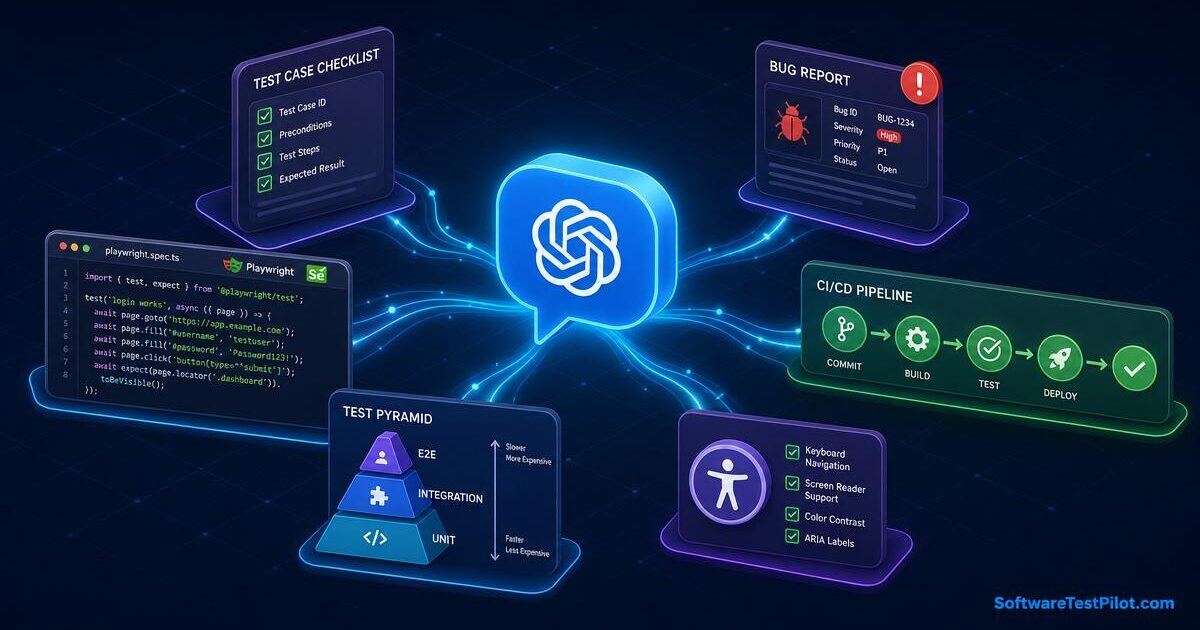
Last updated: July 14, 2026 · 19 min read · By SoftwareTestPilot
ChatGPT for QA testing is the day-to-day use of OpenAI's large language models — alongside Claude Opus 4.5, Gemini 2.5 Pro and self-hosted Llama 4 — to accelerate the parts of a QA engineer's job that used to eat hours: writing test cases, generating test data, drafting bug reports, planning exploratory sessions, reviewing requirements, generating API and accessibility checks, and summarising failed builds. Used well on a 2026 QA team, ChatGPT saves 6–10 hours per tester per week and improves test-case coverage by 25–40%. Used badly, it ships hallucinated steps, PII in prompt logs and false confidence in green suites.
This is the pillar every manual QA, SDET and QA lead should bookmark before wiring ChatGPT into their workflow. It covers what ChatGPT does well and badly for QA specifically, the RCTF prompt framework, twenty copy-paste prompts for functional, exploratory, API, accessibility, security and performance testing, a strict 6-point review rubric, honest ROI, governance against NIST and the EU AI Act, a 30-day rollout and the People Also Ask questions Google surfaces. Pair it with our ChatGPT for software testing pillar, the ChatGPT for test automation guide, the AI software testing pillar, the 50 ChatGPT prompts for software testers and the GitHub Copilot for QA guide.
Key takeaways
- Measured time saved on healthy 2026 QA teams: 6–10 hours per tester per week across test-case authoring, bug reports, data generation and log triage.
- Every QA prompt should follow RCTF — Role, Context, Task, Format — and end with an explicit rubric.
- ChatGPT is a first draft engine, not a release-gate. Every AI artifact goes through the 6-point QA rubric before it ships.
- Never paste real PII, session tokens, customer emails or production log fragments. Use the redaction template in this guide.
- Manual-only QAs who ignore ChatGPT are seeing 2026 rate compression; QAs who master it are seeing 15–30% salary lifts.
1. What is ChatGPT for QA testing?
"ChatGPT for QA testing" is the practice of embedding a chat-based large language model into the QA lifecycle — requirements review, test design, execution, defect reporting, regression, exploratory testing, accessibility, API testing, performance and release sign-off — to draft artifacts a human QA then reviews, edits and owns. It is assistive, not autonomous. QA still owns the release decision.
+---------------------------------------------------------------------+
|            CHATGPT FOR QA TESTING — WHERE IT FITS                  |
+---------------------------------------------------------------------+
| QA STAGE          | HUMAN OWNS         | CHATGPT ASSISTS WITH       |
+-------------------+--------------------+----------------------------+
| Req review        | Ambiguity calls    | Gap questions, edge cases  |
| Test design       | Risk model         | Test-case first drafts     |
| Test data         | PII rules          | Synthetic datasets         |
| Exploratory       | Charters, judgment | Session ideas, heuristics  |
| Execution         | Environment prep   | Log triage, screenshots    |
| Defect reporting  | Repro steps        | Bug write-ups, severity    |
| API testing       | Contract truth     | Test bodies, assertions    |
| Accessibility     | Real AT testing    | WCAG rule mapping          |
| Regression        | Scope decisions    | Impact analysis            |
| Release sign-off  | Go / no-go         | Risk summary                |
+-------------------+--------------------+----------------------------+
Research from GitHub's Copilot code-quality study puts the productivity boost on well-scoped engineering tasks at 40–55%. On QA-specific tasks — which are more language than code — our benchmarks and vendor data land in the 30–50% range for authoring speed and 25–40% for coverage completeness. The DORA State of DevOps reports the same signal: AI-assisted teams are the most likely to reach elite delivery, provided they keep human review in the loop.
What it is not: a replacement for a QA engineer, a chatbot that runs your tests for you, or a magic autopilot. Any vendor pitching "autonomous QA" without human review is selling marketing, not risk-managed testing.
2. The RCTF prompt framework for QA
The single biggest lever on ChatGPT output quality is prompt structure. Every QA prompt should have four explicit layers — Role, Context, Task, Format:
- Role — "You are a senior QA engineer fluent in ISO 25010 quality attributes, ISTQB test design and WCAG 2.2 accessibility."
- Context — paste the requirement, the user story, the acceptance criteria, the target environment (browser matrix, mobile OS, API version), any known constraints and the last three bugs found in that area.
- Task — "Generate a test-case matrix in Given/When/Then covering functional, negative, boundary, security, accessibility and performance for this feature."
- Format — "Output a markdown table with columns TC-ID | Priority | Type | Preconditions | Steps | Expected | Data. End with a self-critique against these criteria: coverage vs risk, ambiguity, missing edge cases, data realism."
Then run the 3-step iteration loop — baseline → self-critique → regenerate. On our internal audits this alone lifts coverage scores from ~62% to ~89% on the same feature.
3. Copy-paste prompts for functional test cases
Prompt: generate test cases from an acceptance criterion
You are a senior QA engineer fluent in ISTQB test design.
Context:
- Feature: Cart coupon application in a B2C e-commerce checkout.
- Acceptance criteria:
  * Valid single-use coupon reduces total by the coupon percentage.
  * Expired coupon shows an inline error containing "expired".
  * Two coupons cannot be stacked.
  * Coupon field is case-insensitive.
- Environment: Chrome 126, Safari 17, Firefox 128, iOS Safari 18.

Task: produce a test-case matrix covering functional (positive, negative,
boundary), security (SQL/HTML injection in the coupon field), accessibility
(keyboard-only, screen reader), and performance (200 concurrent redemptions).

Format: markdown table with columns TC-ID | Priority | Type | Preconditions
| Steps | Expected | Data. End with a self-critique flagging missing risk
areas and any assumption not stated in the acceptance criteria.
Prompt: convert a requirement into Given/When/Then
Convert the following user story into BDD Given/When/Then scenarios covering
positive, negative, boundary and security cases. Use Persona A, Persona B
as actor names. Do not invent acceptance criteria not stated in the story.
[paste user story]
4. Copy-paste prompts for exploratory testing
Prompt: generate a session-based exploratory charter
You are a senior exploratory tester in the Bach / Bolton tradition.
Generate a 90-minute session-based test charter for the following feature.
Include: mission, areas to cover, oracles (what "good" looks like),
risks to probe (using Elisabeth Hendrickson's Test Heuristics Cheat Sheet),
and a debrief template with sections for Coverage, Bugs, Issues, Session
Metrics (TBS metric).
Feature: [paste feature summary and current bug list].
Prompt: generate heuristic questions for a new build
Given the following release notes, generate 20 pointed exploratory questions
an experienced QA would ask on a first-look session. Group them by
heuristic: CRUSSPIC STMPL and SFDIPOT. Do not invent features not in the
notes.
[paste release notes]
5. Copy-paste prompts for bug reports
Prompt: turn rough notes into a JIRA-ready bug report
You are a senior QA writing a JIRA bug for a distributed engineering team
that has never seen this bug. Convert the notes below into a bug report
with sections: Summary, Environment (browser, OS, build), Preconditions,
Steps to reproduce (numbered), Actual result, Expected result, Severity
(with a 1-line justification), Priority, Attachments checklist, Suspected
root cause (1 sentence, marked hypothesis). No filler; every line has to
move the developer closer to a fix.
Notes: [paste tester notes]
Prompt: severity and priority justification
Given this bug summary and the product context below, propose severity
(S1–S4) and priority (P1–P4) with a one-paragraph justification citing
ISO 25010 quality attributes and business impact. Flag any assumption
you make about traffic, revenue or compliance.
Bug: [paste bug summary]
Product context: [paste 3 lines about traffic, revenue, segment]
For deeper templates and bug-report samples, see the bug life-cycle and report writing guide.
6. Copy-paste prompts for API, accessibility, security and performance
API — test cases from an OpenAPI spec
You are a senior API QA fluent in Postman, Newman, REST Assured and
response-schema validation.
From the OpenAPI spec below, generate a test matrix per resource covering
positive, negative (400, 401, 403, 404, 409, 422), boundary (max lengths,
numeric limits), authorization (missing / expired / wrong-scope token),
and contract (response matches schema). Cite the operationId for every
test. No hardcoded auth tokens.
[paste OpenAPI YAML]
Cross-check the fundamentals with the API testing interview questions pillar and the microservices testing pillar.
Accessibility — WCAG 2.2 test plan
You are a senior accessibility QA fluent in WCAG 2.2 AA and ARIA APG.
Given the component below, generate a manual test plan covering keyboard
operability, focus order, visible focus, screen reader announcements
(NVDA + Windows, VoiceOver + macOS/iOS, TalkBack + Android), colour
contrast, motion sensitivity and touch target size. Cite the WCAG SC for
each test.
[paste component HTML or Figma description]
Security — OWASP Top 10 checks for a form
You are a security-minded QA fluent in the OWASP Top 10 (2021) and OWASP
ASVS Level 1. Given the form below, generate a manual test plan targeting
Injection, XSS, Broken Access Control, Insecure Design and Security
Misconfiguration. For each test list: the payload, the expected safe
response and the fail signal.
[paste form HTML]
See the web app security testing guide and, when your app touches auth, the authentication testing guide.
Performance — test plan from a user journey
You are a senior performance QA fluent in k6, JMeter and Gatling. From the
user journey below, generate a load test plan with: target workload model,
thresholds (p95 latency, error rate), test types (smoke, load, stress,
soak), monitored metrics and pass/fail gates. Do not invent SLAs; ask a
clarifying question if a threshold is not stated.
[paste user journey]
7. Copy-paste prompts for log triage and release notes
Prompt: summarise a red build log
You are a senior QA triaging a red CI build. Given the last 200 lines of
the failure log below, produce: (1) a 1-sentence summary of the failure
mode, (2) the top 3 candidate root causes ranked by likelihood with a
sentence each, (3) the exact log lines that support each hypothesis, (4)
the next diagnostic step for each hypothesis. No speculation beyond the
log. If the evidence is insufficient, say so.
[paste log]
Prompt: draft QA release notes
You are a senior QA drafting the QA section of the release notes. Given
the merged PR list, the closed-bug list and the open-known-issues list
below, produce a release notes section with: What's new (QA-verified),
Fixed defects (with ticket IDs), Known issues (with workarounds), Test
coverage summary, Risk statement, Rollback plan. Neutral, factual tone.
[paste inputs]
8. The 6-point QA review rubric for AI-drafted artifacts
Every AI-drafted QA artifact — test case, bug report, exploratory charter, API check — goes through this rubric before it ships. Any artifact failing two or more criteria is regenerated, not review-commented:
- Assertion truth — the expected result actually verifies the acceptance criterion, not just "something happens".
- Coverage vs risk — negative, boundary, security and accessibility cases present, not just happy path.
- Ambiguity — every step and expected result is unambiguous to a tester who has not seen the feature.
- Data realism — test data is realistic and shape-preserving. No
test1@test.comfor a payment flow. - Compliance — no real PII, no real card numbers, no production secrets, no customer emails in the artifact.
- Traceability — every test case links back to a requirement, story ID or risk. If it cannot, it is speculative.
This rubric is the difference between AI making QA better and AI making QA faster to miss things.
9. Where ChatGPT for QA testing still fails
- Hallucinated steps and fields. ChatGPT will invent a button, field or error message that looks plausible and does not exist. Verify every expected result against the running system.
- Happy-path bias. Default output over-indexes on positive scenarios. Force negative, boundary, security and accessibility coverage in the rubric.
- Generic bug reports. Without steps and log evidence pasted in, ChatGPT writes vague "the page doesn't work" reports. Feed it real notes.
- Compliance blind spots. HIPAA, PCI-DSS, SOX, GDPR — regulated release-gate ownership cannot be delegated to a model. See the QA outsourcing pillar for the compliance clauses.
- Prompt log leakage. Free / personal ChatGPT plans train on your prompts by default. Enterprise or Team only, with training turned off.
- Model drift. Answers change quarter-to-quarter as models update. Pin critical prompts and reasoning to your internal knowledge base with the actual outputs your rubric expects.
10. Privacy, PII redaction and governance
The fastest way to lose the ChatGPT licence — and possibly your job — is pasting production data into a prompt. Use this redaction pre-pass on every prompt that touches app data:
Before sending any prompt containing app data, replace:
- emails      -> user{N}@example.com
- phones      -> +1-555-0100 through +1-555-0199
- names       -> Persona A, Persona B, ...
- card PANs   -> 4242 4242 4242 4242 (Stripe test)
- addresses   -> 1 Infinite Loop, Cupertino, CA 95014
- IDs / UUIDs -> TEST-000-0001 (sequential)
- tokens      -> <REDACTED>

Keep shape (length, format, checksum) so validation logic still triggers.
On the plan side: ChatGPT Enterprise and Team have training on your prompts off by default and add SSO, admin controls and longer context. Personal Plus is fine for open-source and public-doc prompts only. Regulated workloads should use Azure OpenAI, AWS Bedrock or self-hosted Llama 4. Cross-check every policy against the NIST AI Risk Management Framework and the EU AI Act.
11. ROI — what ChatGPT actually saves a QA team
Annual ROI = (Hours saved ⋅ loaded QA cost)
           + (Escape defects avoided ⋅ incident cost)
           − (ChatGPT / Copilot licences)
           − (Review overhead: 10–20% of "hours saved")
           − (Governance headcount)
Honest 2026 ranges on healthy QA teams:
- Test-case authoring: 30–50% faster from requirement to reviewable draft.
- Bug report writing: 40–60% faster from repro to a JIRA-ready ticket.
- Test data generation: 60–80% faster on synthetic datasets.
- Log triage: 30–50% shorter time-to-first-comment on red builds.
- Coverage completeness: 25–40% more negative, boundary and accessibility cases surfaced.
Total for a 5-person QA team: usually 6–10 hours per tester per week, or roughly one extra tester's worth of throughput on a 5-seat plan. Anything above 10× ROI in the first quarter is a comparison against a baseline that never existed. Anything below break-even in year one usually means governance was skipped and hallucinated tests are eating the "saved" time.
12. 30-day rollout for a QA team
- Days 1–7 — foundations. Enable ChatGPT Enterprise / Team, turn on data-exclusion, publish the RCTF template, redaction rules and 6-point QA rubric in
docs/ai-usage.md. - Days 8–14 — prompt library. Each QA submits three prompts they use daily. Curate the top 20 into
docs/prompts/qa/; reject any prompt missing an RCTF layer. - Days 15–21 — guardrails. Add a test-case template check and a bug-report template check to your test-management tool. Update the PR / ticket templates with the 6-point rubric checkbox.
- Days 22–30 — measure. Baseline five KPIs — test-case authoring time, bug-report first-response time, coverage %, escaped defects per release, MTTR. Compare to pre-rollout. Cancel or expand based on data, not vibes.
13. What ChatGPT for QA testing means for QA careers
The 2026 hiring data is unambiguous: manual-only testers are seeing rate compression, and QA engineers who can pair ChatGPT with test design, bug reporting and exploratory testing are seeing 15–30% salary lifts. See the QA engineer salary guide and the SDET career roadmap.
Actively interviewing? Practice with the AI mock interview, tune your CV with the free ATS resume review and browse live openings on the QA Jobs Radar. For technical rounds, work through the Playwright interview questions, Selenium interview questions, API testing interview questions and SQL interview questions pillars.