Best AI Bug Detection Tools 2026 (Testim, Applitools, Mabl & More Ranked)
AI-powered bug detection tools compared in 2026 — visual AI, self-healing locators, failure analysis, auto-bug filing. Pricing, strengths and when each is worth it.

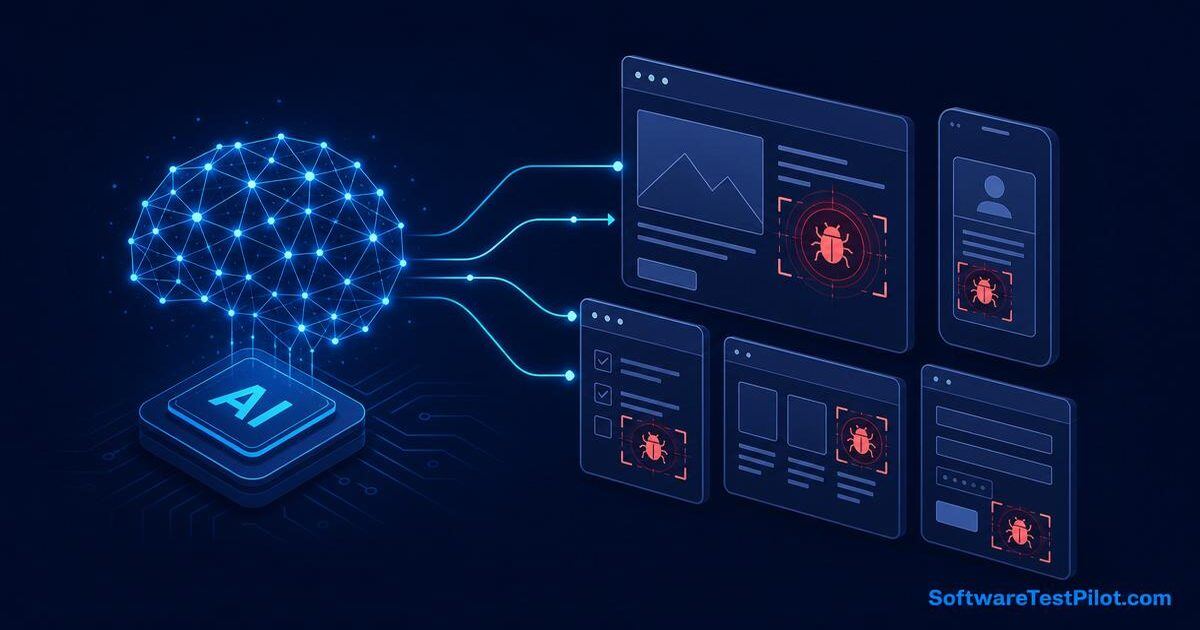
AI-powered bug detection sounds like a tool that automatically finds every defect before users do. In real life, it is more specific. AI can help detect visual changes, suspicious logs, unusual performance patterns, risky code changes, recurring test failures, crashes, and anomalies in production behavior. It can also help testers triage defects faster. But it does not remove the need for exploratory testing, product knowledge, and strong engineering practices.
For QA teams, the practical question is: where can AI reduce missed bugs and save investigation time? This guide explains the main categories of AI-powered bug detection tools and how to use them without falling for hype.
SoftwareTestPilot tip: Pair this guide with our AI Mock Interview, QA Resume ATS Review, and GitHub Copilot for QA guide to turn theory into portfolio-ready practice.
15 AI bug detection tools at a glance
Here is a side-by-side view of the tools QA teams evaluate most often in 2026. Categories map to the seven sections below so you can jump straight to the one that fits your gap.
| Tool | Category | Best for | Starting price (USD) | Free tier |
|---|---|---|---|---|
| Applitools Eyes | Visual AI | Design-heavy web + mobile apps | ~$0.03 / checkpoint | Yes (limited) |
| Percy (BrowserStack) | Visual AI | Playwright/Cypress teams on BrowserStack | $149 / mo | 5k screenshots |
| Chromatic | Visual AI | Storybook-driven component libraries | $149 / mo | 5k snapshots |
| Testim | Self-healing E2E | Fast-changing UIs, low-code teams | Custom | Trial only |
| Mabl | Self-healing E2E + anomaly | Regression + API + perf in one tool | Custom | 14-day trial |
| Functionize | Self-healing E2E | Enterprise regression at scale | Custom | Demo only |
| Sentry | Crash + error tracking | Frontend + backend crash triage | $26 / mo | 5k events |
| Datadog Error Tracking | Log + anomaly | Teams already on Datadog APM | $15 / host | 14-day trial |
| New Relic Errors Inbox | Log + anomaly | Full-stack observability | $0.30 / GB | 100 GB / mo |
| Firebase Crashlytics | Mobile crash | Android/iOS apps | Free | Unlimited |
| Instabug | Mobile crash + feedback | Mobile QA + beta testers | $208 / mo | Trial |
| Snyk Code (DeepCode) | AI static analysis | Security + code smells in PRs | $25 / dev | 200 tests / mo |
| SonarQube + AI CodeFix | AI static analysis | Enterprise code quality gates | $150 / yr | Community edition |
| Launchable | Test failure clustering | Large flaky CI suites | Custom | Free tier |
| ReportPortal.io | AI failure triage (OSS) | Teams that want open-source control | Free (self-host) | Full OSS |
Prices reflect published rates as of November 2026 and change often — always confirm on the vendor site. What matters more than price is fit: a $30 Sentry seat that catches production crashes is a better spend than a $50k enterprise contract nobody reviews.
Selection criteria: a 10-point checklist
Before you demo any tool, score it against this checklist. If a vendor cannot answer 8 out of 10 clearly, keep looking.
- Which bug class does it detect? Visual, functional, crash, performance, security — get specific.
- Does it integrate with your CI? GitHub Actions, GitLab CI, Jenkins, Azure DevOps, CircleCI — check native plugins, not just "REST API available".
- Does it plug into your framework? Playwright, Selenium, Cypress, WebdriverIO, Appium, XCUITest — SDK maturity matters.
- How are false positives handled? Ask for the false-positive rate on their reference customers and how baselines are approved.
- Where does data live? SOC 2, GDPR, data residency (EU/US/India), and PII scrubbing for logs and screenshots.
- What is the total cost at your scale? Per-checkpoint, per-seat, per-GB, per-host — model 12 months at 2x current volume.
- How steep is the learning curve? Time-to-first-value under a week is the modern bar.
- Can non-engineers use it? QA analysts, PMs, and designers often own bug triage.
- Does it export raw data? You should own your findings — JSON/CSV export prevents lock-in.
- What is the roadmap? AI capabilities evolve fast; a stagnant roadmap is a red flag.
Score each tool 0–2 per item. Anything under 14/20 rarely survives contract renewal.
1. Visual AI testing tools
Visual bugs are easy for users to notice and easy for automated functional tests to miss. A button may still be clickable while the layout is broken. A chart may load while labels overlap. A checkout page may pass API checks while the price text is invisible on mobile.
Visual AI tools such as Applitools compare screens in a smarter way than basic pixel comparison. They try to ignore insignificant differences and highlight meaningful UI changes. This is useful for design-heavy applications, ecommerce pages, dashboards, marketing pages, and apps with many browser/device combinations.
Use visual AI for critical pages, not every screen. Start with login, pricing, checkout, dashboard, reports, and pages that directly affect revenue or trust. Pair it with a solid Playwright suite for functional coverage.
2. Test failure clustering
Large automation suites can fail for many reasons: locator changes, environment downtime, API errors, test data conflicts, browser issues, or real product defects. AI can group similar failures so teams do not waste time investigating the same root cause repeatedly.
A good failure analysis tool should group failures by error message, stack trace, screenshot, failed step, browser, environment, and recent code changes. This helps QA leads answer, "Is this one product bug causing 40 failures, or are there 40 separate problems?"
Failure clustering is especially useful in CI pipelines with hundreds or thousands of tests. It turns noise into patterns.
3. Log analysis and anomaly detection
Production logs and test environment logs contain useful signals, but humans cannot read everything. AI-assisted log analysis can highlight unusual error spikes, new exception types, slow endpoints, memory issues, and suspicious sequences before they become major incidents.
For QA teams, log analysis is useful during regression, performance testing, and release validation. After a test run, do not only check UI results. Check backend logs for errors, warnings, retries, and slow queries. Some bugs do not show in the UI immediately but appear clearly in logs.
4. Crash reporting tools
Mobile and frontend crash reporting tools can automatically group crashes, show affected users, identify device versions, and connect issues to releases. AI can help prioritize crashes by frequency, severity, and user impact.
This is important because not every crash has the same priority. A crash affecting 2 users on an unsupported OS is different from a crash affecting 20 percent of checkout users after the latest release. Good bug detection includes impact analysis. See our Appium mobile testing tutorial for related mobile QA practices.
5. Static analysis and code scanning
Static analysis tools inspect code without running it. Modern tools use rules, pattern detection, and sometimes AI assistance to find security issues, code smells, null pointer risks, dependency vulnerabilities, and risky changes.
QA engineers may not own static analysis, but they should understand its output. If a release has new security warnings or risky code areas, QA can adjust test focus. Quality engineering works best when testers, developers, and security teams share signals. Our OWASP security testing checklist is a good companion.
6. Requirements and design review assistants
Some bugs are born before code is written. Ambiguous requirements create defects because developers, testers, and product owners imagine different behavior. AI assistants can review requirements for missing rules, contradictions, edge cases, and unclear acceptance criteria.
This is a form of early bug detection. If AI helps you discover that refund behavior is undefined for partially shipped orders, you have found a potential defect before development. That is cheaper than finding it in production.
7. Production monitoring and user behavior analytics
AI can detect anomalies in production metrics: sudden drop in conversion, increase in failed payments, unusual search behavior, slow page loads, or error spikes after deployment. This helps teams catch bugs that automated tests missed.
QA teams should not stop caring after release. Modern QA includes monitoring production quality and feeding learnings back into regression suites. If users repeatedly fail at a step, add a test or improve observability.
How to choose bug detection tools
Choose tools based on the bugs you actually miss. If users complain about broken UI, evaluate visual testing. If CI failures are noisy, improve failure clustering. If production incidents appear without test failures, improve logs and monitoring. If security issues escape, strengthen static analysis and dependency scanning.
Do not buy a tool just because it says AI-powered. Ask for proof using your defects. Take five recent production bugs and ask whether the tool would have detected them earlier. This is a practical evaluation method.
Where AI helps in defect triage
AI can summarize long bug reports, suggest missing details, group duplicate issues, estimate possible root causes, and translate technical logs into simpler language. This saves time in daily triage meetings.
For example, if ten testers file similar payment failures with different wording, AI can group them and suggest that all failures involve the same payment provider timeout. The QA lead can then focus investigation instead of reading every ticket manually.
Risks of AI bug detection
The first risk is false positives. A tool may flag harmless changes and create alert fatigue. The second is false negatives. A tool may miss a real defect, especially if the team trusts it too much. The third is lack of context. AI may detect an anomaly but not understand business priority.
To manage these risks, set thresholds carefully, review alerts, and connect tool output with human triage. The tool should support decisions, not make all decisions alone.
Pros and cons by tool category
Visual AI (Applitools, Percy, Chromatic)
Pros: catches CSS/layout regressions functional tests miss; cross-browser and cross-device coverage in one run; smart diffing beats pixel-by-pixel Selenium screenshots.
Cons: per-checkpoint pricing scales fast; noisy baselines when design changes weekly; useless for pure API/backend defects.
Self-healing E2E (Testim, Mabl, Functionize)
Pros: auto-updates locators when UIs shift; low-code recorders unblock manual QA; built-in analytics show flakiness trends.
Cons: lock-in — tests live in the vendor cloud; "self-healing" masks real product bugs when a button vanishes; enterprise pricing.
Crash + error tracking (Sentry, Crashlytics, Instabug)
Pros: stack-traces grouped by release, OS, and device; user-impact scoring; source-map support for minified JS.
Cons: event quotas surprise fast-growing apps; PII in breadcrumbs needs scrubbing; alert fatigue without ownership rules.
Log + anomaly (Datadog, New Relic)
Pros: AI baselines for latency and error rates; anomaly alerts before users complain; correlates deploys with regressions.
Cons: ingest cost balloons at high traffic; ML models need weeks of training data; noisy on low-volume services.
AI static analysis (Snyk Code, SonarQube AI CodeFix)
Pros: catches SQLi, XSS, and unsafe deserialization in PRs; auto-suggests fixes; integrates with GitHub PR checks.
Cons: false positives on legacy code; requires developer buy-in — QA cannot enforce alone; language coverage varies.
Test failure clustering (Launchable, ReportPortal)
Pros: turns 400 red tests into 6 root causes; predicts which tests to run for a given PR; reduces CI cost.
Cons: needs stable test IDs and history; small suites (<200 tests) rarely justify it.
30-60-90 day implementation plan
Do not roll out five tools at once. Sequence the adoption so each tool proves value before the next.
Days 1–30: Pick one gap, run a scoped pilot
- List the 10 most recent escaped defects. Tag each by category (visual, crash, log, security, flaky test).
- Pick the category with the highest count. That is your first tool bet.
- Shortlist 2 vendors from the comparison table. Book demos with your own failing scenarios — not their canned demo app.
- Run a 2-week trial. Wire it into one CI pipeline and one repo only.
- Success metric: at least 3 real bugs surfaced that your current process missed.
Days 31–60: Institutionalise the winner
- Assign an owner. Every alert needs a name attached, or it becomes noise.
- Define SLA: P1 alert acknowledged in 30 min, triaged in 2 hours.
- Add a weekly "AI signals" review to your QA sync — 15 minutes, no more.
- Feed detected defects back into regression suites. This is where value compounds.
- Kill notification channels that no one reads. Signal > volume.
Days 61–90: Layer the second tool
- Reassess escaped defects. Has the first tool closed its category? Move to the next gap.
- Integrate tools where possible — e.g. Sentry issues into Jira, Applitools baselines into Slack.
- Report ROI to leadership: fewer escaped defects, lower MTTR, hours saved in triage. Renewal conversations get easier with numbers.
Buy vs build vs open source
Not every team should buy. If you have strong platform engineering, open-source options can go a long way: ReportPortal for AI failure triage, self-hosted Sentry for crashes, Snyk OSS scanners for dependencies, and Prometheus + Grafana for anomaly detection. Trade-off: you pay in engineering time, not licence fees. Buy when time-to-value matters more than customisation; build when your workflow is unique or compliance rules out SaaS.
Examples of bugs AI can help surface earlier
A visual AI tool may catch a checkout button pushed below the fold on smaller screens after a CSS change. A log anomaly tool may detect a sudden increase in 500 errors after a new API deployment. A crash reporting tool may group Android crashes caused by a specific OS version. A failure clustering tool may show that dozens of UI tests failed because the authentication service was down, not because each page broke separately.
These examples are practical because they reduce investigation time. The AI is not replacing testers; it is pointing testers toward signals worth checking. A human still decides whether the issue is release-blocking, whether customers are affected, and what needs to be tested after the fix.
How to connect detected bugs back to testing
Every important detected issue should feed the test strategy. If visual AI finds a responsive layout defect, add that viewport to regression. If logs show repeated timeout errors, add API performance checks. If production monitoring shows users abandoning a form, create exploratory charters around that form. Bug detection tools become more valuable when their findings improve future coverage.
Without this feedback loop, AI alerts become temporary noise. With the loop, they become learning signals for the whole QA process.
Small-team starting point
If your QA team is small, begin with the tools you already have. Review CI reports, browser console errors, API logs, and support tickets more systematically. Then add one AI-assisted layer where the pain is highest. This keeps adoption affordable and prevents tool overload.
Final thoughts
AI-powered bug detection is useful when it is connected to real QA workflows. It can detect patterns humans miss, reduce triage effort, and improve release confidence. But it is not a magic bug finder. Strong testing still needs clear requirements, good automation, exploratory testing, monitoring, and human judgment.
The best QA teams in 2026 will combine AI signals with practical testing skill. They will not ask, "Can AI find all bugs?" They will ask, "Which signals help us find important bugs earlier?" Continue with our GitHub Copilot for QA guide and Playwright vs Selenium comparison.