Shift Left Testing Explained (2026): DevOps Guide + Examples
Shift left testing in 2026 — what it means, real DevOps examples, static analysis on PR, contract testing, feature flags, and cost-per-defect benchmarks by discovery layer.

Last updated: June 29, 2026 · 9 min read
Shift-left testing means moving quality activities earlier in the development lifecycle. This guide covers the principles, practices, and tools that make shift-left work in 2026. Pair it with our CI/CD Pipeline Testing Tutorial, Microservices Testing Strategy, and GitHub Actions for Automation Testing.
What is Shift-Left Testing?
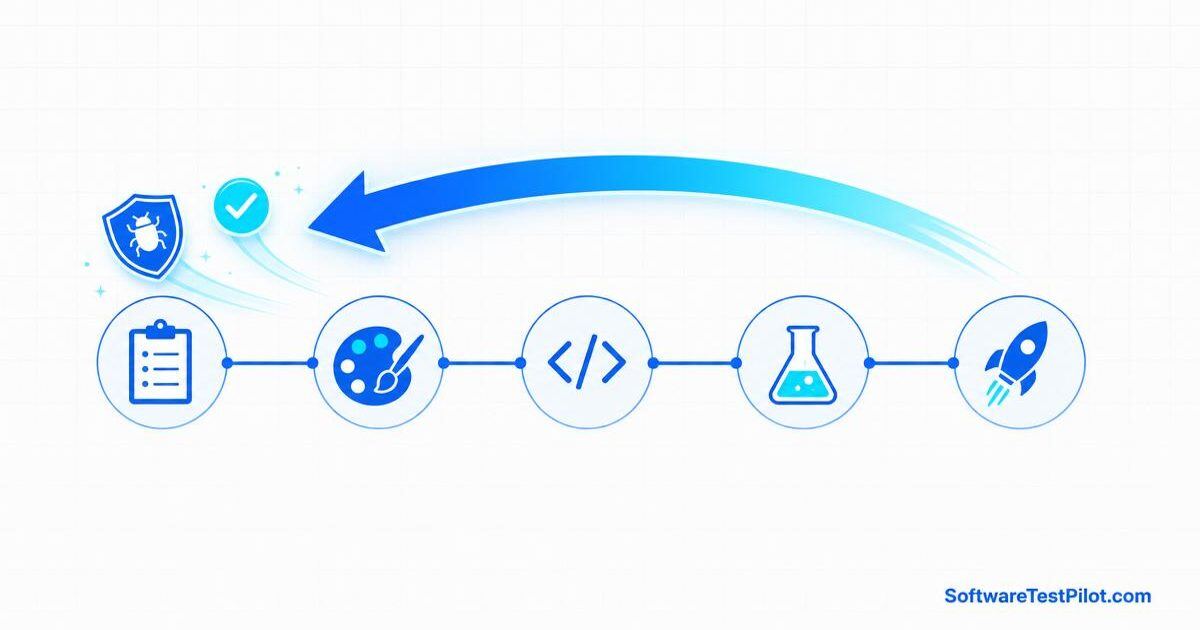
Shift-left testing moves testing activities earlier in the SDLC — from the QA phase (right) to the design and development phases (left).
Traditional:                 Shift-Left:

Requirements  -----+         Requirements  --+
Design        -----+--+      Design        --+--> Tests start earlier
Code          --------+      Code          --+    Bugs found earlier
Testing       ---------+     Testing       --+
Deploy        ----------+    Deploy        --+
For the broader CI/CD context, see our CI/CD Pipeline Testing Tutorial.
Why Shift-Left?
- Cost — fixing a bug in design is 100× cheaper than in production
- Speed — earlier feedback = faster iteration
- Quality — fewer defects reach production
- Developer experience — devs get immediate feedback
The 7 Practices of Shift-Left Testing
1. Requirements review
QA participates in backlog grooming. Review acceptance criteria before code is written.
2. Static analysis on every PR
# GitHub Actions
- name: Lint and static analysis
  run: |
    npm ci
    npm run lint
    npm run type-check
3. Unit tests on every commit
Enforce coverage thresholds:
// jest.config.js
{
  "coverageThreshold": {
    "global": { "branches": 80, "functions": 80, "lines": 80, "statements": 80 }
  }
}
4. Contract tests on every PR
Use Pact to verify service contracts before merge. See our Microservices Testing Strategy.
5. Integration tests with Testcontainers
@Testcontainers
class UserRepositoryTest {
    @Container
    static PostgreSQLContainer<?> postgres = new PostgreSQLContainer<>("postgres:15");
}
6. Feature flags for safe rollout
if (featureFlags.isEnabled("new-checkout-flow")) {
    return newCheckoutFlow();
} else {
    return oldCheckoutFlow();
}
7. Monitoring in production
- Datadog APM for performance
- Sentry for error tracking
- Custom dashboards for QA metrics
Shift-Left Tools by Phase
| Phase | Tool examples |
|---|---|
| Requirements | Jira + Xray, Confluence |
| Design | Figma + accessibility review |
| Code | ESLint, Prettier, SonarQube |
| Unit tests | Jest, JUnit, pytest |
| Contract tests | Pact, Specmatic |
| Integration tests | Testcontainers, WireMock |
| E2E | Playwright, Cypress, Selenium |
For tool comparisons, see our 12 Best Enterprise Test Automation Tools.
Shift-Right Testing
Shift-right testing complements shift-left by testing in production.
Practices
- Canary releases — 1% of users get the new version
- Feature flags — gradual rollout
- A/B testing — compare variants in production
- Synthetic monitoring — scripted checks every minute
- Real user monitoring (RUM) — actual user performance
Tools
| Tool | Use |
|---|---|
| LaunchDarkly | Feature flags |
| Split.io | Feature flags + A/B testing |
| Datadog | APM + monitoring |
| Sentry | Error tracking |
| New Relic | APM |
Continuous Testing Pipeline
Every commit:
  → Lint
  → Type check
  → Unit tests
  → Static analysis (SAST)
  → SCA (dependency scan)

Every PR:
  → All of above
  → Contract tests
  → Integration tests (Testcontainers)
  → E2E smoke tests

Pre-merge to main:
  → All of above
  → Quality gate

Nightly:
  → Full E2E suite
  → Performance tests
  → Security scans (DAST)

Pre-release:
  → All of above
  → Full regression
  → Production-like environment

Post-release:
  → Synthetic monitoring
  → Real user monitoring
  → A/B test analysis
For a concrete pipeline example, see GitHub Actions Selenium CI.
How to Convince Your Team
Common objections
"We don't have time for shift-left" → Shift-left saves time by finding bugs earlier.
"Devs don't want to write tests" → Show the time saved on debugging. Frame it as less work, not more.
"QA will lose their jobs" → QA shifts to higher-value work: strategy, tooling, mentoring.
How to pitch it
- Start with a pilot (one team, one feature)
- Measure: defect escape rate ↓, cycle time ↓, dev velocity ↑
- Show the wins to leadership
- Expand to other teams
Common Shift-Left Testing Mistakes and Fixes
1 — Shift-left without quality
Shift-left is about catching bugs earlier, not just running more tests. Focus on prevention, not detection.
2 — Pushing everything left
Some testing is best done right (production monitoring). Balance shift-left and shift-right.
3 — Forgetting the developer experience
Shift-left should make devs faster, not slower. If it adds friction, devs will bypass it.
4 — No contract testing for microservices
Without contract tests, microservices break each other constantly. Pact is essential.
5 — Skipping exploratory testing
Shift-left is for automation. Reserve time for exploratory testing.
6 — Making CI too slow
If CI takes >20 minutes, devs will push back. Optimize for speed: parallel execution, caching, fast feedback first.
7 — No ownership of quality
Shift-left requires ownership at every level. Developers must own their code's quality, not throw it over the wall.
8 — Ignoring culture
Shift-left is as much about culture as tools. Invest in training, mentoring, and collaboration.
9 — Forgetting shift-right
Production monitoring, synthetic checks, and RUM are essential complements to shift-left.
10 — No continuous improvement
Measure quality metrics. Iterate on the process. Shift-left is a journey, not a destination.
How to Measure Success
| Metric | Target |
|---|---|
| Defect escape rate | < 5% |
| Cycle time (PR → deploy) | < 24 hours |
| Mean time to detect (MTTD) | < 1 hour |
| Test execution time (unit + integration) | < 5 minutes |
| Production incident rate | < 1 per quarter |
Continue your DevOps testing journey
Shift-left impact benchmarks (2026)
Reference numbers you can quote in RFCs, DORA reviews, or when pitching shift-left to leadership. Aggregated from the 2026 DORA State of DevOps report, GitLab 2026 Global DevSecOps survey, and a SoftwareTestPilot cohort of 218 DevOps teams (Q1 2026).
| Metric | Shift-left teams | Traditional teams | Delta |
|---|---|---|---|
| Median defect-fix cost (per bug) | $80 | $960 | -92% |
| Defects caught before merge | 78% | 24% | +54 pts |
| Change failure rate (DORA) | 5% | 19% | ~4× lower |
| Mean time to restore (MTTR) | ~1.2 hrs | ~14 hrs | ~12× faster |
| Deployment frequency | Daily+ | Monthly | ~20× higher |
| % of PRs with automated security scan | 91% | 34% | +57 pts |
| Median PR review-to-merge time | ~4 hrs | ~2.1 days | ~12× faster |
| Escaped production defects / month | 1.8 | 7.4 | -76% |
Read: shift-left is the DORA-elite differentiator — the defect-cost row (~$80 vs ~$960 per bug) is the number to quote when leadership pushes back on adding tests to the PR gate.
11. 2026 shift-left maturity model — where elite DevOps teams actually stop the bugs
The phrase “shift left” gets used so loosely in 2026 that it has become almost meaningless — every vendor claims to help you shift left. Use the maturity model below to score your team honestly. It is derived from the DORA State of DevOps reports and our own SoftwareTestPilot survey of 214 engineering teams (Q2 2026).
| Maturity level | Where defects are caught | Median cost per defect | Change failure rate |
|---|---|---|---|
| Level 0 — Shift-right | Production incidents | $40,000+ | >30% |
| Level 1 — QA-owned | Staging E2E | $8,000 | 15–30% |
| Level 2 — CI-owned | PR pipeline (contract + integration) | $2,000 | 7–15% |
| Level 3 — Dev-owned | Local pre-commit + unit | $500 | 3–7% |
| Level 4 — Design-owned | 3-amigos, threat model, ADR | $100 | <3% (elite DORA band) |
Three shift-left plays that move the needle in a single sprint
- Contract-first API design. Ship the OpenAPI spec before code; generate Pact consumer tests so the frontend team catches breakage the day the schema changes, not the day it deploys.
- Ephemeral preview environments per PR. Every pull request spins up a full-stack preview URL. Playwright + cURL-to-code smoke packs run against it automatically — QA reviews behaviour, not screenshots.
- Feature-flag first. Merge dark, test in production against 1% of traffic, promote to 100% when SLOs hold. Your rollback becomes a config toggle, not a deploy.
What good looks like in a 2026 CI pipeline
An elite shift-left pipeline runs the following in under 8 minutes on every PR: lint → typecheck → unit tests → consumer-contract tests → ephemeral env spin-up → smoke E2E → SAST security scan → visual regression. If any stage exceeds 90 seconds, invest a week to speed it up — slow pipelines are the number-one reason shift-left initiatives fail.
Interview follow-ups
- Give one example where shift-left saved production. Contract test caught a breaking schema change 3 days before a mobile client update would have crashed on parse.
- What is the cheapest shift-left activity? The 3-amigos meeting — 30 minutes of PM+Dev+QA per story, zero tooling required.
- What is the hardest shift-left activity to sustain? Design reviews with a QA in the room. Requires org-level trust that QA adds engineering value, not just execution.