Why Every QA Engineer Must Master CI/CD Pipelines in 2026 (Or Risk Obsolescence)
Running tests locally is obsolete. Learn why QA engineers must own GitHub Actions and GitLab CI workflows in 2026, and get a production-ready sharded Playwright YAML template you can copy-paste today.

Last updated: July 1, 2026 · 12 min read · By Avinash K
Let’s be brutally honest about how software testing used to work. Ten years ago, a QA engineer could build an entire career around a desktop computer — write scripts in a local IDE, wait for the fortnightly release candidate, watch browsers click through screens for three hours, and email a PDF report to your manager.
In 2026, operating like that is professional suicide. Scan the six-figure engineering requisitions on our QA Jobs Radar and one message is unmissable: Companies no longer hire QA engineers whose automation lives exclusively on their laptop.
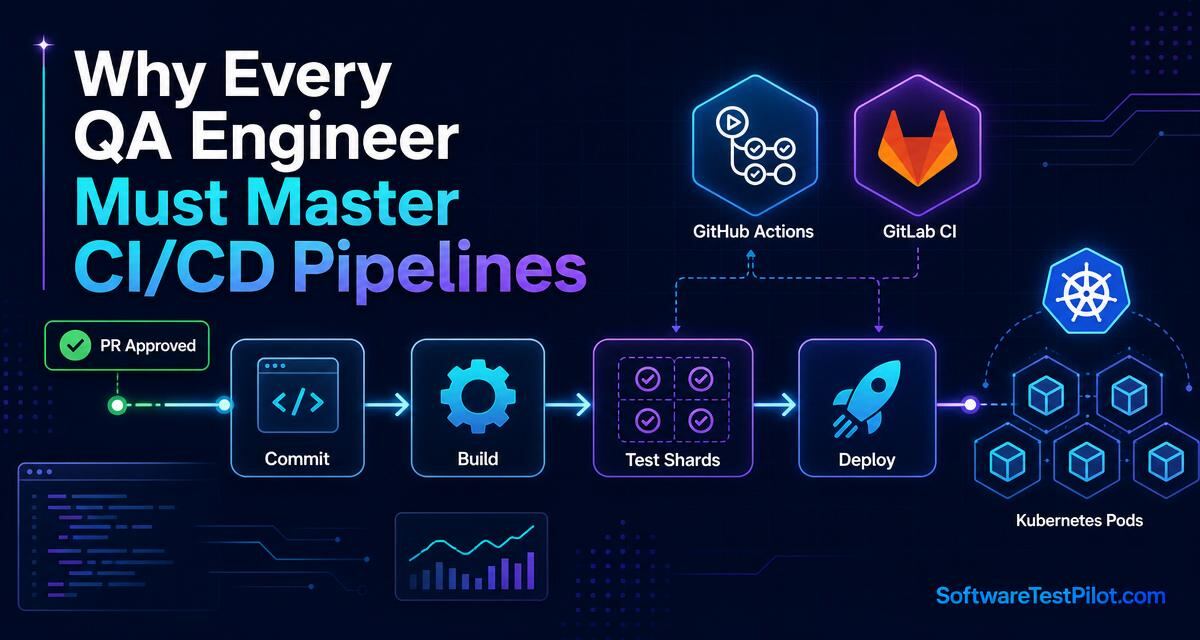
Modern engineering teams practise continuous deployment. Code is pushed dozens of times per day. If your regression tests can’t run automatically inside cloud CI/CD pipelines and validate a pull request in under eight minutes before it merges to main, your scripts deliver zero practical leverage to developers.
Key takeaways
- Local test execution is a rejection signal in 2026 senior QA interviews.
- Owning the pipeline YAML shifts you from downstream reporter to upstream quality gatekeeper.
- Master four pillars: declarative YAML, matrix sharding, secret management, artifact streaming.
- Sharded Playwright + GitHub Actions typically cuts a 40-minute suite to under 10 minutes.
trace: 'on-first-retry'cuts CI artifact storage costs by ~85% without losing debugging power.
1. The shift-left reality — why automation must gate pull requests
Compare the economic cost of downstream testing versus upstream pipeline gating:
+-----------------------------------------------------------------------------------+
|                  DOWNSTREAM TESTING vs. UPSTREAM PR GATING                        |
+-----------------------------------------------------------------------------------+
| [DOWNSTREAM TESTING (Legacy QA Model)]:                                           |
| Developer merges bad code -> 3 days later, QA runs local tests -> finds P1 bug.   |
| Result: developer context lost; hotfix requires emergency rollback costing $5,000.|
+-----------------------------------------------------------------------------------+
| [UPSTREAM PR GATING (Modern SDET CI/CD Model)]:                                   |
| Developer opens PR -> GitHub Actions runs containerised suite in 4 mins ->        |
| Finds P1 bug -> blocks PR merge automatically.                                    |
| Result: developer fixes it in their open branch, costing $25.                     |
+-----------------------------------------------------------------------------------+
Own .github/workflows/regression.yml and you transition from passive downstream reporter to active upstream quality guardian.
The psychology of developer pull requests
When developers open a PR, their cognitive focus is locked onto that specific diff. A CI pipeline that runs your Playwright API and UI suite inside containerised runners and catches a broken locator within four minutes gets fixed immediately. Wait three days — or overnight on legacy Jenkins — and the developer has already switched to three new Jira tickets. Interrupting them later creates organisational friction and release delays. See our CI/CD flake-fix guide for the exact patterns that keep pipelines green.
2. Core CI/CD concepts every QA engineer must master
You don’t need to become a Kubernetes cluster admin, but you must own four core continuous-integration building blocks:
+-----------------------------------------------------------------------------------+
|                  THE 4 PILLARS OF QA DEVOPS MASTERY                               |
+-----------------------------------------------------------------------------------+
| 1. DECLARATIVE YAML SYNTAX                                                        |
| - Structuring multi-job pipeline stages (install -> lint -> test -> report).      |
+-----------------------------------------------------------------------------------+
| 2. MATRIX SHARDING ACROSS PARALLEL CONTAINERS                                     |
| - Splitting a 500-test suite across 8 parallel Linux workers to cut run times.    |
+-----------------------------------------------------------------------------------+
| 3. EPHEMERAL SECRET MANAGEMENT                                                    |
| - Injecting staging database passwords and API tokens securely at runtime.        |
+-----------------------------------------------------------------------------------+
| 4. ARTIFACT RETENTION & PR COMMENT API STREAMING                                  |
| - Exporting failure trace zips and posting test reports directly to GitHub PRs.   |
+-----------------------------------------------------------------------------------+
Pillar 1 — Declarative YAML syntax
Every modern CI platform — GitHub Actions, GitLab CI, CircleCI, Azure DevOps — uses declarative YAML. An SDET must be comfortable authoring YAML, respecting whitespace indentation, defining env: variables, and orchestrating job dependencies (needs: [build-job]). See the official GitHub Actions workflow syntax reference.
Pillar 2 — Matrix sharding across parallel containers
If your suite takes 40 minutes on a single CPU, developers will disable it. Configure matrix sharding. In Playwright, passing --shard=1/4, --shard=2/4, --shard=3/4, --shard=4/4 across four cloud containers slices the suite into four equal chunks, cutting the total CI run from 40 minutes to ~10.
Pillar 3 — Ephemeral secret management
Never hardcode passwords or bearer tokens in test scripts or YAML. Master CI secret stores (${{ secrets.STAGING_DB_PASSWORD }}) injected as runtime env vars to stay SOC2-clean and prevent credential leakage.
Pillar 4 — Artifact retention & PR streaming
Upload traces on failure, merge sharded reports, and post a status comment back to the PR — developers should never have to leave the pull request to understand why the build failed.
3. Complete production-ready GitHub Actions YAML workflow
Below is an exhaustive, production-ready GitHub Actions workflow (.github/workflows/playwright-sharded-pipeline.yml) for high-concurrency Playwright suites. Copy-paste it into your repository.
name: Enterprise Playwright Sharded Quality Gate

on:
  pull_request:
    branches: [ main, develop ]
  push:
    branches: [ main ]

jobs:
  playwright-sharded-execution:
    name: Playwright E2E Shard ${{ matrix.shardIndex }}/${{ matrix.shardTotal }}
    timeout-minutes: 15
    runs-on: ubuntu-latest
    strategy:
      fail-fast: false
      matrix:
        shardIndex: [1, 2, 3, 4]
        shardTotal: [4]

    steps:
      - name: Checkout Repository Source Code
        uses: actions/checkout@v4

      - name: Setup Node.js LTS Environment
        uses: actions/setup-node@v4
        with:
          node-version: '20.x'
          cache: 'npm'

      - name: Install NPM Dependencies & Clean Cache
        run: npm ci --prefer-offline

      - name: Install Playwright Chromium & WebKit Binaries
        run: npx playwright install --with-deps chromium webkit

      - name: Execute Sharded Playwright Suite
        run: npx playwright test --shard=${{ matrix.shardIndex }}/${{ matrix.shardTotal }}
        env:
          CI: true
          API_BASE_URL: https://staging-api.softwaretestpilot.com
          STAGING_API_TOKEN: ${{ secrets.STAGING_API_TOKEN }}

      - name: Upload Test Traces & HTML Artifacts on Failure
        if: failure()
        uses: actions/upload-artifact@v4
        with:
          name: playwright-failure-traces-shard-${{ matrix.shardIndex }}
          path: playwright-report/
          retention-days: 7
4. Hosting live HTML reports & failure artifact triage
When a PR fails inside GitHub Actions, downloading zipped artifact bundles to a laptop just to view an HTML report introduces friction. Advanced SDETs automate HTML report publishing directly to GitHub Pages or an S3 bucket.
+-----------------------------------------------------------------------------------+
|                  AUTOMATED LIVE HTML REPORT HOSTING PIPELINE                      |
+-----------------------------------------------------------------------------------+
| [SHARDED WORKERS 1-4 FINISH] ---> Upload HTML report chunks to pipeline workspace.|
|                                       |                                           |
|                                       v                                           |
| [REPORT MERGING STEP]        ---> npx playwright merge-reports --reporter html    |
|                                       |                                           |
|                                       v                                           |
| [GITHUB PAGES DEPLOYMENT]    ---> Deploys merged HTML report to gh-pages branch.  |
|                                       |                                           |
|                                       v                                           |
| [PR API SUMMARY BADGE]       ---> Posts live clickable URL:                       |
|                                   https://org.github.io/repo/reports/PR-892/      |
+-----------------------------------------------------------------------------------+
Adding automated HTML report merging to YAML
Append this aggregation job to the pipeline:
  report-aggregation:
    needs: [playwright-sharded-execution]
    if: always()
    runs-on: ubuntu-latest
    steps:
      - name: Download All Shard Artifacts
        uses: actions/download-artifact@v4
        with:
          path: all-reports/

      - name: Merge Sharded Playwright HTML Reports
        run: npx playwright merge-reports --reporter html ./all-reports/

      - name: Post Summary Comment to Pull Request
        uses: actions/github-script@v7
        if: github.event_name == 'pull_request'
        with:
          script: |
            const status = '${{ needs.playwright-sharded-execution.result }}';
            const badge = status === 'success' ? '✅ **Quality Gate PASSED**' : '❌ **Quality Gate FAILED**';
            github.rest.issues.createComment({
              issue_number: context.issue.number,
              owner: context.repo.owner,
              repo: context.repo.repo,
              body: `### E2E Regression Verification Summary\n\n${badge}\n\nAll 4 sharded container workers have completed execution. If failures occurred, download the trace debugging zips from the Actions artifact tab above.`
            });
5. Handling flaky retries & trace artifact storage policies
One of the most delicate trade-offs in CI/CD automation is test retries vs. storage consumption. Capture full videos, screenshots, and trace zips for every execution and you’ll burn tens of gigabytes daily, skyrocketing your GitHub Actions bill. Disable artifacts entirely and developers have zero diagnostic evidence when a runner fails at 3:00 AM.
Strict trace lifecycle in playwright.config.ts
Record comprehensive debugging traces strictly on the first failure retry:
// playwright.config.ts - Enterprise Storage & Retry Policy
import { defineConfig } from '@playwright/test';

export default defineConfig({
  retries: process.env.CI ? 2 : 0,
  use: {
    // Capture deep debugging zip artifacts ONLY when a test fails and retries
    trace: 'on-first-retry',
    screenshot: 'only-on-failure',
    video: 'retain-on-failure',
  },
});
With trace: 'on-first-retry', a passing test discards its memory buffers — zero bytes uploaded. A failure triggers a retry that records every DOM snapshot, console error, and network payload into a downloadable .zip. In practice this cuts artifact storage billing by ~85% while preserving full debugging visibility.
Before applying to six-figure roles on the QA Jobs Radar, run your resume through the ATS Resume Reviewer and lead with concrete CI/CD ownership:
“Architected automated GitHub Actions CI/CD pipelines running sharded Playwright containers across 8 workers, cutting regression run times from 45 mins to 6 mins and blocking bad pull requests automatically.”
Then rehearse explaining YAML matrix sharding out loud with the AI Mock Interview until it’s reflexive. For deeper senior context, pair this with the $180k Big Tech SDET loop and 7 truths senior SDETs know.
6. Conclusion & your 24-hour action step
Running tests on your personal laptop is an obsolete workflow. Take ownership of continuous integration pipelines — master YAML configuration, container parallelisation, and artifact upload — and you become an indispensable SDET.
Your 24-hour action step
Create a .github/workflows/test.yml file in your personal repository today. Paste the YAML from Section 3, commit it, and watch GitHub Actions run your tests automatically in the cloud — then screenshot the green check and add it to your portfolio.