CI/CD Pipeline Testing Tutorial: Complete 2026 Guide
Complete CI/CD pipeline testing tutorial for 2026. Setup GitHub Actions, run unit + integration + E2E tests in parallel, deploy with confidence, and monitor in production.

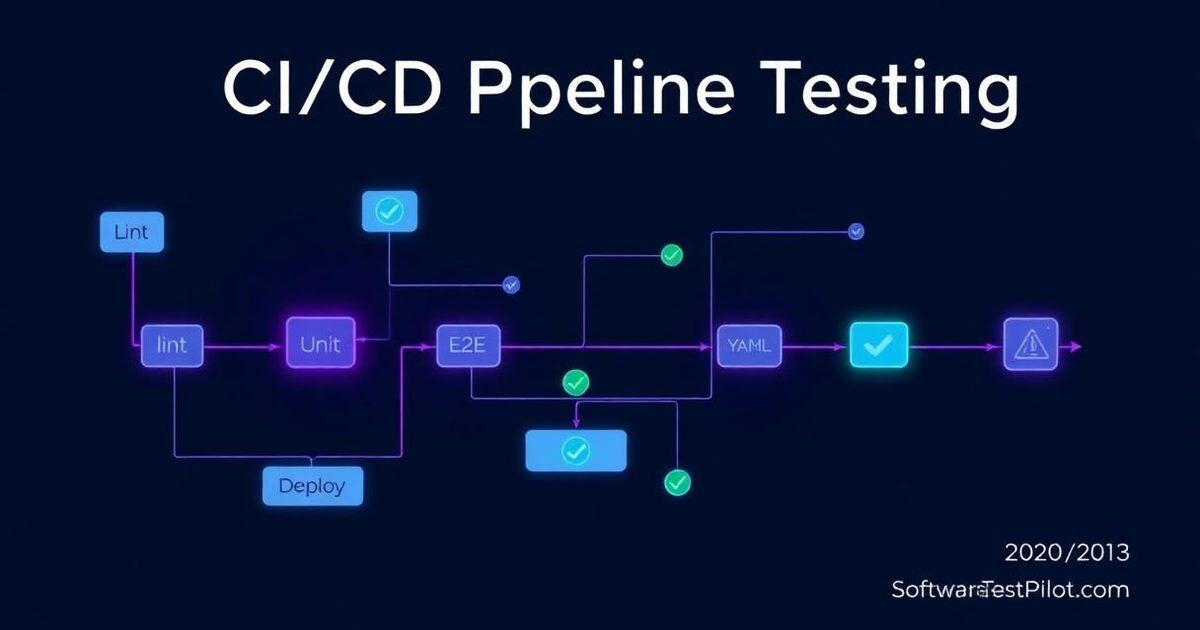
Last updated: June 29, 2026 · Reading time: 9 minutes · By SoftwareTestPilot Editorial Team
What you'll build: A production-ready CI/CD pipeline in GitHub Actions with parallel test stages, smart caching, quality gates, deploy automation, and post-deploy production monitoring.
What is CI/CD for Testing?
CI/CD for testing means:
- CI (Continuous Integration) — automated tests run on every commit
- CD (Continuous Delivery/Deployment) — automated tests gate deployments
The goal: ship code with confidence, fast. For framework foundations, pair this with our GitHub Actions Selenium CI guide and the Selenium WebDriver Guide.
Step 1 — Choose a CI Platform
| Platform | Best for | Cost |
|---|---|---|
| GitHub Actions | GitHub repos | Free for public, 2,000 min/month for private |
| GitLab CI | GitLab repos | Free for public, 400 min/month for private |
| CircleCI | Complex workflows | Free 6,000 min/month |
| Jenkins | Self-hosted | Free (infrastructure cost) |
GitHub Actions is the 2026 default for most teams.
Step 2 — Project Structure
project/
├── .github/workflows/
│   ├── ci.yml         # Main CI pipeline
│   ├── nightly.yml    # Nightly full regression
│   └── deploy.yml     # Deploy with tests
├── src/
├── tests/
│   ├── unit/
│   ├── integration/
│   └── e2e/
├── package.json
└── playwright.config.ts
Step 3 — Create the Main CI Pipeline
.github/workflows/ci.yml:
name: CI

on:
  push:
    branches: [main, develop]
  pull_request:
    branches: [main]

jobs:
  lint:
    runs-on: ubuntu-latest
    steps:
      - uses: actions/checkout@v4
      - uses: actions/setup-node@v4
        with: { node-version: 20, cache: 'npm' }
      - run: npm ci
      - run: npm run lint

  unit-tests:
    runs-on: ubuntu-latest
    steps:
      - uses: actions/checkout@v4
      - uses: actions/setup-node@v4
        with: { node-version: 20, cache: 'npm' }
      - run: npm ci
      - run: npm run test:unit
      - uses: actions/upload-artifact@v4
        if: failure()
        with:
          name: unit-test-results
          path: coverage/

  integration-tests:
    runs-on: ubuntu-latest
    services:
      postgres:
        image: postgres:15
        env:
          POSTGRES_PASSWORD: postgres
        ports: ['5432:5432']
    steps:
      - uses: actions/checkout@v4
      - uses: actions/setup-node@v4
        with: { node-version: 20, cache: 'npm' }
      - run: npm ci
      - run: npm run test:integration
        env:
          DATABASE_URL: postgresql://postgres:postgres@localhost:5432/test

  e2e-tests:
    runs-on: ubuntu-latest
    steps:
      - uses: actions/checkout@v4
      - uses: actions/setup-node@v4
        with: { node-version: 20, cache: 'npm' }
      - run: npm ci
      - run: npx playwright install --with-deps
      - run: npx playwright test

  quality-gate:
    needs: [lint, unit-tests, integration-tests, e2e-tests]
    runs-on: ubuntu-latest
    if: always()
    steps:
      - name: Check all passed
        run: |
          if [ "${{ needs.lint.result }}" != "success" ] || \
             [ "${{ needs.unit-tests.result }}" != "success" ] || \
             [ "${{ needs.integration-tests.result }}" != "success" ] || \
             [ "${{ needs.e2e-tests.result }}" != "success" ]; then
            echo "Quality gate failed"
            exit 1
          fi
This pipeline runs four test stages in parallel and gates on all passing.
Step 4 — Add Caching
- uses: actions/setup-node@v4
  with: { node-version: 20, cache: 'npm' }
Saves 1–3 minutes per run on cached dependencies.
Step 5 — Matrix Strategy (Multi-Browser)
e2e-tests:
  strategy:
    matrix:
      browser: [chromium, firefox, webkit]
  steps:
    - uses: actions/checkout@v4
    - uses: actions/setup-node@v4
      with: { node-version: 20 }
    - run: npm ci
    - run: npx playwright install --with-deps
    - run: npx playwright test --project=${{ matrix.browser }}
3 jobs in parallel, one per browser. For Playwright fundamentals, see our Playwright TypeScript Tutorial.
Step 6 — Nightly Full Regression
.github/workflows/nightly.yml:
name: Nightly Regression

on:
  schedule:
    - cron: '0 2 * * *'  # 2 AM UTC daily
  workflow_dispatch:

jobs:
  full-e2e:
    runs-on: ubuntu-latest
    steps:
      - uses: actions/checkout@v4
      - uses: actions/setup-node@v4
        with: { node-version: 20 }
      - run: npm ci
      - run: npx playwright install --with-deps
      - run: npx playwright test --reporter=html
      - uses: actions/upload-artifact@v4
        with:
          name: nightly-e2e-report
          path: playwright-report/

  load-test:
    runs-on: ubuntu-latest
    steps:
      - uses: actions/checkout@v4
      - uses: actions/setup-node@v4
        with: { node-version: 20 }
      - run: npm ci
      - run: npx k6 run tests/load/smoke.js
Compare k6 with JMeter in our k6 vs JMeter guide.
Step 7 — Deploy with Tests
.github/workflows/deploy.yml:
name: Deploy

on:
  push:
    branches: [main]

jobs:
  deploy-staging:
    needs: [lint, unit-tests, integration-tests, e2e-tests]
    runs-on: ubuntu-latest
    steps:
      - uses: actions/checkout@v4
      - run: |
          aws s3 sync ./dist s3://staging-bucket --delete
          aws cloudfront create-invalidation --distribution-id $STAGING_DISTRIBUTION_ID --paths "/*"

  smoke-after-deploy:
    needs: deploy-staging
    runs-on: ubuntu-latest
    steps:
      - uses: actions/checkout@v4
      - uses: actions/setup-node@v4
        with: { node-version: 20 }
      - run: npm ci
      - run: npx playwright test --grep="@smoke" --baseURL=https://staging.example.com
Smoke tests run after deploy to verify the deployment is healthy.
Step 8 — Production Monitoring
name: Production Health Check

on:
  schedule:
    - cron: '*/15 * * * *'  # Every 15 minutes

jobs:
  health-check:
    runs-on: ubuntu-latest
    steps:
      - uses: actions/checkout@v4
      - uses: actions/setup-node@v4
        with: { node-version: 20 }
      - run: npm ci
      - run: npx playwright test --grep="@health-check" --baseURL=https://example.com
      - if: failure()
        uses: slackapi/slack-github-action@v1
        with:
          payload: |
            {"text": "Production health check FAILED"}
Best Practices
Do
- Run fast tests first (lint → unit → integration → E2E)
- Use parallel execution aggressively
- Cache dependencies
- Publish HTML reports as artifacts
- Use quality gates to enforce standards
- Run smoke after deploy
- Monitor production with scheduled tests
Don't
- Don't run heavy E2E on every commit
- Don't deploy without tests
- Don't ignore flaky tests
- Don't share state across jobs
- Don't run production tests against real user data
Common Pipeline Errors
Tests pass locally but fail in CI
Cause: timing, environment, or shared state. Fix: use explicit waits, isolated test data, containerized environments.
CI is too slow
Cause: sequential execution, no caching, unnecessary tests. Fix: matrix strategy, dependency caching, split fast/slow tests.
Flaky tests block deployments
Cause: no retry strategy, no quarantine. Fix: quarantine persistent flakes, fix root causes.
Common CI/CD Testing Mistakes and Fixes
Mistake 1 — Running E2E on every commit
# BAD - too slow
on: [push]
jobs:
  e2e:
    steps:
      - run: npm run test:e2e  # 30 minutes

# GOOD - smoke on commit, full on schedule
on:
  push:
    branches: [main]
jobs:
  smoke:
    steps:
      - run: npm run test:smoke  # 5 minutes
  e2e:
    if: github.ref == 'refs/heads/main'
    steps:
      - run: npm run test:e2e  # 30 minutes
Mistake 2 — No caching
# BAD - slow builds
- run: npm install

# GOOD - cached
- uses: actions/setup-node@v4
  with: { node-version: 20, cache: 'npm' }
Mistake 3 — Tests in the wrong order
# BAD - serial pipeline
steps:
  - lint
  - unit
  - integration
  - e2e

# GOOD - parallel where possible, with quality gates
jobs:
  lint: ...
  unit: ...
  integration: ...
  e2e:
    needs: [lint, unit, integration]
Mistake 4 — No failure artifacts
# BAD - no evidence of failure
- run: npm test

# GOOD - artifacts on failure
- run: npm test
- uses: actions/upload-artifact@v4
  if: failure()
  with: { name: test-results, path: test-results/ }
Mistake 5 — Hardcoded secrets
# BAD - secrets in code
env:
  API_KEY: "abc123"

# GOOD - secrets in GitHub Secrets
env:
  API_KEY: ${{ secrets.API_KEY }}
Mistake 6 — Not deploying after tests pass
deploy:
  needs: [lint, unit, integration, e2e]
  if: github.ref == 'refs/heads/main'
  steps:
    - run: deploy script
Mistake 7 — No smoke test after deploy
Always run a quick smoke test after deploying to verify the deployment itself is healthy.
Continue your CI/CD journey
A pipeline is only as fast as the feedback it gives developers before merge. Pair this tutorial with shift-left testing in DevOps to move contract, unit, and static checks ahead of the build stage.