
Playwright Framework Setup with TypeScript: Complete 2026 Guide for QA Engineers
Build a scalable Playwright automation framework with TypeScript — folder structure, Page Object Model, fixtures, API testing, reporting, parallel execution and CI/CD best practices.

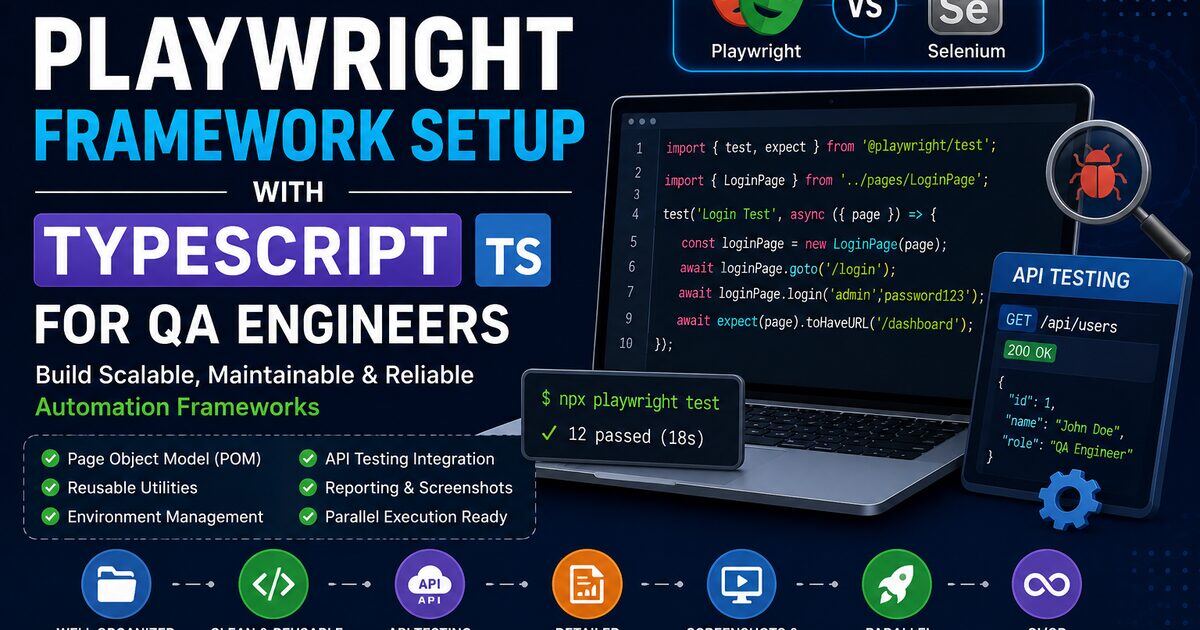
Modern web apps are complex, and ad-hoc Playwright scripts break down fast — flaky tests, long runs, painful maintenance. To scale automation in real projects, QA engineers need a proper Playwright framework, not just a folder of .spec.ts files.
This guide walks you through building a production-grade Playwright TypeScript framework from scratch — folder structure, Page Object Model, fixtures, utilities, environment management, reporting, parallel execution and CI/CD. If you're new to Playwright, start with our Playwright complete guide for QA engineers, or compare tools first in Playwright vs Selenium.
1. What Is a Playwright Framework?
A framework is a structured automation setup that helps teams write reusable code, reduce duplication, improve maintainability and scale automation across multiple suites and environments.
Without a framework, tests become messy, maintenance becomes painful and reusability collapses. A proper Playwright framework solves all of this with clear conventions around pages, utilities, data and configuration.
2. Why Use TypeScript with Playwright?
Playwright supports JavaScript, but TypeScript is strongly recommended for any serious framework.
- Better autocomplete & IntelliSense — faster coding and fewer typos.
- Compile-time error detection — bugs caught before execution.
- Strong typing — page objects and fixtures stay self-documenting.
- Maintainability — large frameworks stay readable as they grow.
Playwright itself ships with first-class TypeScript types, so there's no extra setup cost. See the official Playwright TypeScript docs for deeper details.
3. Prerequisites
| Tool | Required |
|---|---|
| Node.js (LTS) | Yes |
| VS Code | Recommended |
| npm | Yes |
| Internet connection | Yes |
Install Node.js LTS from the official Node.js website, then verify:
node -v
npm -v
New to setup on Windows or Mac? Our Playwright installation guide covers every step.
4. Install Playwright with TypeScript
mkdir playwright-framework
cd playwright-framework
npm init -y
npm init playwright@latest
In the interactive prompts choose TypeScript, install browsers, and enable the GitHub Actions workflow. You'll get a baseline project with tests/, playwright.config.ts and package.json.
5. Recommended Framework Folder Structure
The default structure works for beginners. Enterprise projects need stronger organization:
playwright-framework/
├── tests/             # test cases
├── pages/             # Page Object Model classes
├── utils/             # reusable helpers
├── test-data/         # JSON / CSV fixtures
├── fixtures/          # custom Playwright fixtures
├── api/               # API test suites
├── config/            # environment config
├── reports/           # HTML / Allure output
├── screenshots/       # failure screenshots
├── playwright.config.ts
├── tsconfig.json
└── package.json| Folder | Purpose |
|---|---|
tests/ | Spec files and scenarios |
pages/ | Page Object classes (LoginPage, DashboardPage) |
utils/ | Common functions, wait helpers, file readers |
test-data/ | Environment-specific data and JSON payloads |
fixtures/ | Reusable browser setup, login sessions, hooks |
api/ | API automation specs using Playwright's request fixture |
config/ | Per-environment URLs and credentials |
6. Configure playwright.config.ts
import { defineConfig } from '@playwright/test';

export default defineConfig({
  testDir: './tests',
  timeout: 30_000,
  retries: 1,
  fullyParallel: true,
  reporter: 'html',
  use: {
    headless: true,
    screenshot: 'only-on-failure',
    video: 'retain-on-failure',
    trace: 'retain-on-failure',
  },
});| Option | Purpose |
|---|---|
timeout | Per-test timeout |
retries | Auto-retry failed tests |
fullyParallel | Run tests in parallel |
reporter | HTML / Allure / JSON output |
screenshot | Capture on failure |
video | Record failed runs |
trace | Enable Trace Viewer debugging |
7. TypeScript Configuration
Create tsconfig.json at the root:
{
  "compilerOptions": {
    "target": "ES2022",
    "module": "commonjs",
    "strict": true,
    "esModuleInterop": true
  }
}
8. Implement Page Object Model (POM)
POM is the most widely used pattern in real automation projects. It gives you reusability, cleaner tests and a single place to fix locator changes.
pages/LoginPage.ts
import { Page } from '@playwright/test';

export class LoginPage {
  constructor(private page: Page) {}

  async navigate() {
    await this.page.goto('https://example.com');
  }

  async login(username: string, password: string) {
    await this.page.fill('#username', username);
    await this.page.fill('#password', password);
    await this.page.click('#login');
  }
}
tests/login.spec.ts
import { test } from '@playwright/test';
import { LoginPage } from '../pages/LoginPage';

test('Verify Login', async ({ page }) => {
  const loginPage = new LoginPage(page);
  await loginPage.navigate();
  await loginPage.login('admin', 'admin123');
});
9. Create Utility Classes
Utility classes keep your specs short and DRY. Typical helpers include date generators, screenshot wrappers, file readers and custom wait helpers.
// utils/CommonUtils.ts
export class CommonUtils {
  static generateRandomEmail() {
    return `test${Date.now()}@gmail.com`;
  }
}
10. Environment Configuration
Real projects run across multiple environments — QA, UAT, Staging, Production. Never hardcode URLs inside specs.
// config/env.ts
export const ENV = {
  baseURL: 'https://qa.example.com',
  username: process.env.QA_USER ?? 'admin',
  password: process.env.QA_PASS ?? 'admin123',
};
11. Test Data Management
Externalize test data into JSON, CSV or Excel under test-data/ so the same spec can run with different inputs.
{
  "username": "admin",
  "password": "admin123"
}
12. API Testing Integration
Playwright includes a built-in request fixture, so you can mix UI and API tests in the same framework.
import { test, expect } from '@playwright/test';

test('Verify Users API', async ({ request }) => {
  const response = await request.get('/users');
  expect(response.status()).toBe(200);
});
Want to go deeper? See our API testing interview questions for patterns interviewers actually ask.
13. Reporting Setup
Playwright ships with a polished HTML reporter out of the box.
npx playwright show-reportFor richer dashboards, plug in Allure:
npm install -D allure-playwrightreporter: [['allure-playwright']]14. Screenshots, Video & Trace Viewer
Enable failure-only capture in your config:
screenshot: 'only-on-failure',
video: 'retain-on-failure',
trace: 'retain-on-failure',
Open the Trace Viewer for any failure:
npx playwright show-trace trace.zipYou get a full timeline with DOM snapshots, network logs and console output — one of Playwright's most powerful debugging features.
15. Parallel Execution & Retry Mechanism
Parallel execution drastically cuts regression time:
fullyParallel: trueRetries reduce noise from transient flakiness:
retries: 216. Hooks and Custom Fixtures
Use Playwright fixtures for reusable setup — logged-in pages, seeded data, mocked APIs.
test.beforeEach(async ({ page }) => {
  await page.goto('https://example.com');
});
17. CI/CD Integration (GitHub Actions)
Create .github/workflows/playwright.yml:
name: Playwright Tests
on: [push]

jobs:
  test:
    runs-on: ubuntu-latest
    steps:
      - uses: actions/checkout@v4
      - uses: actions/setup-node@v4
      - run: npm ci
      - run: npx playwright install --with-deps
      - run: npx playwright test
This gives you continuous testing, faster feedback and confident releases. The same pattern works with Jenkins and Azure DevOps.
18. Best Practices
- Use POM properly — locators and actions belong inside page classes.
- Avoid hardcoded waits — never use
waitForTimeout(5000); trust Playwright's auto-waiting. - Keep tests independent — every test should set up its own state.
- Store test data separately — JSON/CSV under
test-data/. - Use meaningful naming —
LoginPage.ts, notpage1.ts. - Capture screenshots on failure — debugging gets 10× faster.
19. Common Mistakes Beginners Make
- Writing everything inside test files — leads to duplicate code.
- Ignoring framework design — hard to scale.
- Hardcoding locators everywhere — use POM.
- Using static waits — flaky and slow.
- Skipping TypeScript — you lose autocomplete and safety.
20. Final Thoughts
A well-architected Playwright + TypeScript framework helps you scale automation, reduce flakiness, integrate with CI/CD and collaborate as a team. If you're targeting strong QA roles in 2026, framework design is one of the highest-leverage skills you can build.
Practice it on real projects, then sharpen your interview game with our Playwright interview questions, Selenium Q&A and free AI mock interview — and when your resume is ready, run it through our ATS resume review before applying.