
Playwright Complete Guide 2026: Master Automation Testing (Free)
The complete Playwright tutorial for 2026 — install, write tests, locators, assertions, POM, CI, API + UI, visual testing, parallel runs, debugging. Code examples in TS & Python.

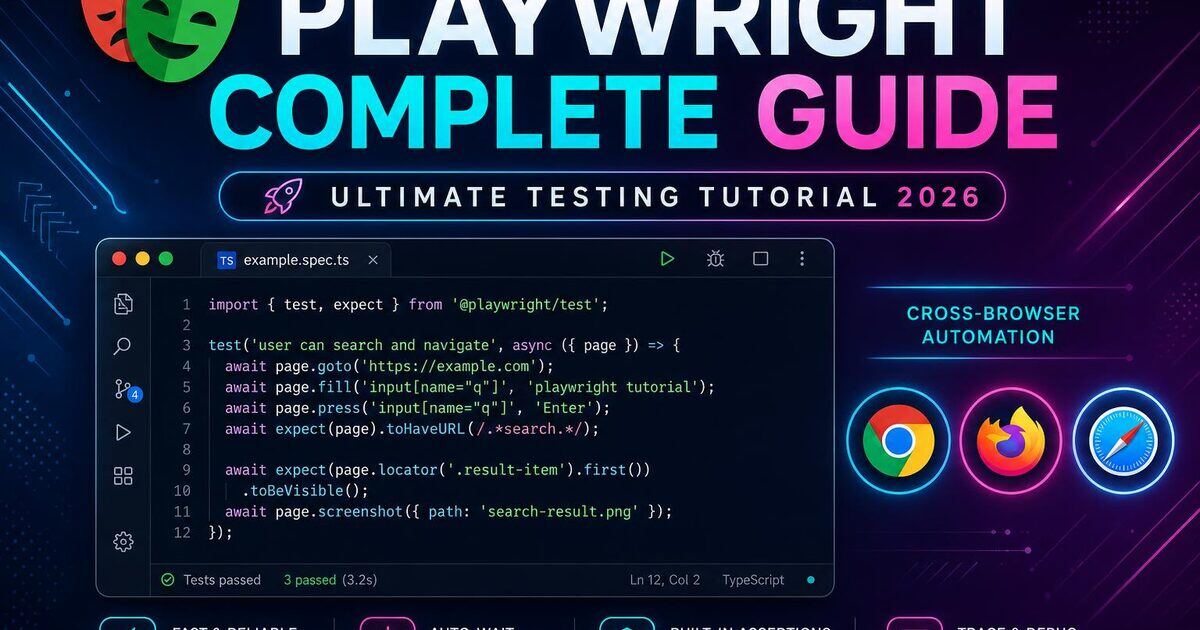
If you're a QA engineer looking to modernize your test automation stack, Playwright is the tool you've been waiting for. Developed by Microsoft and open-sourced in 2020, Playwright is a Node.js library that enables fast, reliable, and cross-browser end-to-end testing for modern web applications.
This Playwright testing tutorial takes you from zero knowledge to a production-ready test suite — whether you're migrating from Selenium, leaving Cypress for something more powerful, or building your automation framework from scratch. Stuck on a flaky test as you read? Drop the question in our QA Network feed — 11K+ testers, SDETs and automation engineers reply daily, and you can grab a referral inside the QA-only community.
1. What Is Playwright? An Introduction for QA Engineers
Playwright is a full browser automation framework — not just a test runner. It supports Chromium (Chrome, Edge), Firefox, and WebKit (Safari) from a single unified API. Unlike older tools, it was built for the modern web: SPAs, JavaScript-heavy frontends, shadow DOM, iframes, service workers, and complex auth flows.
Key takeaway: Playwright gives QA engineers precise control over browsers, network traffic, device emulation, storage state, and more — all from one consistent API.
2. Why Choose Playwright Over Other Testing Frameworks?
- Auto-waiting — eliminates flaky timing issues; no more
sleep()calls. - Cross-browser with a single API — Chromium, Firefox and WebKit without browser-specific workarounds.
- Network interception & mocking — full control over requests, something Selenium can't do natively.
- Multiple contexts & tabs — multi-user and multi-tab journeys in one test.
- First-class TypeScript support — types ship out of the box.
- Trace Viewer — timeline debugging with DOM snapshots, network logs and screenshots.
- Speed — talks directly to browsers via CDP / Firefox / WebKit protocols, bypassing slow WebDriver.
3. Playwright Architecture: How It Works Under the Hood
Playwright talks to browsers over WebSocket connections using native debugging protocols. This gives low-latency command execution, event-driven listeners (page, network, console), and both headed and headless modes.
Your Test Code
     │
     ▼
Playwright Node.js API
     │
     ▼
Browser Channels (CDP / Firefox / WebKit)
     │
     ▼
Real Browser Instances
A BrowserContext is Playwright's equivalent of an incognito profile — fully isolated cookies, localStorage and session state. This is how Playwright enables parallel testing without state bleeding.
4. Installing and Setting Up Playwright
Prerequisites: Node.js 22+ and npm/yarn/pnpm. New to setup? Follow our step-by-step Playwright installation guide for beginners for Windows, Mac and Linux walkthroughs and common-error fixes.
mkdir playwright-qa-project
cd playwright-qa-project
npm init -y
npm init playwright@latest
The interactive CLI asks you to pick TypeScript or JavaScript, the test folder, GitHub Actions workflow, and whether to install browsers. After setup you'll have:
playwright-qa-project/
├── tests/
│   └── example.spec.ts
├── playwright.config.ts
├── package.json
└── .gitignore
A typical playwright.config.ts sets fullyParallel: true, retries on CI, an HTML reporter, a baseURL, trace: 'on-first-retry', screenshots and video on failure, and projects for Chromium, Firefox, WebKit and mobile devices.
Run tests with npx playwright test or open the interactive runner with npx playwright test --ui.
5. Writing Your First Playwright Test
import { test, expect } from '@playwright/test';

test.describe('Homepage Tests', () => {
  test('should display the correct page title', async ({ page }) => {
    await page.goto('/');
    await expect(page).toHaveTitle(/Welcome/);
  });

  test('should navigate to the About page', async ({ page }) => {
    await page.goto('/');
    await page.getByRole('link', { name: 'About' }).click();
    await expect(page).toHaveURL('/about');
  });
});
test.describe groups tests, test defines a single case, the destructured page fixture is your interface to the browser tab, and expect() wraps web-first assertions.
6. Playwright Locators: Finding Elements Like a Pro
Use locators in this priority order: role → label → placeholder → text → test ID → CSS/XPath.
// Role-based (recommended)
await page.getByRole('button', { name: 'Submit' }).click();
await page.getByRole('checkbox', { name: 'Remember me' }).check();

// Label-based
await page.getByLabel('Email address').fill('user@example.com');

// Placeholder / text
await page.getByPlaceholder('Search products...').fill('laptop');
await page.getByText('Welcome back!', { exact: true });

// Test ID — stable, intentional
await page.getByTestId('login-submit-btn').click();

// CSS / XPath — last resort
await page.locator('.submit-button').click();
Chain locators to scope a search: page.locator('[data-testid="user-card"]').getByRole('button', { name: 'Edit' }).
7. Handling Interactions: Clicks, Forms, and Navigation
// Clicks
await page.getByRole('button', { name: 'Submit' }).click();
await page.getByText('Item').dblclick();
await page.getByText('File').click({ button: 'right' });

// Forms
await page.getByLabel('Username').fill('john_doe');
await page.getByLabel('Country').selectOption('US');
await page.getByLabel('Accept terms').check();
await page.getByLabel('Upload document').setInputFiles('./sample.pdf');

// Keyboard
await page.keyboard.press('Enter');
await page.keyboard.press('Control+A');

// Navigation
await page.goto('/dashboard');
await page.goBack();
await page.waitForURL('/success');
Prefer explicit waits like waitForURL, waitForResponse or web-first assertions over waitForTimeout.
8. Assertions in Playwright
Playwright ships web-first assertions that auto-retry until the condition is met or timeout expires.
await expect(page).toHaveURL('/dashboard');
await expect(page).toHaveTitle(/Dashboard/);

await expect(page.getByText('Welcome!')).toBeVisible();
await expect(page.getByTestId('spinner')).toBeHidden();
await expect(page.getByRole('heading')).toHaveText('Dashboard');
await expect(page.getByRole('button', { name: 'Submit' })).toBeEnabled();
await expect(page.getByLabel('Remember me')).toBeChecked();
await expect(page.getByLabel('Email')).toHaveValue('user@example.com');
await expect(page.locator('.product-card')).toHaveCount(12);
Soft assertions (expect.soft) collect failures without halting the test — great for asserting many dashboard widgets at once.
9. Working with Multiple Browsers in Playwright
Configure desktop and mobile projects in playwright.config.ts:
projects: [
  { name: 'chrome',         use: { ...devices['Desktop Chrome'] } },
  { name: 'firefox',        use: { ...devices['Desktop Firefox'] } },
  { name: 'safari',         use: { ...devices['Desktop Safari'] } },
  { name: 'mobile-android', use: { ...devices['Pixel 7'] } },
  { name: 'mobile-ios',     use: { ...devices['iPhone 14'] } },
]
Run a specific project: npx playwright test --project=firefox.
10. Playwright Fixtures and Test Organization
Fixtures provide dependency injection and shared setup/teardown. Built-in fixtures include page, context, browser and request. Define custom fixtures by extending base:
export const test = base.extend<MyFixtures>({
  loggedInPage: async ({ page }, use) => {
    await page.goto('/login');
    await page.getByLabel('Email').fill('user@example.com');
    await page.getByLabel('Password').fill('password123');
    await page.getByRole('button', { name: 'Login' }).click();
    await page.waitForURL('/dashboard');
    await use(page);
  },
});
Use beforeAll / afterAll for expensive once-per-file setup, and beforeEach / afterEach for per-test state.
11. Page Object Model (POM) with Playwright
POM is the gold-standard pattern for maintainable test automation — encapsulate selectors and actions in reusable classes.
// pages/LoginPage.ts
export class LoginPage {
  readonly page: Page;
  readonly emailInput: Locator;
  readonly passwordInput: Locator;
  readonly submitButton: Locator;

  constructor(page: Page) {
    this.page = page;
    this.emailInput = page.getByLabel('Email');
    this.passwordInput = page.getByLabel('Password');
    this.submitButton = page.getByRole('button', { name: 'Login' });
  }

  async navigate() { await this.page.goto('/login'); }

  async login(email: string, password: string) {
    await this.emailInput.fill(email);
    await this.passwordInput.fill(password);
    await this.submitButton.click();
  }
}
Recommended folder structure: tests/, pages/, fixtures/, test-data/, and playwright.config.ts at the root.
12. API Testing with Playwright
Playwright's built-in request fixture handles API testing directly.
test('GET /api/users returns 200', async ({ request }) => {
  const response = await request.get('https://api.example.com/users');
  expect(response.status()).toBe(200);
  const body = await response.json();
  expect(body.users.length).toBeGreaterThan(0);
});
A powerful pattern: use the API to set up state, then verify via the UI — fast and reliable. You can also mock network calls with page.route() to test error states and loading spinners deterministically.
See our API testing interview guide for deeper coverage.
13. Visual Testing and Screenshot Comparisons
// Visual regression
await expect(page).toHaveScreenshot('homepage.png');
await expect(card).toHaveScreenshot('product-card.png', { maxDiffPixelRatio: 0.01 });
Update baselines after intentional UI changes with npx playwright test --update-snapshots.
14. Handling Authentication in Playwright Tests
Strategy 1 — Save and reuse storage state. Log in once in an auth.setup.ts project, call page.context().storageState({ path: 'auth/user.json' }), then point dependent projects at that file via use: { storageState: 'auth/user.json' } with dependencies: ['setup'].
Strategy 2 — API-based login (fastest). Hit your /api/auth/login endpoint, then inject the token into localStorage with page.addInitScript before any page loads — skipping the UI entirely.
15. Parallel Testing and CI/CD Integration
Playwright runs tests in parallel by default. Tune fullyParallel and workers in the config. Use test.describe.configure({ mode: 'serial' }) to force sequential execution where needed.
A minimal GitHub Actions workflow:
- uses: actions/setup-node@v4
  with: { node-version: 20 }
- run: npm ci
- run: npx playwright install --with-deps
- run: npx playwright test
- uses: actions/upload-artifact@v4
  if: always()
  with: { name: playwright-report, path: playwright-report/ }
For large suites, shard across machines: npx playwright test --shard=1/4 through 4/4 in a matrix job.
16. Debugging Playwright Tests
npx playwright test --debug— interactive Inspector to step through actions.npx playwright test --ui— visual runner with timeline and live preview.npx playwright test --headed --slow-mo=500— watch tests run slowly.npx playwright show-trace trace.zip— Trace Viewer with DOM snapshots, network and console.await page.pause()— pause execution mid-test in headed mode.
17. Playwright Best Practices for QA Engineers
Do:
- Use role-based locators — resilient to CSS changes.
- Add
data-testidattributes for complex cases. - Use
npx playwright codegento scaffold tests fast. - Keep tests independent — never rely on execution order.
- Store secrets in environment variables.
- Set sensible global and per-test timeouts.
Don't:
- Use
page.waitForTimeout()— brittle and slow. - Mix selectors with test logic — keep them in Page Objects.
- Ignore HTML reports —
npx playwright show-reportafter every CI run.
For AI-assisted scripting, see our GitHub Copilot for QA guide.
18. Playwright vs Cypress vs Selenium: Final Verdict
| Feature | Playwright | Cypress | Selenium |
|---|---|---|---|
| Language support | JS/TS, Python, Java, C# | JS/TS | Most |
| Browser support | Chromium, Firefox, WebKit | Chromium, Firefox, Edge | All |
| Auto-waiting | Built-in | Built-in | Manual |
| Network mocking | Full | Full | Limited |
| Multi-tab | Yes | Limited | Yes |
| API testing | Built-in | Built-in | No |
| Speed | Fast | Fast | Slower |
Verdict: Playwright wins for enterprise QA teams that need cross-browser coverage, multi-language support and first-class TypeScript. Cypress remains strong for Chrome-only frontend teams. Selenium makes sense only for shops with massive existing Selenium investments.
19. Playwright in Python: Same Power, Different Syntax
Playwright ships first-class Python bindings. Every TypeScript concept above (locators, fixtures, auto-wait, tracing) has a Python equivalent — useful if your team is Django/FastAPI/Flask heavy or you're running data-pipeline tests alongside UI checks.
pip install pytest-playwright
playwright install --with-deps
from playwright.sync_api import Page, expect
def test_login_flow(page: Page):
page.goto('https://softwaretestpilot.com/login')
page.get_by_label('Email').fill('sdet@example.com')
page.get_by_label('Password').fill('SecurePass2026!')
page.get_by_role('button', name='Sign in').click()
expect(page.get_by_role('heading', name='Dashboard')).to_be_visible()
# Async API — better for high-parallel suites
import asyncio
from playwright.async_api import async_playwright, expect

async def check_homepage():
    async with async_playwright() as p:
        browser = await p.chromium.launch()
        page = await browser.new_page()
        await page.goto('https://softwaretestpilot.com')
        await expect(page).to_have_title(/SoftwareTestPilot/)
        await browser.close()

asyncio.run(check_homepage())
Fixtures work through pytest — override browser_context_args, page, or write your own with @pytest.fixture. Run parallel with pytest -n auto via pytest-xdist. See the official Playwright for Python docs and pair this with our Python: Selenium vs Playwright comparison.
20. Advanced Network Mocking and HAR Replay
Playwright's page.route() gives full request/response control — no proxy, no MITM cert. Combine with HAR recording to capture real traffic once and replay it deterministically forever.
// Mock a slow API to test loading states
await page.route('**/api/orders', async (route) => {
  await new Promise((r) => setTimeout(r, 3000));
  await route.fulfill({
    status: 200,
    contentType: 'application/json',
    body: JSON.stringify({ orders: [] }),
  });
});

// Force a 500 to verify error UI
await page.route('**/api/checkout', (route) =>
  route.fulfill({ status: 500, body: 'Internal Server Error' })
);

// Record once, replay forever
await page.routeFromHAR('./fixtures/checkout.har', { update: false });
await page.goto('/checkout');
HAR replay is the single biggest flaky-test killer in 2026 — third-party APIs, feature flags, and A/B tests all become deterministic. Regenerate the HAR with update: true when upstream contracts genuinely change.
21. Trace Viewer: The Debugging Superpower
The Trace Viewer is Playwright's killer feature. Every action, network call, console log, and DOM snapshot is captured in a single .zip — openable months later without rerunning the test.
// playwright.config.ts
export default defineConfig({
  use: {
    trace: 'on-first-retry',   // free artifacts on flake
    screenshot: 'only-on-failure',
    video: 'retain-on-failure',
  },
});
# Open a trace from CI
npx playwright show-trace playwright-report/data/abc.zip

# Or drag-drop into https://trace.playwright.dev
In CI, upload the playwright-report/ folder as a GitHub Actions artifact — reviewers open the trace in-browser without cloning the repo. This alone has cut our mean-time-to-diagnose from 40 min to under 5.
22. Component Testing with Playwright
Playwright Component Testing (experimental but stable in 2026) mounts React/Vue/Svelte components in a real browser — faster than Cypress CT, and it reuses your existing Playwright config.
// button.spec.tsx
import { test, expect } from '@playwright/experimental-ct-react';
import { Button } from './Button';

test('renders and fires onClick', async ({ mount }) => {
  let clicked = false;
  const component = await mount(
    <Button onClick={() => (clicked = true)}>Save</Button>
  );
  await component.click();
  expect(clicked).toBe(true);
  await expect(component).toHaveText('Save');
});
Component tests share fixtures, tracing, and parallelism with your E2E suite — one runner, one report. Use for design-system regression, storybook-style visual checks, and edge-case props E2E can't easily hit.
23. Accessibility Testing with axe-playwright
WCAG 2.2 compliance is table stakes in 2026. @axe-core/playwright runs Deque's axe scanner in every test — catch color contrast, missing labels, and ARIA violations before shipping.
import AxeBuilder from '@axe-core/playwright';

test('homepage has no serious a11y violations', async ({ page }) => {
  await page.goto('/');
  const results = await new AxeBuilder({ page })
    .withTags(['wcag2a', 'wcag2aa', 'wcag21aa'])
    .analyze();
  const serious = results.violations.filter((v) =>
    ['serious', 'critical'].includes(v.impact ?? '')
  );
  expect(serious).toEqual([]);
});
Wire this into your smoke suite — a single a11y.spec.ts that scans every top-level route in under 30 seconds prevents 90% of regressions.
24. Combining Playwright with k6 for Full-Stack Confidence
Playwright validates user-facing correctness; k6 load-tests the backend those flows depend on. Run them together in CI and you catch both broken UX and 95th-percentile latency regressions in the same pipeline.
# .github/workflows/e2e-and-load.yml
jobs:
  e2e:
    runs-on: ubuntu-latest
    steps:
      - uses: actions/checkout@v4
      - run: npm ci
      - run: npx playwright install --with-deps
      - run: npx playwright test
  load:
    runs-on: ubuntu-latest
    needs: e2e
    steps:
      - uses: actions/checkout@v4
      - uses: grafana/setup-k6-action@v1
      - run: k6 run --vus 200 --duration 5m tests/load/checkout.js
Deeper coverage: k6 load testing tutorial, k6 vs JMeter, and performance testing interview questions.
25. Migrating from Selenium to Playwright (Realistic Playbook)
A 500-test Selenium Java suite doesn't move to Playwright over a weekend. Here's what actually works in the field:
- Freeze the Selenium suite — no new tests. Everything new goes into Playwright.
- Rewrite the top 20 smoke tests first — the ones that catch 80% of prod issues. Run both suites in CI for 4 weeks.
- Adopt web-first assertions — every
Thread.sleep(2000)becomesawait expect(...).toBeVisible(). - Rebuild Page Objects around locators, not
WebElement— expose actions, not selectors. - Retire Grid, adopt shards —
--shard=1/4across matrix jobs replaces most Grid deployments. - Delete the Selenium suite only when Playwright coverage ≥ Selenium coverage for 30 days.
Reference material: Playwright vs Selenium honest comparison, Selenium interview questions (for the team you're upskilling), and Playwright interview questions.
26. Where to Go Next
This guide is the hub. Branch out based on where you are:
- Just installing? Playwright installation guide (Windows/Mac/Linux)
- Mastering selectors? Playwright locators complete guide
- Advanced features? 7 advanced Playwright features you're not using
- Framework design? Test automation framework consulting
- Interview prep? 300 Playwright interview questions and rehearse them in the AI Mock Interview
- Resume ready? Free ATS resume review
- Hunting jobs? QA Jobs Radar
27. Conclusion
You now have a complete playbook: installation, locators, interactions, assertions, fixtures, POM, API testing, visual testing, authentication, CI/CD, debugging, Python parity, HAR replay, Trace Viewer, component and accessibility testing, k6 pairing, and a realistic Selenium migration path. Playwright is not just a testing tool — it's a complete browser-automation platform built for the demands of modern web apps.
Ready to practice automation reasoning before your next interview? Try our AI Mock Interview or browse Playwright interview questions.