
Playwright vs Selenium: Which Should You Learn First?
Playwright vs Selenium compared on setup, speed, waiting, browser and language support and hiring demand, with a clear pick for beginners and for Selenium users.

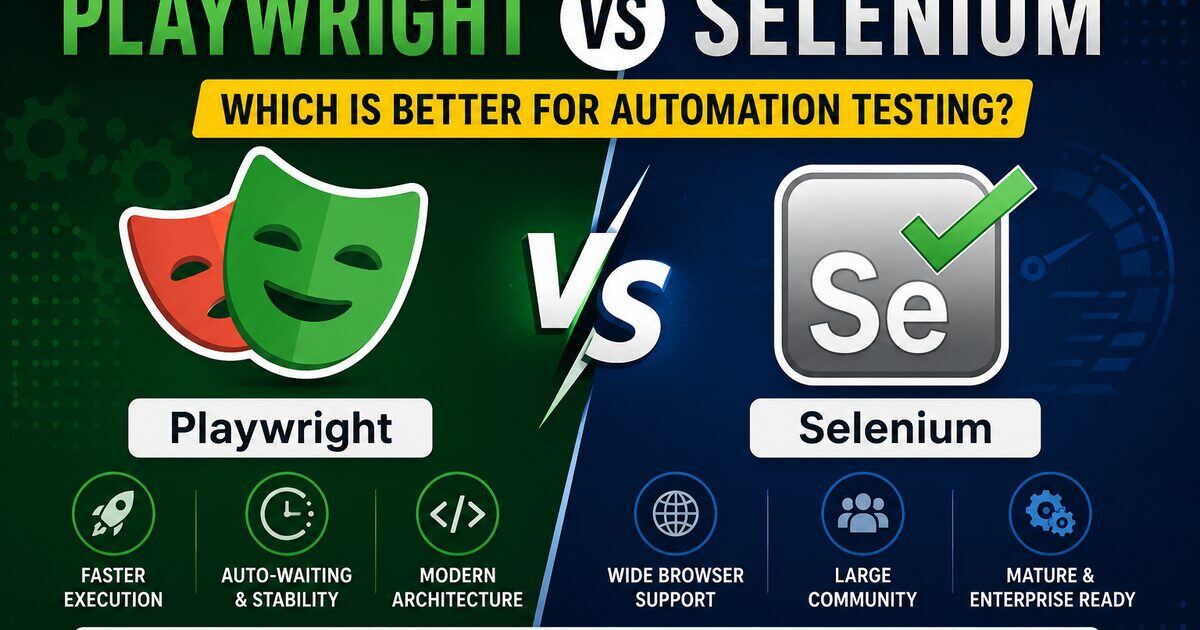
Quick answer: learn Playwright first if you are new to automation or testing modern web apps — setup is one command, it waits for elements automatically, runs tests in parallel without extra servers, and includes API testing and a trace viewer. Choose Selenium when your team already has a Selenium framework, you need a language Playwright does not support (such as Ruby), or you must test Internet Explorer mode in Microsoft Edge. Playwright is not built on Selenium: it talks to browsers directly instead of through the WebDriver protocol. Most automation job posts still ask for one or both, so knowing the basics of each helps.
Automation testing has become essential for modern software delivery — faster releases, stable CI/CD pipelines and less manual effort. For years, Selenium was the default choice. But modern apps are JavaScript-heavy, API-driven and component-based, and Playwright has emerged as the next-generation automation framework built for exactly those challenges.
So in 2026, should you learn Playwright or Selenium? This guide compares them head-to-head on architecture, speed, browser support, parallel execution, debugging, ease of learning and career opportunities. If you're brand new, start with our Playwright installation guide for beginners, then ask senior SDETs which stack their team picked in the QA Network feed or join the QA-only community for referrals once you've picked your path.
1. What Is Selenium?
Selenium is the oldest and most widely used browser-automation framework. It supports Chrome, Firefox, Edge and Safari, and bindings exist for Java, Python, C#, JavaScript and Ruby. For interview-grade depth, see our 50+ Selenium interview questions.
2. What Is Playwright?
Playwright is a modern automation framework from Microsoft built for speed, reliability and reduced flakiness. It drives Chromium, Firefox and WebKit from one API and ships auto-waiting, built-in API testing, parallel execution and powerful tracing. Already convinced? Jump into our Playwright complete guide or our Playwright interview questions.
3. History — Selenium (2004) vs Playwright (2020)
Selenium was released in 2004 and evolved through Selenium RC, WebDriver, Grid and Selenium 4. Playwright launched in 2020, built by former Puppeteer engineers with one mission: eliminate flaky tests. Despite being newer, it has captured huge mindshare in modern product teams.
4. Key Differences at a Glance
| Feature | Playwright | Selenium |
|---|---|---|
| Released | 2020 | 2004 |
| Developed By | Microsoft | Selenium Project |
| Speed | Faster | Moderate |
| Auto-Waiting | Built-in | Manual waits |
| Architecture | Modern (direct) | WebDriver protocol |
| API Testing | Built-in | External libs |
| Parallel Execution | Native | Grid setup |
| Mobile Emulation | Yes | Limited (Appium) |
| Debugging Tools | Excellent | Moderate |
| Learning Curve | Easier | Moderate |
| Community | Growing fast | Massive |
5. Architecture Comparison
Selenium communicates via the WebDriver protocol through browser drivers (ChromeDriver, GeckoDriver): Test → WebDriver → Browser Driver → Browser. Extra layers mean slower execution and occasional driver-compatibility pain.
Playwright talks directly to the browser over its own protocol: Test → Browser. Fewer hops = faster, more stable, less flaky.
6. Speed & Performance
Winner: Playwright. Direct browser communication, native parallel workers and auto-waits cut total run time significantly compared to typical Selenium suites that suffer from driver delays and explicit-wait overhead.
7. Browser Support
Selenium: Chrome, Firefox, Edge, Safari, Opera. Playwright: Chromium, Firefox, WebKit (Safari-like). Selenium wins on raw browser count, but Playwright's three engines cover the vast majority of real-world QA needs.
8. Auto-Waiting
Selenium needs implicit, explicit or fluent waits — WebDriverWait wait = new WebDriverWait(driver, Duration.ofSeconds(10));. Playwright waits automatically for elements, navigation, network and animations — await page.click('#loginButton'); just works. Result: less code, fewer flaky tests.
9. Handling Dynamic Elements
Modern React/Angular/Vue apps create elements on the fly. Selenium often needs custom retry logic; Playwright handles them naturally thanks to auto-waiting and smart locators.
10. Parallel Execution
Selenium needs Selenium Grid plus TestNG (or similar) to scale. Playwright runs tests in parallel by default — npx playwright test distributes work across workers automatically, perfect for CI/CD.
11. API Testing Support
Selenium does not test APIs — you bolt on REST Assured, HttpClient or Requests. Playwright includes API testing natively: const response = await request.get('/users');. See our API testing interview questions for the broader picture.
12. Mobile Testing
Selenium pairs with Appium for real mobile-app automation. Playwright supports mobile emulation and responsive testing in the browser — great for mobile-web flows, not native apps.
13. CI/CD Integration
Both integrate with Jenkins, GitHub Actions, Azure DevOps and GitLab CI. Playwright is CI-friendly out of the box (ships an HTML reporter, JSON, JUnit). Selenium often needs more setup (driver management + Grid).
14. Debugging Features
Selenium relies on logs, screenshots and IDE breakpoints. Playwright ships Trace Viewer, video, screenshots, step-by-step Inspector and npx playwright test --debug — a noticeably better debugging experience.
15. Language Support
Selenium: Java, Python, C#, JavaScript, Ruby, Kotlin. Playwright: TypeScript, JavaScript, Python, Java, .NET. Selenium has broader ecosystem maturity; Playwright covers all the popular choices.
16. Ease of Learning
Playwright wins for beginners — cleaner syntax, simpler setup and excellent docs. await page.fill('#username', 'admin'); reads like English. Start with our Playwright installation guide if you're new.
17. Community & Enterprise Adoption
Selenium dominates banking, insurance, telecom and healthcare — many legacy frameworks are Selenium-based. Playwright is growing fast in startups, SaaS and modern product teams where CI/CD maturity matters.
18. Code Comparison
Selenium (Java):
WebDriver driver = new ChromeDriver();
driver.get("https://example.com");
driver.findElement(By.id("username")).sendKeys("admin");
Playwright (TypeScript):
await page.goto('https://example.com');
await page.fill('#username', 'admin');
Playwright code is shorter, cleaner and easier to maintain.
19. Pros & Cons
Selenium Pros: massive ecosystem, enterprise adoption, multi-language, huge community. Cons: flaky tests, driver management, slower, explicit waits, complex setup.
Playwright Pros: fast, auto-waiting, modern architecture, built-in API testing, great debugging, native parallelism. Cons: smaller ecosystem, newer, fewer third-party integrations, less legacy enterprise adoption.
20. Which Should Beginners Learn in 2026?
Learn Playwright first if you're a beginner, want faster onboarding, or work with modern web apps. Learn Selenium if your company already runs on it or you target enterprise jobs. The smart move: master Playwright deeply, know Selenium fundamentals, add API testing and CI/CD. Read our manual vs automation career path guide to plan the full roadmap.
21. Job Market & Salary Trends
Selenium has more openings today, especially in service companies and large corporations. Playwright demand is rising fast in product-based companies and modern startups. Engineers fluent in Playwright + CI/CD + API automation often command higher salaries. Practice live with our AI mock interview.
22. Final Verdict
Best technical choice for 2026: Playwright — faster, cleaner, more stable, built for modern apps. Best for maximum job coverage: learn both. That combo makes you a highly valuable QA automation engineer in 2026 and beyond.