
Test Case Template: How to Write Test Cases in 2026 (Example)
Free test case template plus a step-by-step guide to writing effective test cases: fields explained, worked login example, do's and don'ts, tools (TestRail, Zephyr, Xray), and interview-ready patterns.

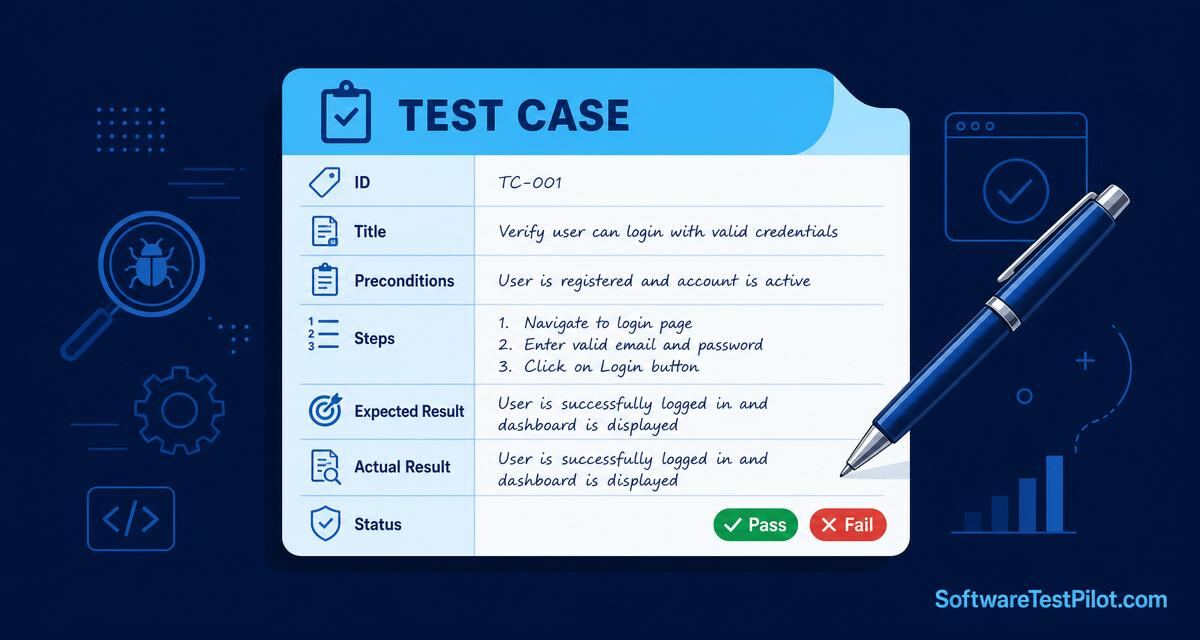
Last updated: July 17, 2026 · 12 min read · By SoftwareTestPilot
A test case is the single most important QA artefact — it turns a fuzzy requirement into a repeatable, reviewable, automatable check. Write them well and your regression pack becomes a moat around the product. Write them badly and even senior engineers cannot tell what “pass” means. This guide gives you the fields every test case needs, a copy-paste template, a filled-in login example, tool recommendations, and the six mistakes that get test cases rejected in reviews.
Pair with the test plan template and the software testing interview questions pillar.
Key takeaways
- Every test case needs 7 fields: ID, title, preconditions, steps, expected result, actual result, status.
- One test case = one specific check. Split, don't cram.
- Expected result must be observable and unambiguous — no “works fine”.
- Store in TestRail, Zephyr, Xray, or Git — never spreadsheets in email.
1. The 7 mandatory test case fields
- ID — unique identifier (
TC-LOGIN-001). - Title — one sentence naming what is being verified.
- Preconditions — state the system must be in before you execute (user exists, cart is empty, feature flag on).
- Test steps — numbered, atomic actions a stranger could follow.
- Test data — the exact inputs (email, password, order value).
- Expected result — the observable outcome, written before execution.
- Actual result & status — filled in on execution: Pass, Fail, Blocked, or Skipped.
2. Copy-paste test case template
+---------------------------------------------------------------------+
| TEST CASE                                                           |
+---------------------------------------------------------------------+
| ID:              TC-[module]-[NNN]                                  |
| Title:           [Verify that ...]                                  |
| Priority:        P0 / P1 / P2                                       |
| Type:            Functional / Regression / Smoke / Negative         |
| Author:          [Your name] · Reviewed by: [QA lead]               |
|                                                                     |
| PRECONDITIONS                                                       |
|   1. [Precondition 1]                                               |
|   2. [Precondition 2]                                               |
|                                                                     |
| TEST DATA                                                           |
|   - [key1]: [value1]                                                |
|   - [key2]: [value2]                                                |
|                                                                     |
| STEPS                                                               |
|   1. [Atomic action]                                                |
|   2. [Atomic action]                                                |
|   3. [Atomic action]                                                |
|                                                                     |
| EXPECTED RESULT                                                     |
|   [Observable, specific outcome]                                    |
|                                                                     |
| ACTUAL RESULT                                                       |
|   [Filled at execution]                                             |
|                                                                     |
| STATUS:  [Pass / Fail / Blocked / Skipped]                          |
| DEFECT:  [JIRA-1234 if failed]                                      |
+---------------------------------------------------------------------+
3. Worked example: login test case
ID:            TC-LOGIN-002
Title:         Verify user cannot log in with invalid password
Priority:      P0
Type:          Negative · Functional

PRECONDITIONS
  1. User ‘valid@test.com’ exists and is active
  2. Application is deployed to QA env at qa.example.com

TEST DATA
  - Email:    valid@test.com
  - Password: WrongPass123!

STEPS
  1. Navigate to https://qa.example.com/login
  2. Enter the email into the ‘Email’ field
  3. Enter the wrong password into the ‘Password’ field
  4. Click the ‘Sign in’ button

EXPECTED RESULT
  - HTTP response: 401 Unauthorized
  - UI shows “Invalid email or password” error inline under the password field
  - Failed attempt is logged in the audit table
  - User remains on /login page

STATUS: [Pass]
Notice how the expected result is observable at three layers — HTTP, UI, and DB. That is what makes the case automatable and reviewable.
4. Do's and don'ts every reviewer checks
Do:
- Write one assertion per test case. Compound checks hide failures.
- Make steps atomic — “click Save”, not “save the form and check the toast and refresh the page”.
- Include negative and edge cases, not just happy paths — use BVA and equivalence partitioning.
- Version cases in Git or a proper TCM tool.
Don't:
- Write vague expected results (“works fine”, “shows correctly”).
- Chain preconditions from another case — each case runs standalone.
- Duplicate cases across suites — use tags or shared library instead.
- Store cases in email or spreadsheets scattered on Slack.
5. Test case management tools in 2026
- TestRail — market leader, mature reporting, strong Jira sync.
- Zephyr Scale / Zephyr Squad — Jira-native, best for Atlassian-first teams.
- Xray for Jira — powerful requirements traceability, popular in enterprise.
- qTest, PractiTest — enterprise alternatives.
- Markdown in Git — increasingly popular for tech-first teams; test cases live next to code and code-review the same way.
See our test management tools comparison for a deeper breakdown.
6. From test case to automated script
A well-written manual test case translates 1:1 to Playwright, Selenium, or REST-Assured. Steps become actions, expected result becomes assertions:
test('user cannot log in with invalid password', async ({ page, request }) => {
  await page.goto('https://qa.example.com/login');
  await page.getByLabel('Email').fill('valid@test.com');
  await page.getByLabel('Password').fill('WrongPass123!');
  const [response] = await Promise.all([
    page.waitForResponse('**/api/login'),
    page.getByRole('button', { name: 'Sign in' }).click(),
  ]);
  expect(response.status()).toBe(401);
  await expect(page.getByText('Invalid email or password')).toBeVisible();
  await expect(page).toHaveURL(/\/login$/);
});
Level up with the Playwright complete guide and the Playwright interview questions hub.
7. Your 24-hour action step
Pick a feature from your current sprint. Write 5 test cases using the template above — 3 positive, 2 negative. Get a peer to review. Then rehearse test-case-writing questions on the AI Mock Interview, audit your resume with the ATS Resume Reviewer, and benchmark your comp on the QA Salary Guide. Reference: the ISTQB Foundation syllabus covers test case design in exam depth.
8. 2026 template evolution — machine-readable, AI-assisted, tool-agnostic
The single biggest 2026 shift in test case templates is that they must be machine-readable first, human-readable second. Teams are dropping Excel-only formats in favour of YAML/JSON stored next to source, then rendering the same file into Zephyr, TestRail or Xray on demand. That unlocks three superpowers: AI copilots can generate new cases from a PRD in seconds, drift between spec and suite becomes a lint rule in CI, and coverage maps regenerate automatically. A modern minimal schema:
id: TC-LOGIN-014
title: Reject login when password is expired
priority: P1
type: negative
linked_requirement: REQ-AUTH-22
linked_risk: RISK-SEC-04
preconditions:
  - user exists with password_age > 90 days
steps:
  - action: POST /login with valid creds
    expected: 401 + code=PASSWORD_EXPIRED
data:
  user: expired_user@stp.dev
owner: sdet-team
automation_state: automated
last_reviewed: 2026-07-01
Pair every case with a risk tag and an automation_state field — that lets you build a live matrix of "manual + high-risk = automate next" that product and QA both use. Teams doing this reduce redundant cases by ~40% inside a quarter.