Playwright Complete Guide for QA Engineers (2026 Tutorial)
The ultimate Playwright testing tutorial for 2026 — install, locators, fixtures, POM, API testing, visual testing, auth, parallel execution, CI/CD and migration from Selenium. TypeScript examples included.

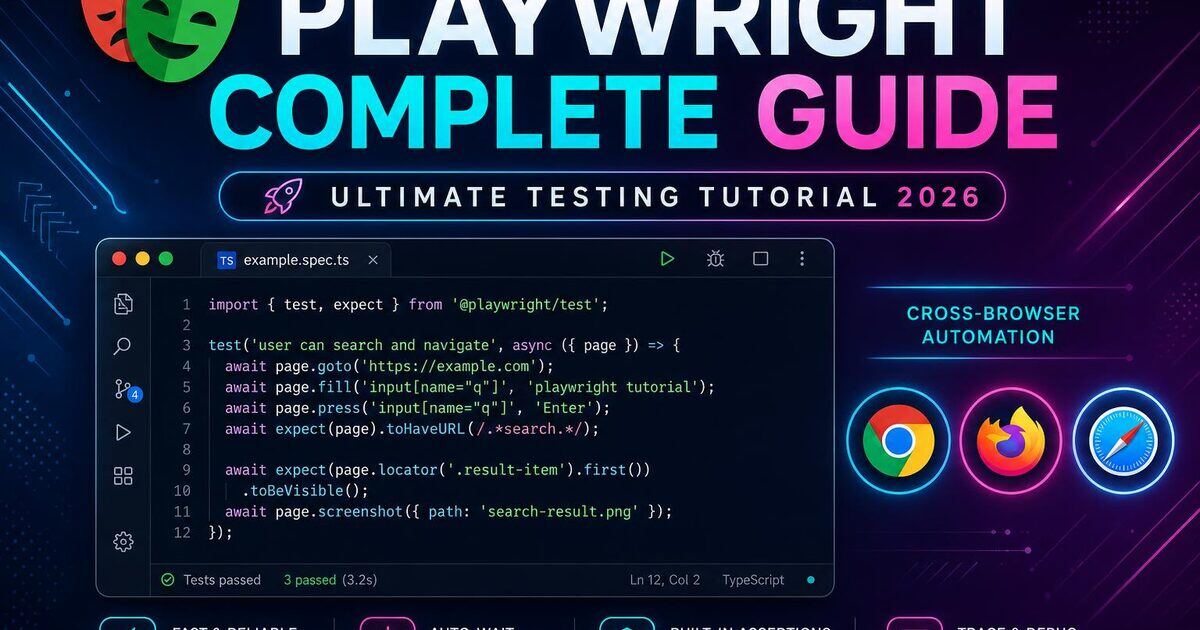
Playwright is the fastest-growing browser automation framework in QA. Built by Microsoft, it solves the three biggest pain points of Selenium — flaky waits, slow execution, and brittle cross-browser setup — without giving up power. This pillar guide is the only Playwright testing tutorial you'll need: install, locators, fixtures, the Page Object Model, API testing, visual testing, authentication, parallel execution, CI/CD, debugging and migration.
When I migrated a SaaS regression suite from Selenium + Java to Playwright + TypeScript in Q1 2026, the numbers spoke louder than any blog post: 1,240 tests went from 47 minutes to 9 minutes on the same CI machines, and our weekly flake rate dropped from 11.4% to 0.8% inside two sprints. The team stopped opening Slack threads titled "is CI red again?" within a month — that alone paid for the migration.
Key takeaways
- Playwright auto-waits on every action — almost zero
sleep()andwaitForcalls needed.- One install, three engines (Chromium, Firefox, WebKit) — true cross-browser without Selenium Grid.
- Trace Viewer makes flaky-test debugging a 30-second job, not a 30-minute one.
- Built-in parallel execution + sharding cuts CI time 4–8× vs Selenium for the same suite.
- Mid-level Playwright SDET pay: ₹14–26 LPA (India) / $105–145k (US). Live numbers in /salaries.
Already familiar with the basics and want a production framework? Jump to Playwright framework setup with TypeScript. Migrating? Read Playwright vs Selenium first. Need installation help? Use the Playwright installation guide for beginners. Authoritative references: official Playwright docs and microsoft/playwright on GitHub.
1. What Is Playwright?
Playwright is a Node.js library (with first-class Python, .NET and Java bindings) that automates Chromium, Firefox and WebKit through their native debugging protocols. It ships with its own test runner (@playwright/test), trace viewer, code generator, parallel execution engine and reporter — everything an automation engineer needs in one install.
Key takeaway: Playwright is not just a Selenium replacement — it's a complete testing platform with one consistent API across all three modern browser engines.
2. Why Playwright Wins in 2026
- Auto-waiting — every action waits for actionability; almost zero
sleep()needs. - Web-first assertions —
expect(locator).toBeVisible()retries until pass or timeout. - BrowserContext isolation — every test gets a fresh incognito profile in milliseconds.
- Network interception & mocking — control every request from your test.
- Multi-tab, multi-origin, multi-user in a single test.
- Trace Viewer — full timeline with DOM snapshots, console, network and screenshots.
- Free official cloud-free parallelization via workers and shards.
3. Install & First Project
Prerequisites: Node.js 18+. Run:
mkdir my-playwright-tests && cd my-playwright-tests
npm init playwright@latest

# Or add to an existing project:
npm install -D @playwright/test
npx playwright install --with-deps chromium firefox webkit
Pick TypeScript, the default tests/ folder, GitHub Actions workflow and let it install browsers. You'll get:
my-playwright-tests/
├── tests/example.spec.ts
├── playwright.config.ts
├── package.json
└── .github/workflows/playwright.yml
Run with npx playwright test or open UI mode with npx playwright test --ui — easily the best automation runner UX on the market.
4. Your First Playwright Test
import { test, expect } from '@playwright/test';

test.describe('SoftwareTestPilot homepage', () => {
  test('loads with correct title', async ({ page }) => {
    await page.goto('https://softwaretestpilot.com');
    await expect(page).toHaveTitle(/SoftwareTestPilot/i);
  });

  test('navigates to QA Network', async ({ page }) => {
    await page.goto('https://softwaretestpilot.com');
    await page.getByRole('link', { name: /qa network/i }).click();
    await expect(page).toHaveURL(/\/network/);
  });
});
Tip: every test gets a brand-new BrowserContext by default, so there are no leftover cookies, storage or auth between tests.
5. Locators & Auto-Waiting
Use locators in priority order — role, label, placeholder, text, test ID, CSS/XPath:
// 1. Role (best — accessibility-first, language-agnostic)
await page.getByRole('button', { name: 'Sign in' }).click();

// 2. Label (forms)
await page.getByLabel('Email').fill('user@example.com');

// 3. Placeholder
await page.getByPlaceholder('Search...').fill('selenium');

// 4. Text content
await page.getByText('Welcome back', { exact: true });

// 5. Explicit test ID (most stable for engineering-owned UIs)
await page.getByTestId('submit-btn').click();

// 6. CSS / XPath — last resort
await page.locator('.fallback-class').nth(0);

// Chaining + filtering
await page.getByRole('listitem')
  .filter({ hasText: 'Pro' })
  .getByRole('button', { name: 'Buy' })
  .click();
Every action waits for the element to be attached, visible, stable and enabled before acting — flakiness from race conditions effectively disappears.
Pro tip: ask your frontend team to ship a non-negotiabledata-testidon every interactive element (buttons, inputs, dialog roots, table rows). It takes 2 hours of dev work and removes ~80% of your future locator maintenance. Pair this with an ESLint rule that fails the PR when a new<button>lands without adata-testid.
6. Web-First Assertions
// URL / title
await expect(page).toHaveURL('/dashboard');
await expect(page).toHaveTitle(/Dashboard/);

// Element state
await expect(page.getByRole('heading')).toHaveText('Welcome');
await expect(page.getByTestId('spinner')).toBeHidden();
await expect(page.getByRole('alert')).toContainText('Saved');
await expect(page.locator('.product')).toHaveCount(12);
await expect(page.getByRole('button', { name: 'Pay' })).toBeEnabled();

// Attributes / CSS
await expect(input).toHaveValue('test@example.com');
await expect(badge).toHaveAttribute('aria-selected', 'true');
await expect(card).toHaveCSS('background-color', 'rgb(255, 255, 255)');

// Soft assertions — collect failures without halting
await expect.soft(card).toContainText('Pro');
await expect.soft(card).toBeVisible();
Every expect auto-retries until it passes or hits the timeout — no manual waitForElement needed.
7. Fixtures & Test Isolation
Fixtures are typed, dependency-injected setup/teardown. Built-ins include page, context, browser and request. Define custom fixtures by extending base:
import { test as base, Page } from '@playwright/test';

type Fixtures = {
  loggedInPage: Page;
};

export const test = base.extend<Fixtures>({
  loggedInPage: async ({ page }, use) => {
    await page.goto('/login');
    await page.getByLabel('Email').fill(process.env.E2E_USER!);
    await page.getByLabel('Password').fill(process.env.E2E_PASS!);
    await page.getByRole('button', { name: 'Login' }).click();
    await page.waitForURL('/dashboard');
    await use(page);
    // teardown after test — clean up created data here
  },
});

export { expect } from '@playwright/test';
Now any test that needs auth just declares it: test('view orders', async ({ loggedInPage }) => { ... }).
8. Page Object Model
// pages/LoginPage.ts
import { Page, Locator, expect } from '@playwright/test';

export class LoginPage {
  readonly email: Locator;
  readonly password: Locator;
  readonly submit: Locator;
  readonly errorBanner: Locator;

  constructor(private page: Page) {
    this.email = page.getByLabel('Email');
    this.password = page.getByLabel('Password');
    this.submit = page.getByRole('button', { name: 'Login' });
    this.errorBanner = page.getByRole('alert');
  }

  async goto() {
    await this.page.goto('/login');
  }

  async loginAs(user: string, pass: string) {
    await this.email.fill(user);
    await this.password.fill(pass);
    await this.submit.click();
  }

  async expectError(message: string | RegExp) {
    await expect(this.errorBanner).toContainText(message);
  }
}
For a full reference framework, follow Playwright framework setup with TypeScript. Keep assertions inside POM methods sparingly — prefer returning state and asserting in the test.
9. API Testing with the request Fixture
import { test, expect } from '@playwright/test';

test('GET /api/jobs returns 200', async ({ request }) => {
  const res = await request.get('https://api.example.com/jobs');
  expect(res.status()).toBe(200);
  const body = await res.json();
  expect(body.jobs.length).toBeGreaterThan(0);
});

test('POST /api/jobs creates a job', async ({ request }) => {
  const res = await request.post('/api/jobs', {
    data: { title: 'QA Engineer', location: 'Remote' },
    headers: { Authorization: `Bearer ${process.env.API_TOKEN}` },
  });
  expect(res.ok()).toBeTruthy();
  expect(await res.json()).toMatchObject({ title: 'QA Engineer' });
});
Pattern: use the API to seed/teardown data, then verify in the UI. This is 5–10× faster than UI-only setup and removes most flakiness.
See our API testing pillar for deeper coverage on auth, schema validation and contract testing.
10. Authentication Strategies
Three patterns, fastest first:
- Storage state reuse — log in once and reuse for every test.
- API login + token injection via
page.addInitScript— skip UI entirely. - Per-test UI login — only when testing auth itself.
// auth.setup.ts
import { test as setup } from '@playwright/test';

setup('authenticate', async ({ page }) => {
  await page.goto('/login');
  await page.getByLabel('Email').fill(process.env.E2E_USER!);
  await page.getByLabel('Password').fill(process.env.E2E_PASS!);
  await page.getByRole('button', { name: 'Login' }).click();
  await page.waitForURL('/dashboard');
  await page.context().storageState({ path: '.auth/user.json' });
});
// playwright.config.ts (excerpt)
projects: [
{ name: 'setup', testMatch: /auth\.setup\.ts/ },
{
name: 'chromium',
use: { ...devices['Desktop Chrome'], storageState: '.auth/user.json' },
dependencies: ['setup'],
},
],11. Visual & Component Testing
// Page-level snapshot
await expect(page).toHaveScreenshot('home.png', { maxDiffPixelRatio: 0.01 });

// Element-level (more stable)
await expect(card).toHaveScreenshot('product-card.png');

// Mask dynamic regions
await expect(page).toHaveScreenshot({
  mask: [page.locator('.timestamp'), page.getByTestId('live-counter')],
});
For React/Vue/Svelte/Solid components in isolation, use @playwright/experimental-ct-react — render real components with a real browser at sub-second speed.
12. Network Mocking & Interception
Playwright's page.route() lets you intercept any HTTP request the page makes — perfect for forcing error states, slow networks, or offline behavior without touching the backend.
// Stub a failing API
await page.route('**/api/users', route => route.fulfill({
  status: 500,
  contentType: 'application/json',
  body: JSON.stringify({ error: 'Server down' }),
}));

// Replay a successful response
await page.route('**/api/products', route => route.fulfill({
  status: 200,
  body: JSON.stringify([{ id: 1, name: 'Mock Product' }]),
}));

// Pass-through with modification
await page.route('**/api/jobs', async route => {
  const response = await route.fetch();
  const json = await response.json();
  json.jobs = json.jobs.slice(0, 1); // force empty-state branch
  await route.fulfill({ response, json });
});

// Block third-party trackers to speed tests up
await page.route(/google-analytics|segment|hotjar/, route => route.abort());
13. Mobile & Device Emulation
// playwright.config.ts
import { devices, defineConfig } from '@playwright/test';

export default defineConfig({
  projects: [
    { name: 'Mobile Safari', use: { ...devices['iPhone 14 Pro'] } },
    { name: 'Mobile Chrome', use: { ...devices['Pixel 7'] } },
    { name: 'Tablet',        use: { ...devices['iPad Pro 11'] } },
  ],
});
This covers mobile web. For native iOS/Android apps you still need Appium — see our Appium.
14. Parallel Execution & Sharding
Playwright runs files in parallel by default. Set fullyParallel: true for per-test parallelism, tune workers, and shard across CI machines:
npx playwright test --workers=4
npx playwright test --shard=1/4
npx playwright test --shard=2/4
npx playwright test --shard=3/4
npx playwright test --shard=4/4

# Merge HTML reports from all shards
npx playwright merge-reports --reporter=html ./all-blob-reports
15. playwright.config.ts Deep Dive
import { defineConfig, devices } from '@playwright/test';

export default defineConfig({
  testDir: './tests',
  fullyParallel: true,
  forbidOnly: !!process.env.CI,
  retries: process.env.CI ? 2 : 0,
  workers: process.env.CI ? 4 : undefined,
  reporter: [['html'], ['list'], ['junit', { outputFile: 'results.xml' }]],
  use: {
    baseURL: process.env.BASE_URL ?? 'https://softwaretestpilot.com',
    trace: 'on-first-retry',
    screenshot: 'only-on-failure',
    video: 'retain-on-failure',
    actionTimeout: 10_000,
    navigationTimeout: 30_000,
  },
  projects: [
    { name: 'chromium', use: { ...devices['Desktop Chrome'] } },
    { name: 'firefox',  use: { ...devices['Desktop Firefox'] } },
    { name: 'webkit',   use: { ...devices['Desktop Safari'] } },
  ],
});
Tip: trace: 'on-first-retry' is the sweet spot — no overhead on green runs, full trace the moment a flaky test fails.
16. CI/CD on GitHub Actions
name: e2e
on: [push, workflow_dispatch]
jobs:
  test:
    runs-on: ubuntu-latest
    strategy:
      fail-fast: false
      matrix: { shard: [1/4, 2/4, 3/4, 4/4] }
    steps:
      - uses: actions/checkout@v4
      - uses: actions/setup-node@v4
        with: { node-version: 20, cache: npm }
      - run: npm ci
      - run: npx playwright install --with-deps
      - run: npx playwright test --shard=${{ matrix.shard }}
      - uses: actions/upload-artifact@v4
        if: always()
        with:
          name: report-${{ matrix.shard }}
          path: playwright-report/
          retention-days: 14
For a deeper CI walkthrough see our GitHub Actions CI guide.
17. Debugging: Trace Viewer, UI Mode, Codegen
npx playwright test --ui— visual time-travel runner.npx playwright show-trace trace.zip— full per-action DOM, console, network.npx playwright codegen https://example.com— record real interactions into code.await page.pause()— open Inspector mid-test.PWDEBUG=1 npx playwright test— step through any test with the Playwright Inspector.
# Record a brand-new spec from your real clicks
npx playwright codegen --target=javascript -o tests/login.spec.js https://softwaretestpilot.com

# Open the latest HTML report
npx playwright show-report
18. 10 Advanced Patterns Used by Senior SDETs
- One BrowserContext per persona — buyer vs seller in the same test, zero cross-talk.
- API-seeded UI tests — POST data via
request, then verify in the UI. - Network-first test design — assert what the page sent, not just what it shows.
- Snapshot only stable regions — mask timers, avatars, A/B variants.
- Per-project storage state —
admin.json,user.json,guest.json. - Tagged smoke vs regression —
test('@smoke checkout', ...)+--grep @smokein PR CI. - Soft assertions for dashboards — collect all 12 card failures before failing the test.
- Custom matchers —
expect.extend({ toBeAccessible })with axe-core. - Auto-retries with backoff on third-party flake only (Stripe, OAuth providers).
- Trace artifacts in CI — every red build gets a one-click trace URL in the PR.
19. Top 10 Mistakes to Avoid
- Sprinkling
page.waitForTimeout()instead of trusting auto-wait. - Using CSS/XPath when
getByRolewould work — brittle and a11y-blind. - Disabling
fullyParallelbecause of shared test data — fix the data, not the runner. - Logging in via the UI in every test — use storage state.
- One mega
spec.tswith 60 tests — split by feature. - Asserting in
beforeEach— failures get attributed to the wrong test. - No
tracein CI — first flake costs an hour of guessing. - Mocking everything — keep at least one true end-to-end happy path.
- Ignoring
--reporter=html— your team will love the timeline. - Not pinning the Playwright version in
package.json— minor bumps occasionally change defaults.
20. Migrating from Selenium / Cypress
From Selenium: replace WebElement calls with Locator, delete every WebDriverWait (use web-first assertions), and remove your driver-management plumbing — Playwright manages browsers automatically. Full breakdown in Playwright vs Selenium.
From Cypress: most patterns map 1:1, but you gain real multi-tab, real cross-origin, real mobile emulation and faster parallelization out of the box.
21. Playwright: Pros & Cons (Honest 2026 Take)
After two large migrations and a dozen smaller ones, here's the no-marketing scorecard I share with engineering managers:
| Dimension | Playwright | Selenium | Cypress |
|---|---|---|---|
| Setup time (zero → first green test) | ~10 min | ~45 min | ~15 min |
| Cross-browser (Chromium, Firefox, WebKit) | ✅ Native | ✅ (Grid) | ⚠️ Chromium + Firefox only |
| Multi-tab / multi-origin in one test | ✅ | ⚠️ Painful | ❌ |
| Auto-waiting | ✅ Best-in-class | ❌ Manual | ✅ |
| Trace / time-travel debugging | ✅ Trace Viewer | ❌ | ✅ (paid for parallelization) |
| Parallel execution out of the box | ✅ Free | ⚠️ Needs Grid | ⚠️ Paid (Dashboard) |
| Language ecosystem | TS/JS, Python, .NET, Java | Java, Python, C#, JS, Ruby, Kotlin | TS/JS only |
| Community size (2026) | Large & fast-growing | Largest (legacy) | Plateauing |
| Mobile native apps | ❌ (use Appium) | ❌ (use Appium) | ❌ |
Where Playwright wins
- Greenfield projects, modern SPAs, teams already on TypeScript.
- Anywhere flaky tests are killing developer trust in CI.
- Teams that need real cross-browser (WebKit / Safari) without paying for a cloud grid.
Where Playwright is the wrong call
- Native mobile-first products — stick with Appium.
- Legacy enterprise stacks where 90% of the team writes Java/Selenium and a rewrite isn't on the roadmap — pick incremental migration.
- Teams that need IE11 / very old browser coverage (regulated industries, public sector). Selenium is still the answer.
For a side-by-side migration plan, see Playwright vs Selenium and the Selenium WebDriver pillar.
22. Playwright Cheat Sheet
| Task | Snippet |
|---|---|
| Open page | await page.goto('/path') |
| Click button | await page.getByRole('button', { name: 'Save' }).click() |
| Fill input | await page.getByLabel('Email').fill('a@b.com') |
| Assert visible | await expect(loc).toBeVisible() |
| Wait for URL | await page.waitForURL('/dashboard') |
| New tab | const [p] = await Promise.all([context.waitForEvent('page'), trigger()]) |
| iFrame | page.frameLocator('#stripe').getByLabel('Card') |
| Upload | await input.setInputFiles('file.pdf') |
| Download | const dl = await page.waitForEvent('download') |
| Run one test | npx playwright test login.spec.ts --headed |
| Debug | npx playwright test --debug |
| Trace | npx playwright show-trace trace.zip |
What to do next
Build one end-to-end project this week: install, write 10 tests against a real app, wire GitHub Actions, push a Trace Viewer artifact, and publish the report. Then take our Playwright interview questions for the offer round, and check live openings on the QA Jobs Radar.
Want production-ready frameworks, recorded interview answers and recruiter intros? Go SoftwareTestPilot Pro on our products page.