Postman API Testing 2026 — Free Beginner to Advanced Tutorial
Free 2026 Postman tutorial — from first request to collections, environments, scripting, data-driven, Newman CLI, mock servers, monitors & CI/CD. Beginner to advanced.

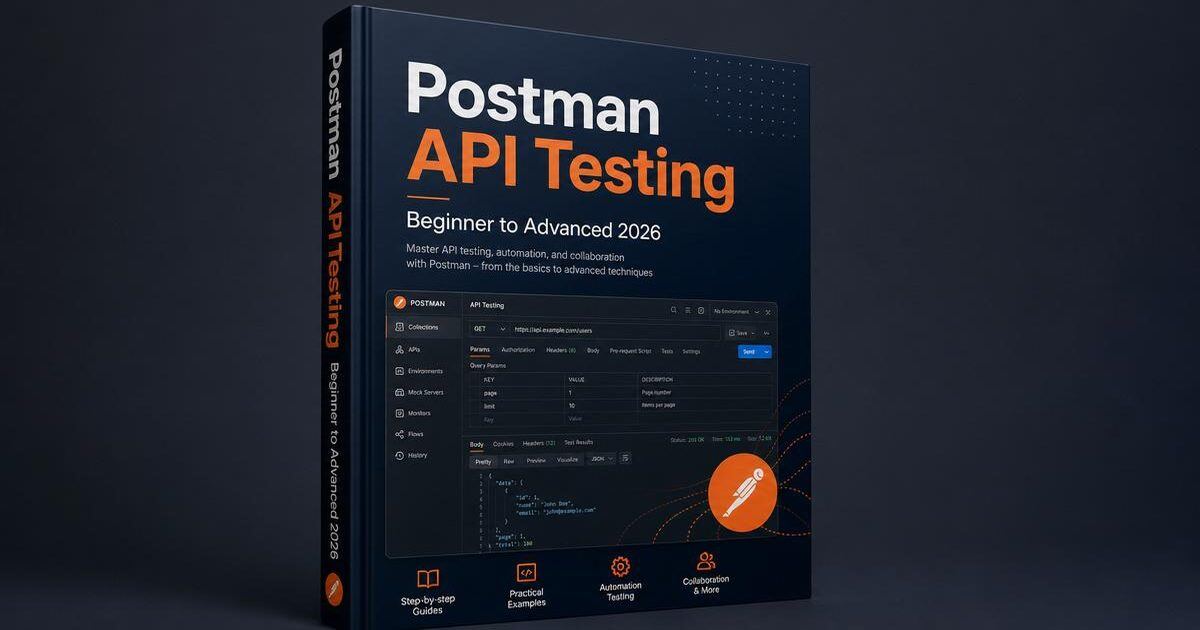
What you'll master: By the end of this Postman tutorial you will be able to design a complete API test suite in Postman — collections, environments, variables, scripting, data-driven testing, mock servers, monitors, Newman CLI for CI/CD, and advanced patterns for auth, contract testing, and performance smoke.
1. Why Postman in 2026
Postman is the most widely used API client and testing tool on Earth. It started as a Chrome extension in 2012 and grew into a full platform that 30+ million developers use daily.
In 2026, Postman dominates API testing for three reasons:
- Best developer experience — beautiful UI, fast iteration, generous free tier
- Full lifecycle — design (OpenAPI import), debug, test, mock, monitor, document, publish
- CI/CD friendly — Newman CLI runs any collection in any pipeline
When to choose Postman over alternatives
| Use case | Best tool |
|---|---|
| Exploratory testing and prototyping | Postman |
| Shared team collections | Postman |
| CI/CD with HTML reports | Postman (via Newman) |
| Java code-first automation | REST Assured |
| Polyglot UI + API | Playwright |
| Contract testing | Pact |
| Performance testing | k6 or JMeter |
For a broader comparison, see our API testing tutorial.
🚀 Practise live. Rehearse Postman + API rounds with our AI mock interview, and review the API testing interview questions.
2. Install and Set Up Postman
Desktop app (recommended)
Download from postman.com/downloads. Available for Windows, macOS, and Linux.
Web app
Visit go.postman.com — no install needed. Limited compared to the desktop app (no native app, no proxy, no Interceptor).
Sign in
A free Postman account is required to save collections, environments, and run monitors. Personal plan is free; team plans start at $9/user/month.
Create a workspace
Workspaces organize collections. Create one per project:
Workspaces
├── Acme Production
│   ├── Auth API
│   ├── Payments API
│   └── Users API
└── Learning Lab
    └── Public APIs
3. Your First API Request
We'll use JSONPlaceholder — a free fake API.
GET request
- Click + New → HTTP Request
- Set method to GET
- URL:
https://jsonplaceholder.typicode.com/users/1 - Click Send
You should see 200 OK, ~200ms, and a JSON body with id, name, email.
POST request
Method: POST
URL: https://jsonplaceholder.typicode.com/users
Headers: Content-Type: application/json
Body (raw, JSON):
{
  "name": "Alice Johnson",
  "email": "alice@example.com",
  "role": "admin"
}
JSONPlaceholder returns a fake response with id: 11.
Inspect the response
The response viewer shows Body (Pretty/Raw/Preview), Headers, Cookies, Test Results, and response time/size. See our API testing tutorial for REST fundamentals.
4. Collections — Organizing Your Tests
A collection is a folder of related requests. Save your first request to a collection (Users API), then add more:
GET /users— listGET /users/:id— read onePOST /users— createPUT /users/:id— updateDELETE /users/:id— delete
Folders
Users API
├── Auth
│   ├── POST /login
│   └── POST /refresh-token
├── Users
│   ├── GET /users
│   ├── GET /users/:id
│   ├── POST /users
│   ├── PUT /users/:id
│   └── DELETE /users/:id
└── Admin
    └── POST /admin/users
Collection-level scripts
Attach scripts that run before/after every request in the collection:
- Pre-request: generate timestamps, compute hashes, refresh tokens
- Test: common assertions across all requests
5. Environments and Variables
Variables make collections portable across dev, staging, and production.
Create an environment
VARIABLE         | INITIAL VALUE               | CURRENT VALUE
base_url         | https://staging.example.com | https://staging.example.com
admin_email      | admin@example.com           | admin@example.com
admin_password   | Sup3rSecret!                | Sup3rSecret!
auth_token       |                             | (set by test)
Use variables in requests
{{base_url}}/users/{{user_id}}Variable scopes (priority order)
- Local — only this request
- Data — from CSV/JSON during Runner
- Environment — current environment
- Collection — collection-level
- Global — workspace-level
Switching environments
pm.environment.set("auth_token", response.json().token);
pm.environment.unset("auth_token");
Initial vs current value
- Initial — synced to the cloud, shared with teammates
- Current — local-only, not synced (good for secrets)
⚠️ Never commit secrets to initial values. Use current values or environment secrets.
6. Test Scripts — The Heart of Postman
The Tests tab runs JavaScript after every request. Use the built-in pm API to make assertions.
Basic assertions
pm.test("Status is 200", () => {
    pm.expect(pm.response.code).to.equal(200);
});

pm.test("Response time under 500ms", () => {
    pm.expect(pm.response.responseTime).to.be.below(500);
});

pm.test("Response has user id", () => {
    const json = pm.response.json();
    pm.expect(json).to.have.property('id');
});

pm.test("User email matches", () => {
    pm.expect(pm.response.json().email).to.equal('admin@example.com');
});

pm.test("Returns 10 users", () => {
    pm.expect(pm.response.json()).to.have.lengthOf(10);
});
Schema validation (built-in)
const schema = {
    type: "object",
    required: ["id", "name", "email"],
    properties: {
        id: { type: "integer" },
        name: { type: "string" },
        email: { type: "string", format: "email" }
    }
};

pm.test("Schema matches", () => {
    pm.expect(pm.response.json()).to.matchJsonSchema(schema);
});
Chaining requests
// In POST /login Tests
pm.test("Login returns token", () => {
    const json = pm.response.json();
    pm.expect(json.token).to.exist;
    pm.environment.set("auth_token", json.token);
});

// In GET /users headers:
// Authorization: Bearer {{auth_token}}
7. Pre-request Scripts
Pre-request scripts run before the request is sent. Use them for timestamps, signatures (HMAC, OAuth), random data, and token refresh.
Random email + timestamp
pm.environment.set("timestamp", Date.now());
const random = Math.random().toString(36).substring(7);
pm.environment.set("random_email", `test_${random}@example.com`);
HMAC signature
const crypto = require('crypto-js');
const payload = JSON.stringify(pm.request.body);
const secret = pm.environment.get("api_secret");
const signature = crypto.HmacSHA256(payload, secret).toString();
pm.request.headers.add({ key: 'X-Signature', value: signature });
Refresh OAuth token
if (!pm.environment.get("oauth_token") || Date.now() > pm.environment.get("token_expiry")) {
    pm.sendRequest({
        url: pm.environment.get("oauth_url"),
        method: 'POST',
        header: { 'Content-Type': 'application/x-www-form-urlencoded' },
        body: {
            mode: 'urlencoded',
            urlencoded: [
                { key: 'grant_type', value: 'client_credentials' },
                { key: 'client_id', value: pm.environment.get("client_id") },
                { key: 'client_secret', value: pm.environment.get("client_secret") }
            ]
        }
    }, (err, res) => {
        const json = res.json();
        pm.environment.set("oauth_token", json.access_token);
        pm.environment.set("token_expiry", Date.now() + (json.expires_in * 1000) - 60000);
    });
}
8. Data-Driven Testing
Run the same request against many data sets using the Collection Runner and a CSV or JSON file.
Step 1 — Parameterize
URL: {{base_url}}/users/{{user_id}}
Body: { "email": "{{email}}", "role": "{{role}}" }
Step 2 — Data file
user_id,email,role,expected_status
1,admin@example.com,admin,200
2,viewer@example.com,viewer,200
3,guest@example.com,guest,200
999,nonexistent@example.com,viewer,404
Step 3 — Run
Click Runner → select collection → select data file → Run. Postman executes the request once per row.
Step 4 — Assert against data
pm.test("Status matches expected", () => {
    const expected = pm.iterationData.get("expected_status");
    pm.expect(pm.response.code).to.equal(parseInt(expected));
});
Tips: CSV is simplest; JSON supports nested structures. Use pm.iterationData.get("key") to read the current row.
9. Authentication Patterns
Bearer Token
Authorization → Bearer Token → Token: {{auth_token}}Basic Auth
Username: admin
Password: Sup3rSecret!
API Key
Key: X-API-Key
Value: {{api_key}}
Add to: Header (or Query Params)
OAuth 2.0
Grant Type: Authorization Code (or Client Credentials)
Auth URL: https://auth.example.com/oauth/authorize
Access Token URL: https://auth.example.com/oauth/token
Client ID: {{client_id}}
Client Secret: {{client_secret}}
Scope: read write
Click Get New Access Token — Postman opens consent in a popup, captures the token, and uses it for subsequent requests.
10. Newman CLI for CI/CD
Newman is the CLI version of Postman. Run any collection in any pipeline.
Install & run
npm install -g newman

newman run users-api.postman_collection.json \
    -e staging.postman_environment.json \
    --reporters cli,html \
    --reporter-html-export newman-report.html
Common flags
| Flag | Purpose |
|---|---|
-e | Environment file |
-d | Data file (CSV/JSON) |
-r | Reporter (cli, html, json, junit) |
--bail | Stop on first failure |
--timeout-request | Per-request timeout |
--delay-request | Delay between requests |
--folder | Run only a specific folder |
GitHub Actions
name: Postman API Tests
on: [push, pull_request]
jobs:
  test:
    runs-on: ubuntu-latest
    steps:
      - uses: actions/checkout@v4
      - uses: actions/setup-node@v4
        with: { node-version: 20 }
      - run: npm install -g newman
      - run: |
          newman run api-tests/Users.postman_collection.json \
              -e api-tests/Staging.postman_environment.json \
              -d api-tests/users.csv \
              --reporters cli,junit,html \
              --reporter-junit-export results/newman.xml \
              --reporter-html-export results/report.html
      - uses: actions/upload-artifact@v4
        if: ${{ !cancelled() }}
        with:
          name: newman-results
          path: results/
GitLab CI
api-tests:
  image: node:20
  script:
    - npm install -g newman
    - newman run api-tests/Users.postman_collection.json
  artifacts:
    when: always
    paths: [newman-report.html]
11. Mock Servers
Postman mock servers simulate your API before it's built — perfect for frontend teams working in parallel.
Create a mock
- Right-click a collection → Mock collection
- Choose a name and environment
- Postman generates a mock URL:
https://<uuid>.mock.pstmn.io/users/1
Add example responses
For each request, open Examples → + Add Example, send the request, and save the response. Postman returns this as the mock response.
Use the mock from your frontend
fetch('https://<uuid>.mock.pstmn.io/users/1')
    .then(r => r.json())
    .then(user => console.log(user));
Mocks support environment variables, so you can switch between "happy" and "error" responses by changing one variable.
12. Monitors — Scheduled API Tests
Monitors run a collection on a schedule and alert you when it fails.
Create a monitor
- Right-click a collection → Monitor collection
- Name:
Production health check - Schedule: every 5 minutes (or hourly, daily, weekly)
- Region: closest to your API
- Click Create
Use cases
- Production smoke — every 5 minutes hit critical endpoints
- Staging monitoring — hourly full regression
- SLA compliance — daily response-time assertions
Monitors can post to Slack, Microsoft Teams, PagerDuty, Datadog, and webhooks.
13. Advanced Patterns
Contract testing with OpenAPI
- Import your OpenAPI spec: Import → Link or upload file
- Postman generates a collection from the spec
- Add tests to verify each endpoint matches the contract
Visualize response data
const template = `
<table>
    <tr><th>ID</th><th>Name</th><th>Email</th></tr>
    {{#each response}}
    <tr><td>{{id}}</td><td>{{name}}</td><td>{{email}}</td></tr>
    {{/each}}
</table>
`;

pm.visualizer.set(template, pm.response.json());
Reusable collection scripts
// Runs before every request in this collection
const timestamp = Date.now();
pm.environment.set("request_timestamp", timestamp);
Workflows
Right-click a collection → Run collection with workflows. Drag requests to define order, add conditionals (run B only if A succeeded; repeat C until X).
14. Postman Best Practices for 2026
Do
- Use collections to organize by API or feature
- Use environments to separate dev/staging/prod
- Use variables for everything that changes between runs
- Use pre-request scripts for auth refresh and dynamic data
- Use test scripts for assertions, not just response logging
- Use Newman in CI for every collection
- Use monitors for production smoke testing
- Use mock servers for frontend-in-parallel development
- Version your collections (Postman v10+ supports Git sync)
Don't
- Don't hardcode URLs or credentials
- Don't commit API keys to initial values
- Don't write tests without assertions (logging ≠ testing)
- Don't ignore flaky tests — diagnose and fix
- Don't skip schema validation — it's the cheapest contract check
- Don't use Postman as a replacement for code-based automation when you need 1000s of tests
15. Author Bio & Next Steps
About the author: The SoftwareTestPilot Editorial Team is a group of QA practitioners with 40+ years of combined experience. We've built 100+ Postman collections for fintech, SaaS, and healthcare APIs and run them in CI/CD pipelines serving 50+ engineering teams.
Continue Your Postman Journey
- API Testing: The Ultimate Guide — broader API testing landscape
- Playwright Complete Guide — UI + API in one runner
- Selenium WebDriver Guide — UI testing companion
- SDET Career Roadmap — use Postman as your career foundation
- QA Engineer Resume Guide — show your Postman portfolio
- API Testing Interview Questions — 40 real Q&As
- AI Mock Interview — rehearse Postman + API rounds live