
GitHub Copilot for Cypress: Setup, Prompts & Rollout
Complete 2026 guide to using GitHub Copilot with Cypress — model choice, repo instructions, 12 reusable prompts, quality gates, KPIs, and a 30-day rollout plan.

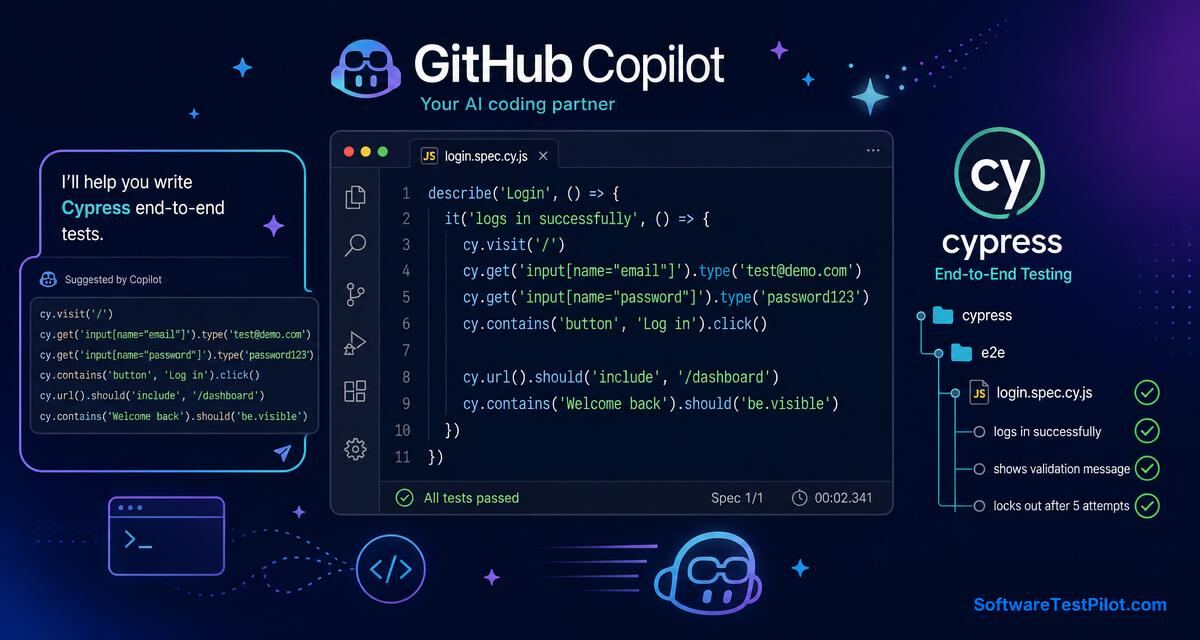
GitHub Copilot can make Cypress test writing faster, but it works best when you guide it like a teammate. If you simply open a blank spec file and wait for magic, the suggestions may be random. If you give clear comments, good local examples, stable selectors, fixtures, and repository instructions, Copilot can help you write useful tests much faster.
This guide is for QA engineers, SDETs, and developers who already know basic Cypress and want to use Copilot without creating flaky automation. The goal is not to let AI write everything. The goal is to reduce typing, get unstuck, and keep your test code consistent.
SoftwareTestPilot tip: If you are preparing for QA interviews, pair this guide with our AI Mock Interview, QA Resume ATS Review, and Playwright interview questions. These turn theory into portfolio-ready practice.
Start with a clean Cypress project
Copilot learns from the files around it. If your project has clean patterns, it tends to suggest clean patterns. If your project has hard waits, duplicated selectors, and unclear assertions, it may repeat those habits. Before relying on Copilot, create a few good examples manually.
A simple Cypress test should use stable selectors, meaningful assertions, and deterministic data. Avoid cy.wait(5000) unless you are debugging locally. Prefer waiting on visible UI states or network aliases. Use cy.intercept() when the test depends on API behavior. For deeper Cypress patterns, see our Cypress tutorial.
Add repository instructions
One of the best ways to improve Copilot suggestions is to create a repository instruction file. Many teams use .github/copilot-instructions.md to describe coding standards, testing style, selectors, and patterns.
# Cypress testing instructions

- Use Cypress for E2E tests under cypress/e2e.
- Prefer data-testid selectors: cy.get('[data-testid="..."]').
- Do not use fixed cy.wait with milliseconds.
- Use cy.intercept for API synchronization when possible.
- Keep tests independent and reset backend state before each test.
- Use fixtures for reusable test data.
- Assertions should verify business outcomes, not only element existence.
- Follow existing custom commands in cypress/support/commands.js.
This small file gives Copilot context. It also helps new team members understand your standards.
Example: login test with API wait
Here is a practical Cypress test pattern:
describe('Login', () => {
  beforeEach(() => {
    cy.visit('/login');
  });

  it('logs in with valid credentials', () => {
    cy.intercept('POST', '/api/auth/login').as('loginRequest');

    cy.get('[data-testid="email-input"]').type('qa.user@example.com');
    cy.get('[data-testid="password-input"]').type('ValidPass123!');
    cy.get('[data-testid="login-button"]').click();

    cy.wait('@loginRequest').its('response.statusCode').should('eq', 200);
    cy.url().should('include', '/dashboard');
    cy.get('[data-testid="dashboard-heading"]').should('contain', 'Welcome');
  });
});
You can ask Copilot to create variations: invalid password, locked account, empty fields, and expired session. But review each suggestion. Make sure it uses your real API route, your actual selectors, and correct expected messages.
Prompt Copilot for negative tests
A useful prompt:
// Add negative login tests for empty email, invalid email format, empty password,
// wrong password, and locked account. Use the existing selectors above.
// Each test should assert the correct error message and should not navigate to dashboard.
Copilot will often generate several it() blocks. Keep the ones that match your business rules. Delete unrealistic ones. If your product does not show a locked account message for security reasons, do not add that assertion just because Copilot suggested it.
Use fixtures for test data
Copilot can help create fixtures, but you should define the schema. Example prompt:
// Create Cypress fixture data for three users: valid user, locked user, and user
// requiring password reset. Include email, password, expectedStatus, and expectedMessage.
Then store data in cypress/fixtures/users.json:
{
  "validUser": {
    "email": "qa.user@example.com",
    "password": "ValidPass123!"
  },
  "lockedUser": {
    "email": "locked.user@example.com",
    "password": "ValidPass123!",
    "expectedMessage": "Your account is locked"
  }
}
Fixtures make tests easier to read, but do not overuse them. If data is used only once, inline data may be clearer. For repeatable structured data, try our free random test data generator.
Generate cy.intercept examples
Network control is one of the areas where Copilot can save time. Ask it to stub success, failure, loading, and timeout states.
// Write a Cypress test for the orders page that stubs GET /api/orders
// with an empty list and verifies the empty state message.
Possible output:
it('shows empty state when user has no orders', () => {
  cy.intercept('GET', '/api/orders', {
    statusCode: 200,
    body: []
  }).as('getOrders');

  cy.visit('/orders');
  cy.wait('@getOrders');
  cy.get('[data-testid="orders-empty-state"]')
    .should('be.visible')
    .and('contain', 'No orders yet');
});
This is a good pattern because the test is deterministic. It does not depend on whatever data happens to be in a shared environment. For more API-driven test patterns, see our API testing interview questions.
Ask Copilot to refactor duplication
Once you have several tests, Copilot can help identify repeated steps. Logging in, selecting a product, or adding it to cart can become custom commands or helper functions.
// Refactor the repeated login steps in this file into a Cypress custom command.
// Keep the command simple and use data-testid selectors.
Be careful with custom commands. They are useful for common business actions, but too many custom commands can hide important test details. Keep them readable.
Use page objects carefully
Cypress teams disagree about the Page Object Model. Some prefer simple helper functions or app actions instead of traditional page objects. Copilot can generate page objects, but do not let it wrap every small selector into a method. That often creates extra maintenance.
A good middle path is to create high-level functions for repeated workflows:
export const loginPage = {
  visit: () => cy.visit('/login'),
  login: (email, password) => {
    cy.get('[data-testid="email-input"]').type(email);
    cy.get('[data-testid="password-input"]').type(password);
    cy.get('[data-testid="login-button"]').click();
  }
};
Ask Copilot to follow your chosen style.
Debugging with Copilot
When a test fails, paste the error message and the relevant test code into Copilot Chat. Ask for likely causes, not just a fix. For example:
"This Cypress test fails with a timeout waiting for @getOrders. Here is the intercept and the app request. What are possible reasons?"
Copilot may identify route mismatch, query parameters, method mismatch, request happening before intercept registration, or a different base URL. This can speed up debugging, especially for newer automation engineers. For a broader AI-assisted debugging workflow, read our AI-powered bug detection tools guide.
Review checklist for Copilot-generated Cypress code
Before merging Copilot-generated tests, check these items:
- No fixed waits unless there is a temporary reason.
- Selectors are stable and consistent with team standards.
- Tests are independent and can run in any order.
- Assertions verify real business outcomes.
- Test data is created, reset, or stubbed clearly.
- Secrets are not hardcoded.
- Failure messages would help debugging.
- The test is not only checking that an element exists.
If the code fails this checklist, edit it before commit.
Common mistakes
The biggest mistake is accepting suggestions too quickly. Copilot can write code that looks correct but uses selectors that do not exist. Another mistake is letting it create a giant test that covers too many things — smaller tests are easier to debug. A third mistake is using AI to add automation without improving test strategy. More tests do not always mean better quality.
Use Copilot for speed, but keep ownership. You are still responsible for the test suite.
Useful Copilot prompts for Cypress teams
Keep a small prompt library in your QA wiki. For new tests: "Create a Cypress E2E test for this user journey using data-testid selectors, cy.intercept for API calls, and assertions for business outcome." For cleanup: "Review this Cypress spec for flakiness, duplicated selectors, weak assertions, and missing cleanup." For debugging: "Explain why this intercept is not being matched and list the most likely causes."
For API stubbing: "Create success, empty state, validation error, unauthorized, and server error test examples for this endpoint." For maintainability: "Refactor this repeated flow into a helper without hiding important assertions." These prompts sound simple, but they guide Copilot toward practical QA work instead of random code completion.
The best habit is to ask Copilot to explain its suggestion. If you do not understand the generated code, do not merge it.
Copilot tier + model picker for Cypress work
| Task | Recommended tier | Best model (2026) | Why |
|---|---|---|---|
| Autocomplete in spec files | Individual ($10/mo) | Default (GPT-5 mini) | Fast, cheap, in-editor |
| Chat: refactor a page object | Business ($19/mo) | Claude 4.5 Sonnet | Better long-context reasoning |
| Chat: explain flaky failure | Business+ | GPT-5 or Claude 4.5 | Root-cause analysis over stack traces |
| Agent: multi-file refactor | Enterprise ($39/mo) | Claude 4.5 Sonnet (Agent mode) | Cross-file edits with policy controls |
| Sensitive/regulated repo | Enterprise | Any (with data-exclusion on) | Prompts + code excluded from training |
Default to autocomplete for boilerplate, switch to Chat with Claude for anything requiring more than one file of context, and reserve Agent mode for refactors touching ≥5 files. Confirm the exact models in Copilot docs — GitHub rotates model availability every few months.
KPIs to prove Copilot is working for your Cypress suite
Track these 5 metrics for 30 days before and 30 days after enabling Copilot. If any get worse, tighten your review checklist.
| KPI | How to measure | Target |
|---|---|---|
| Authoring time per spec | Git blame timestamps + team survey | −30% to −50% |
| Flake rate (30-day rolling) | CI reruns / total runs | ≤ baseline (never higher) |
| PR review round-trips | Avg review comments per test PR | ≤ baseline + 1 |
| Selector consistency | Grep for non-data-testid selectors | < 10% of touches |
| MTTR on test failures | Time from CI red → green | −20% to −40% |
Publish the dashboard weekly in Slack. Teams that measure Copilot ROI keep it; teams that don’t usually cancel it after 90 days.
30-day Cypress + Copilot rollout plan
- Week 1 — Foundations: Refactor 5 exemplar specs to gold-standard patterns. Ship
.github/copilot-instructions.md. Enable Copilot on a pilot repo. Baseline the 5 KPIs. - Week 2 — Prompts: Publish the 12-prompt library in your QA wiki. Run a 60-min team session using the login + orders examples above. Add PR-template checklist for AI-generated specs.
- Week 3 — Guardrails: Add ESLint/Cypress rules that fail builds with
cy.wait(<number>), CSS-only selectors, and hardcoded secrets. Enable Copilot Chat “data exclusion” for the repo. - Week 4 — Measure + scale: Compare the 5 KPIs to baseline. If green, extend to 2 more repos. If any KPI regressed, pause and tighten instructions before scaling.
Same rollout works with Playwright — see our Playwright tutorial and locators guide.
Final thoughts
GitHub Copilot is a practical assistant for Cypress testing. It helps with boilerplate, examples, refactoring, fixtures, and debugging. It becomes much better when your repository has clear instructions and good examples.
The best Cypress engineers in 2026 will not be the ones who avoid AI. They will be the ones who use AI carefully, review code deeply, and keep tests stable for the long term. For a broader Copilot workflow, read our GitHub Copilot for QA guide, or explore Claude AI for test case generation.
Use comments as prompts
Copilot responds well to comments inside the spec file. Write a clear comment describing the test you want, then let it suggest code.
This produces better suggestions than typing only
it('adds product to cart'. The comment gives Copilot the flow, selector style, and assertion expectations.