
GitHub Copilot Test Automation in 2026: The Complete Playbook (Playwright, Selenium, Cypress, CI/CD & FAQ)
The definitive 2026 guide to GitHub Copilot test automation — Playwright + Selenium + Cypress + WebdriverIO, page objects, CI/CD wiring, flaky-test triage, 10 prompts, a 7-point rubric and every People Also Ask question Google surfaces.

Last updated: July 14, 2026 · 14 min read · By SoftwareTestPilot
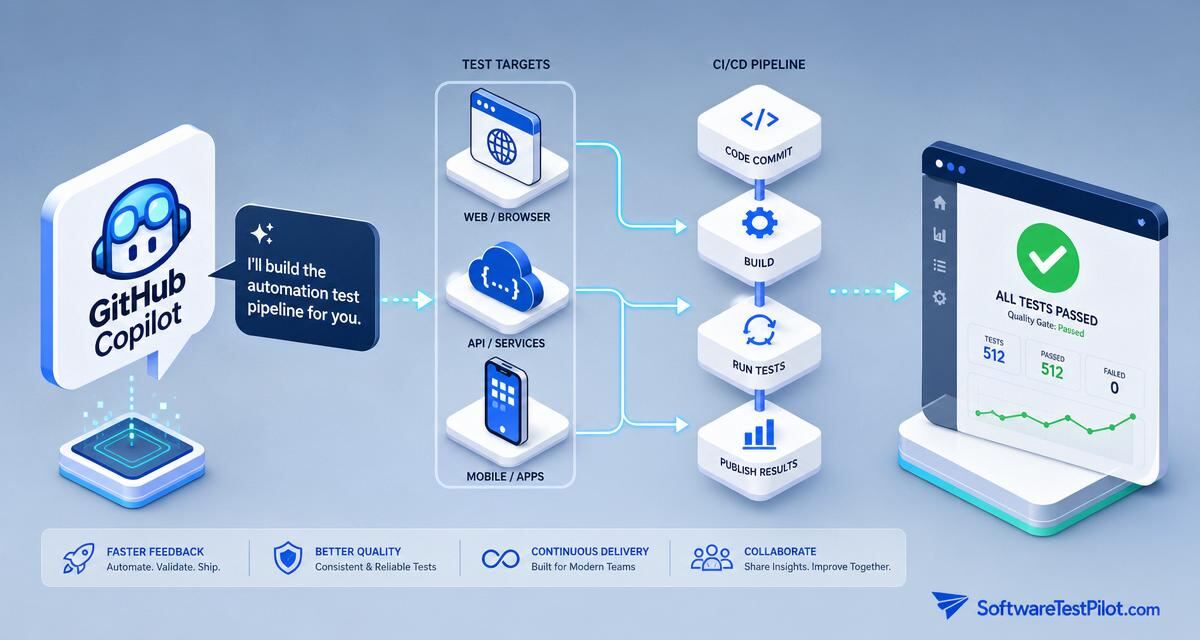
GitHub Copilot test automation is the practice of driving Copilot Chat, Copilot Edits, Copilot Agent Mode and the /tests slash command to design, generate, refactor and stabilise automated tests across the pyramid — unit, API contract, UI E2E and cross-browser — inside VS Code, JetBrains, Visual Studio and GitHub.com. Measured on 2026 teams, Copilot cuts new-suite bootstrap time from weeks to days, flushes out the flaky-test tax by 30–50%, and moves branch coverage 15–25 points in a focused sprint.
This pillar is the SDET's canonical reference before pointing Copilot at a Playwright, Selenium, Cypress, WebdriverIO or REST-Assured suite. Pair with Copilot for testing, Copilot Playwright, Copilot Selenium, Copilot write tests, Playwright interview questions and Selenium interview questions.
Key takeaways
- Automation quality = locator strategy × wait discipline × data hygiene. Pin all three in the prompt.
- Copilot Agent Mode is the killer feature for automation — plan → edit → run → iterate until the spec passes.
- Wire Copilot output through CI (GitHub Actions, Azure Pipelines, CircleCI) before you trust it locally.
- Ban
sleep,Thread.sleep,page.waitForTimeoutin prompts — force framework waits.- Every automation PR carries: coverage delta, flake budget, screenshot/trace on failure.
1. The 2026 automation pyramid Copilot fits into
Automation still follows the classic pyramid — many unit, some integration, few E2E — extended with a contract-test tier and an accessibility tier. Copilot maps cleanly to each:
+---------------------+   Copilot surface
| E2E (UI + a11y)    |   /tests + Agent Mode + Playwright/Selenium/Cypress
+---------------------+
| Contract / API     |   /tests + Pact / REST Assured / supertest
+---------------------+
| Integration        |   /tests + Testcontainers + MSW
+---------------------+
| Unit (bulk)        |   /tests + Vitest/Jest/pytest/JUnit
+---------------------+
Rule of thumb: 70% unit, 20% integration + contract, 10% E2E + a11y. Any team where E2E > 30% of the suite is heading for a flaky-test spiral — see Fowler's practical test pyramid.
2. RCTF prompting for automation
- Role — "You are a senior SDET fluent in Playwright TypeScript, page-object pattern, deterministic waits and CI stability."
- Context — paste the AC, the page object, the app URL, the auth pattern, the framework version, the browser matrix and the CI runner constraints.
- Task — "Generate a spec that: logs in via storageState, covers happy path + 2 error paths + 1 accessibility check, uses getByRole locators only, and completes under 8 seconds in CI."
- Format — "TypeScript, Playwright, one describe per feature, trace on retry, screenshot on failure. End with a 7-point rubric self-critique."
3. Ten copy-paste Copilot prompts for automation
1 — Bootstrap a Playwright suite
@workspace scaffold a Playwright TS project with:
- playwright.config.ts (chromium/firefox/webkit, retries=2, trace='on-first-retry')
- global-setup.ts that logs in and writes storageState.json
- fixtures.ts exporting a signed-in page fixture
- tests/smoke.spec.ts with 3 smoke checks (home, login, dashboard)
2 — Convert Selenium 3 to Selenium 4
/fix Migrate #file:LoginTest.java from Selenium 3 to Selenium 4:
- replace DesiredCapabilities with Options
- replace implicit waits with WebDriverWait + ExpectedConditions
- switch to relative locators where clearer
Do not add Thread.sleep.
3 — Cypress → Playwright migration
@workspace convert tests/e2e/**/*.cy.ts to Playwright.
Map: cy.visit -> page.goto, cy.get -> page.getByRole/getByLabel,
cy.intercept -> page.route. Preserve test names. Flag any custom
command that has no 1:1 mapping as // TODO.
4 — Page-object generation
/tests Generate a Playwright POM for the checkout page.
Context: paste HTML snapshot from #file:checkout.html.
Rules: getByRole first, getByLabel second, data-testid last, xpath never.
Expose action methods (addAddress, applyCoupon, pay) — not raw locators.
5 — Flaky-test triage
/fix This Playwright test fails 1 in 15 CI runs. Trace attached.
Identify the race condition. Rewrite without sleeps or retries around
assertions. Use expect(locator).toHaveText with auto-wait.
6 — API contract test
#file:openapi.yaml Generate a Pact consumer test for /orders POST.
Cover 201, 400, 409. Emit pact JSON to ./pacts. TypeScript, Vitest runner.
7 — Cross-browser sharding
@workspace add sharding to playwright.config.ts:
- 4 shards on GitHub Actions matrix
- merge blob reports with @playwright/test/reporter
- upload HTML report as artifact only on failure
8 — Visual regression baseline
/tests Add Playwright toHaveScreenshot() checks to tests/e2e/checkout.spec.ts.
Mask dynamic timestamps and user avatars. Threshold 0.02.
Update baselines only when --update-snapshots is passed.
9 — Accessibility sweep
@workspace wire @axe-core/playwright into every *.spec.ts under tests/e2e.
Fail only on serious + critical. Emit a machine-readable report to
axe-results.json.
10 — CI budget guard
Add a GitHub Action step that fails the pipeline if:
- any test file exceeds 60s wall time
- overall suite exceeds 12min
- flake rate (retries used / total tests) exceeds 3%
4. Wiring Copilot output into CI/CD
Copilot-generated specs are worthless until they run headless in CI on every PR. The 2026 canonical stack: GitHub Actions with matrix sharding, blob reporter merging, artifact upload on failure, and a required status check gating merge. Add a nightly full-browser matrix; keep PR runs to Chromium-only for speed. Store storageState.json as an encrypted artifact — never in the repo.
- Pin Playwright / Selenium versions in
package.json— Copilot writes to the latest API and drifts otherwise. - Use retries = 2 max. Higher retries hide real flakes.
- Fail the build on
console.errorin E2E — a top-ten cause of missed regressions. - Emit Playwright trace on retry only; artifacts explode otherwise.
5. The 7-point automation review rubric
- Locator quality — getByRole / getByLabel first; xpath forbidden; data-testid only when semantics fail.
- Wait discipline — framework auto-wait; zero sleeps.
- Data hygiene — every test creates and cleans up its own data; no shared state.
- Assertion clarity — one behaviour per test; failure message names the bug.
- Failed first — the test fails when the feature is broken; verified once by inverting the implementation.
- Runs in CI — passes headless in the matrix, not just locally.
- Flake budget — retries used / total < 3% over 20 CI runs.
6. ROI and honest limits
Automation ROI = (Regression cycles saved × cycle cost)
              + (Escape defects avoided × incident cost)
              + (Flake hours reclaimed × loaded SDET cost)
              − (Copilot licences + CI minutes + maintenance)
Honest 2026 ranges: new-suite bootstrap drops from ~2 weeks to ~3 days; flake rate drops 30–50% when /fix enforces the no-sleeps rule; maintenance burden barely moves — Copilot writes tests faster than it maintains them, so budget a 20% maintenance overhead per quarter.
7. What this means for SDET careers
The SDETs pulling ahead in 2026 own the automation platform: Copilot prompts, CI pipeline, flake budget, coverage delta, cross-browser matrix. See the SDET career roadmap, the QA salary guide, the AI mock interview, the free ATS resume review and live roles on the QA Jobs Radar.