
Copilot Selenium in 2026: The Complete Playbook (Java, Python, POM, WebDriverWait & FAQ)
The definitive 2026 guide to writing Selenium 4 tests with GitHub Copilot — Java + TestNG and Python + pytest, POM design, WebDriverWait discipline, cross-browser CI, migration from Selenium 3, 10 prompts and every People Also Ask question Google surfaces.

Last updated: July 14, 2026 · 14 min read · By SoftwareTestPilot
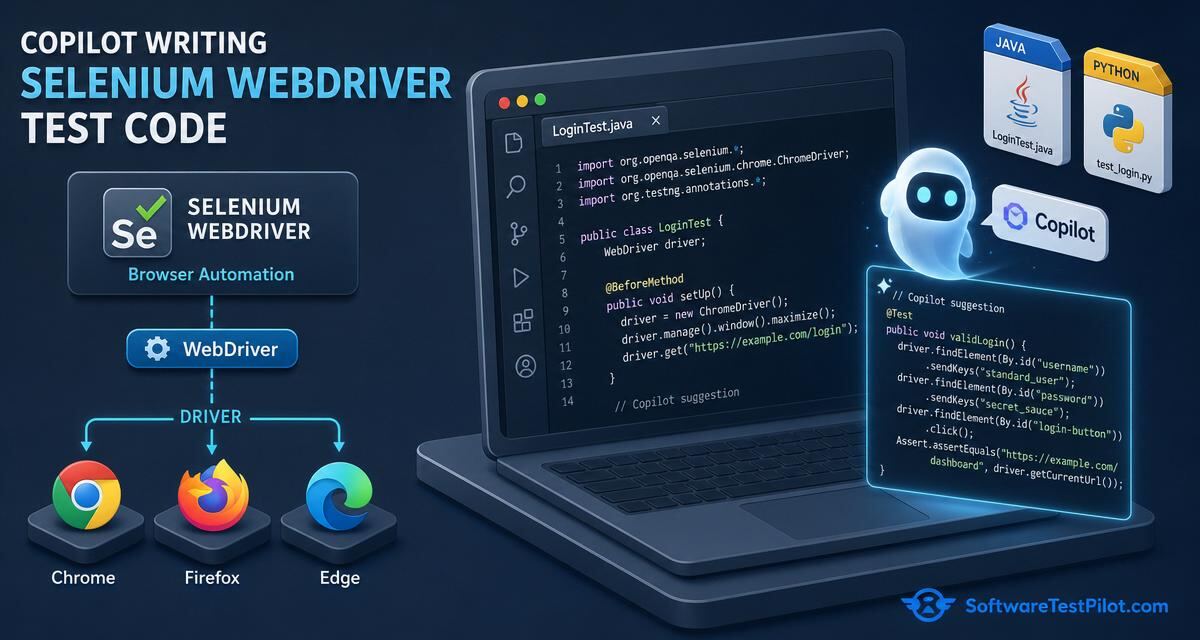
Copilot Selenium is the workflow of using GitHub Copilot Chat, Copilot Edits and Agent Mode to scaffold, write, refactor and stabilise Selenium 4 tests — Java + TestNG, Python + pytest, or C# + NUnit — inside VS Code, JetBrains or Visual Studio. Selenium remains the industry default for cross-browser web automation in 2026 (68% of enterprise QA teams still ship it), and Copilot is now the fastest path from an acceptance criterion to a passing WebDriver test. Done well, Copilot cuts new Selenium suite bootstrap from ~2 weeks to ~3 days and drops flake rate 30–50%.
Pair with ChatGPT write Selenium code, Copilot Playwright, Copilot test automation, Selenium interview questions and Playwright vs Selenium.
Key takeaways
- Selenium 4 only. Ban Selenium 3 idioms (DesiredCapabilities, implicit waits) in the prompt.
- WebDriverWait + ExpectedConditions. Zero
Thread.sleep, zerotime.sleep.- Page Object Model with action methods — never expose raw locators.
- Relative locators for readability; CSS /
By.idfor speed; xpath only as last resort.- Screenshot + browser log on failure, always, via
ITestListeneror pytest hooks.
1. One-time setup for Copilot + Selenium
- Copilot Business installed in your IDE, "Suggestions matching public code" set to Block.
- Selenium Manager auto-downloads drivers in Selenium 4 — no more manual
chromedriverpath. - Pin Selenium 4.x, TestNG 7.x / pytest 8.x, WebDriverManager or Selenium Manager in the build file — Copilot reads it as context.
- Create one canonical POM (e.g.
LoginPage.java) so Copilot pattern-matches your conventions. - Add
docs/ai-usage.mdwith the RCTF template, banned idioms and 7-point rubric.
2. RCTF prompt for Selenium
- Role — "You are a senior SDET fluent in Selenium 4, TestNG 7 and page-object design. You never use Thread.sleep or DesiredCapabilities."
- Context — paste the AC, the page URL, the POM class, the browser matrix (Chrome/Firefox/Edge/Safari), the Selenium and TestNG versions.
- Task — "Generate a TestNG class covering happy path, invalid password, locked account and SSO redirect. Use WebDriverWait + ExpectedConditions. Screenshot on failure via ITestListener."
- Format — "Java 21, Selenium 4, TestNG 7, AAA. End with a 7-point rubric self-critique."
3. Ten copy-paste Copilot prompts for Selenium
1 — Bootstrap a Selenium 4 Java + TestNG project
@workspace scaffold a Selenium 4 Java project with:
- Maven pom.xml (selenium-java 4.x, testng 7.x)
- BaseTest with @BeforeClass DriverFactory (Chrome/Firefox/Edge via Options)
- ITestListener that screenshots on failure and attaches to TestNG report
- POM package: BasePage, LoginPage, DashboardPage
- One smoke test: LoginTest with 3 scenarios
2 — Bootstrap Python + pytest
@workspace scaffold Selenium 4 Python:
- requirements.txt (selenium, pytest, pytest-html, webdriver-manager optional)
- conftest.py with a driver fixture (chrome by default, --browser flag)
- pages/ package with BasePage + LoginPage
- tests/test_login.py with 3 pytest cases
- pytest.ini with a --slow marker and JUnit XML output
3 — Generate a POM from a page snapshot
/tests Generate LoginPage.java (Selenium 4).
Context: paste HTML snapshot from #file:login.html.
Rules: relative locators or By.id first, By.cssSelector second,
xpath only as last resort. Expose action methods (loginAs, expectLockout).
Encapsulate WebDriverWait in a helper.
4 — Selenium 3 → 4 migration
/fix Migrate #file:LegacyLoginTest.java from Selenium 3 to 4:
- replace DesiredCapabilities with ChromeOptions/FirefoxOptions
- replace implicit waits with WebDriverWait + ExpectedConditions
- switch to relative locators where readability improves
- remove PhantomJS references
Do not add Thread.sleep. Do not change TestNG assertions.
5 — Data-driven test with @DataProvider
/tests Selenium 4 + TestNG @DataProvider.
Cover 8 login rows: valid, invalid pass, empty user, empty pass,
unicode user, SQL-i attempt, XSS attempt, locked account.
Read data from resources/login-data.csv.
6 — Explicit-wait audit
@workspace scan all tests under src/test/java for Thread.sleep,
implicitlyWait, PageLoadTimeout > 30s and driver.manage().timeouts().
List each violation with file:line and suggest a WebDriverWait replacement.
7 — Cross-browser Selenium Grid 4
Wire Selenium Grid 4 into GitHub Actions:
- docker-compose with selenium/hub + chrome/firefox/edge nodes
- BaseTest reads REMOTE_URL env, falls back to local Chrome
- matrix: [chrome, firefox, edge] * [linux, windows]
- upload TestNG report as artifact
8 — Iframe / Shadow-DOM helper
/tests Generate a Selenium 4 helper class:
- switchToFrame(By selector) with timeout
- getShadowRoot(WebElement host) using ExpandedShadowRoot
- exitAllFrames() safely
Include a unit test with a mock WebDriver.
9 — Flake triage
/fix This TestNG test fails 1 in 20 CI runs. Attach stack + screenshot.
Identify the race. Rewrite with fluentWait + ExpectedConditions.
Do not add retry annotations.
10 — Accessibility check
Add axe-selenium-java to LoginTest:
- run AxeBuilder analysis after the page loads
- assert zero serious/critical violations
- write violations to build/axe-report.json
4. The 7-point Selenium review rubric
- Selenium 4 idioms only — no DesiredCapabilities, no implicit waits.
- Zero sleeps — WebDriverWait + ExpectedConditions.
- POM discipline — action methods, no exposed locators.
- Locator quality —
By.id/ relative / CSS first; xpath as last resort. - Screenshot + browser log on failure — via ITestListener or pytest hook.
- Cross-browser matrix — Chrome + Firefox + Edge minimum, nightly WebKit optional.
- Failed first — invert the app change once; the test must fail.
5. Careers, salary and interviews
See the Selenium interview questions (1 year exp), the Selenium interview questions hub, the QA salary guide, the AI mock interview and live QA roles on the QA Jobs Radar.