
Copilot Playwright in 2026: The Complete Playbook (TypeScript, Auto-Wait, Trace Viewer, Sharding & FAQ)
The definitive 2026 guide to writing Playwright tests with GitHub Copilot — TypeScript, page-object pattern, getByRole locators, trace viewer, CI sharding, visual regression, accessibility, 10 prompts and every People Also Ask question Google surfaces.

Last updated: July 14, 2026 · 14 min read · By SoftwareTestPilot
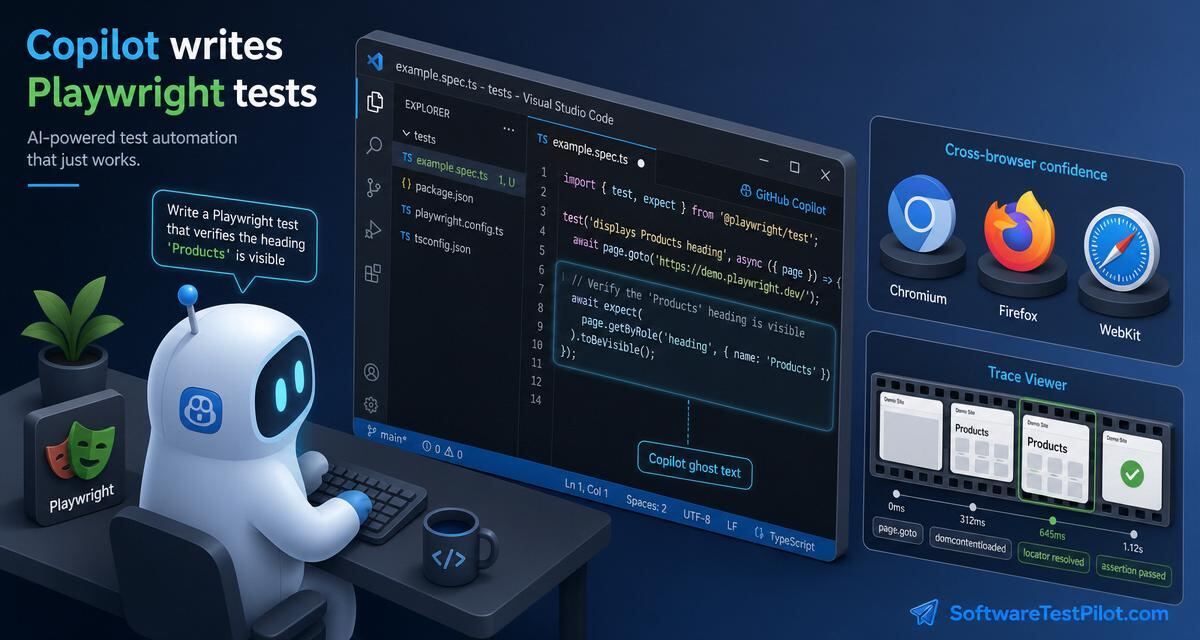
Copilot Playwright is the workflow of using GitHub Copilot Chat, Copilot Edits and Copilot Agent Mode to scaffold, write, refactor and stabilise Playwright TypeScript tests inside VS Code, JetBrains or the GitHub.com web editor. Playwright is the fastest-growing E2E framework of 2026 (68% year-over-year adoption growth) and Copilot is the shortest path from an acceptance criterion to a passing spec across Chromium, Firefox and WebKit. Done well, teams cut new-suite bootstrap from ~2 weeks to ~3 days, drop flake rate 30–50% and stabilise CI wall time under 8 minutes.
Pair with ChatGPT Playwright tests, Copilot Selenium, Copilot test automation, Playwright interview questions and Playwright vs Selenium.
Key takeaways
getByRole/getByLabelfirst;data-testidlast; xpath never.- Auto-wait via
expect(locator).toHaveTextand friends — zeropage.waitForTimeout.- One
storageState.jsonper role; global setup logs in once.- Trace on retry, screenshot + video on failure, HTML report as CI artifact.
- Shard 4-way in CI; blob-merge reports; nightly full browser matrix.
1. One-time setup for Copilot + Playwright
- Copilot Business installed in VS Code; "Suggestions matching public code" = Block.
npm init playwright@latest— accepts the default TypeScript config.- Add a
global-setup.tsthat logs in once and writesstorageState.jsontotest-results/. - Add
fixtures.tsexporting asignedInPagefixture and aariaSnapshothelper. - Pin Playwright version in
package.json— Copilot reads it as context and drifts otherwise. - Add
docs/ai-usage.mdwith the RCTF template and 7-point rubric.
2. RCTF prompt for Playwright
- Role — "You are a senior SDET fluent in Playwright TypeScript, page-object pattern and deterministic waits."
- Context — paste the AC, the POM, the storageState fixture, the browser matrix (chromium/firefox/webkit), the Playwright version and the CI wall-time budget.
- Task — "Generate a spec that logs in via storageState, covers happy path + 2 error paths + 1 @axe-core/playwright a11y check, uses getByRole locators only, and completes in under 8 seconds in CI."
- Format — "TypeScript, one describe per feature, trace on retry, screenshot on failure. End with a 7-point rubric self-critique."
3. Ten copy-paste Copilot prompts for Playwright
1 — Scaffold a Playwright TS project
@workspace scaffold Playwright TypeScript:
- playwright.config.ts with projects=[chromium, firefox, webkit],
  retries=2, trace='on-first-retry', screenshot='only-on-failure',
  video='retain-on-failure'
- global-setup.ts that logs in and writes storageState.json
- fixtures.ts exporting a signedInPage fixture
- tests/smoke.spec.ts (home, login, dashboard)
2 — Generate a POM from an ARIA snapshot
/tests Generate CheckoutPage.ts (Playwright TS).
Context: paste page.locator('main').ariaSnapshot() output.
Rules: getByRole first, getByLabel second, data-testid last, xpath never.
Expose actions (addAddress, applyCoupon, pay) — not raw locators.
3 — Auto-wait audit
@workspace scan tests/**/*.spec.ts for page.waitForTimeout,
setTimeout, sleep, and driver.pause. List file:line for each hit.
Suggest an expect(locator).toBeVisible / toHaveText replacement.
4 — Selenium → Playwright migration
/fix Migrate #file:LoginTest.java (Selenium) to Playwright TS:
- driver.findElement(By.id) -> page.getByRole/getByLabel
- WebDriverWait -> auto-wait via expect(locator).toHaveText
- @BeforeMethod -> test.beforeEach with the signedInPage fixture
Preserve test names.
5 — Cypress → Playwright migration
@workspace convert tests/e2e/**/*.cy.ts to Playwright.
Map: cy.visit -> page.goto, cy.get -> page.getByRole/getByLabel,
cy.intercept -> page.route. Flag any Cypress custom command with no
1:1 mapping as // TODO.
6 — Cross-browser sharding
Add sharding to playwright.config.ts + .github/workflows/e2e.yml:
- 4 shards on the GitHub Actions matrix per browser project
- merge blob reports with @playwright/test/reporter/blob
- upload HTML report as artifact only on failure
- fail the build on any console.error in a spec
7 — Visual regression
/tests Add expect(page).toHaveScreenshot() checks to
tests/e2e/checkout.spec.ts. Mask timestamps and user avatars.
Threshold 0.02. Update baselines only when --update-snapshots is passed.
8 — Accessibility sweep
@workspace wire @axe-core/playwright into every *.spec.ts under
tests/e2e. Fail only on serious + critical. Emit machine-readable
report to axe-results.json.
9 — API + UI hybrid
/tests Playwright TS.
Seed the state via request.newContext() POST /api/orders (bypass UI),
then verify the order appears in the UI at /orders.
Use a fresh unique email per test. AAA layout.
10 — Flake triage
/fix This Playwright test fails 1 in 15 CI runs. Trace attached.
Identify the race. Rewrite without waitForTimeout, without retry
around assertions, using auto-wait. Cite the exact Playwright API.
4. The 7-point Playwright review rubric
- Locator quality —
getByRole/getByLabelfirst; xpath forbidden. - Auto-wait — zero
waitForTimeout; useexpect(locator).*matchers. - Data hygiene — unique inputs per test; no shared state.
- Assertion clarity — one behaviour per test; failure message names the bug.
- Trace / screenshot / video on failure — configured in
playwright.config.ts. - Runs in CI — passes headless in the matrix, not just locally.
- Flake budget — retries used / total < 3% over 20 CI runs.
5. Trace viewer — the debugging superpower
Trace Viewer is Playwright's killer feature and Copilot's best debugging companion. Configure trace: 'on-first-retry' in playwright.config.ts. When a flake reproduces in CI, attach the trace.zip to /fix in Copilot Chat with the failing assertion — Copilot reads the DOM snapshot, the action log and the network log, identifies the race and proposes a deterministic rewrite. This single loop is worth adopting Copilot for on any Playwright team.
6. Careers, salary and interviews
See the Playwright interview questions hub, the QA salary guide, the SDET career roadmap, the AI mock interview and live roles on the QA Jobs Radar.