Self-Healing Selenium Tests with AI: 2026 Guide
Self-healing Selenium tests 2026 — Healenium setup code, confidence thresholds, tool comparison (Healenium vs mabl vs Testim), KPIs, and a 4-week safe rollout plan.

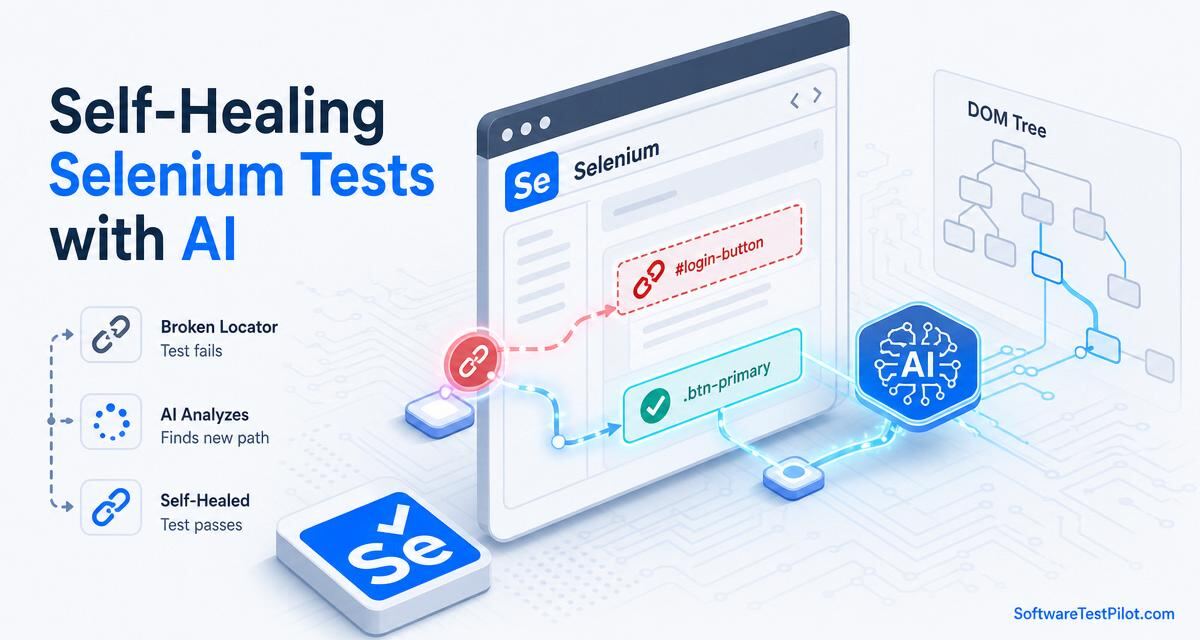
Selenium tests usually do not fail because Selenium is bad. They fail because modern web applications change constantly. A developer renames a class, a React component gets rebuilt, a button moves inside a new container, or a designer changes visible text. The user journey may still work, but the automated test breaks because the locator was too fragile. This is where self-healing Selenium tests can help.
Self-healing means the test framework can recover from certain locator failures by finding an alternative match for the same element. Instead of failing immediately when #loginBtn disappears, the tool may look at text, aria-label, placeholder, nearby labels, DOM position, historical attributes, or visual context. If confidence is high, it can continue the test and record what was healed.
SoftwareTestPilot tip: If you are preparing for QA interviews, pair this guide with our AI Mock Interview, QA Resume ATS Review, and Selenium interview questions. These tools help you turn theory into portfolio-ready practice.
What self-healing can and cannot do
Self-healing is useful for small UI changes. It can help when an ID changes, a CSS class is regenerated, an element moves slightly, or a frontend library changes markup without changing the user-facing behavior. In these cases, healing reduces maintenance time and keeps CI pipelines from turning red for low-value reasons.
But self-healing cannot understand every business change. If the login flow adds a mandatory OTP step, the test should fail because the journey changed. If a button label changes from "Pay now" to "Save card," healing should not blindly click it. If a page redesign changes the order of critical actions, a human should review the test. Healing should reduce noise, not hide product risk.
How AI healing works behind the scenes
Most self-healing solutions collect element information during successful runs. They may store the original locator, tag name, text, attributes, relative position, parent-child structure, and sometimes screenshot or visual features. When the primary locator fails later, the tool compares the current page with the saved element profile. It calculates a confidence score and chooses the closest match.
For example, a login button might originally be found by id=submit-login. Later, the ID changes to id=sign-in-primary. A healing engine may still identify it because the text is "Sign in," it is a button, it is inside the login form, and it appears below the password field. If enough signals match, the test continues.
This is not the same as fixing bad tests forever. It is more like a smart fallback. The team should review healed locators and update the code if the healing is valid — the same review discipline we describe in our AI-powered bug detection tools guide.
A simple Selenium example
Imagine this locator in Java:
WebElement loginButton = driver.findElement(By.cssSelector("#loginBtn"));
loginButton.click();
It works until the ID changes. A more resilient human-written locator might be:
WebElement loginButton = driver.findElement(
    By.xpath("//button[normalize-space()='Sign in' and not(@disabled)]")
);
loginButton.click();
A self-healing tool goes one step further. It records multiple locator strategies and tries alternatives when the primary one fails. In an open-source setup, teams often use tools like Healenium with Selenium. Commercial platforms such as mabl, Testim, and Katalon also provide AI-assisted healing in broader test automation workflows — compare them in our mabl vs Testim vs Katalon guide.
Self-healing tools compared (2026)
| Tool | Type | Healing signals used | Best for | Cost |
|---|---|---|---|---|
| Healenium | Open-source Selenium wrapper | DOM diff, tag, attributes, position | Existing Java/JS Selenium suites | Free (self-host) |
| mabl | Commercial platform | Multi-attribute + visual + history | Low-code E2E teams | ~$40k+/yr |
| Testim | Commercial platform | Smart locators (weighted signals) | SaaS UIs with frequent DOM churn | Quote-based |
| Katalon | Commercial platform | Locator ranking + AI suggestions | Broader web/mobile/API suites | ~$175/user/mo |
| Playwright + custom | OSS + code | Role/text locators, retries | Modern teams preferring code | Free (engineering time) |
For most Selenium teams in 2026, Healenium is the sensible first experiment — no license, no lock-in, and it drops into an existing suite in a day.
Healenium + Selenium setup (working example)
Here is a minimal Maven + JUnit setup that wraps a standard WebDriver with Healenium's self-healing driver. Copy, run, and see healing events in the Healenium backend UI.
<!-- pom.xml (excerpt) -->
<dependency>
  <groupId>com.epam.healenium</groupId>
  <artifactId>healenium-web</artifactId>
  <version>3.5.6</version>
</dependency>
<dependency>
  <groupId>org.seleniumhq.selenium</groupId>
  <artifactId>selenium-java</artifactId>
  <version>4.25.0</version>
</dependency>
// LoginTest.java
import com.epam.healenium.SelfHealingDriver;
import org.openqa.selenium.By;
import org.openqa.selenium.WebDriver;
import org.openqa.selenium.chrome.ChromeDriver;
import org.junit.jupiter.api.*;
class LoginTest {
private SelfHealingDriver driver;
@BeforeEach
void setUp() {
WebDriver chrome = new ChromeDriver();
driver = SelfHealingDriver.create(chrome);
}
@Test
void loginHealsWhenIdChanges() {
driver.get("https://app.example.com/login");
driver.findElement(By.id("email")).sendKeys("qa@example.com");
driver.findElement(By.id("password")).sendKeys("correct-horse");
// Even if #loginBtn is renamed, Healenium tries alternatives
driver.findElement(By.cssSelector("#loginBtn")).click();
Assertions.assertTrue(driver.getCurrentUrl().contains("/dashboard"));
}
@AfterEach
void tearDown() { driver.quit(); }
}Run Healenium's backend + PostgreSQL via Docker Compose (one file from their docs). Every healed locator is logged with before/after DOM and a confidence score you can review in the UI.
Confidence thresholds: what values to actually use
Healing engines return a confidence score (0.0–1.0). The threshold decides whether the healed element is used, warned about, or rejected. Wrong thresholds are the #1 reason self-healing gets a bad reputation.
| Flow type | Recommended threshold | Behavior on match |
|---|---|---|
| Marketing pages, blog, docs | ≥ 0.70 | Auto-heal, log |
| Standard CRUD / dashboard | ≥ 0.80 | Auto-heal, log + weekly review |
| Search, filters, reports | ≥ 0.85 | Auto-heal, ticket if repeats 2+ times |
| Checkout / payments | ≥ 0.95 | Report-only, block until human approves |
| Auth / permissions / admin | 1.00 (no healing) | Fail loud — never heal |
Configure per-suite, not globally. Healenium supports config via healenium.properties; commercial tools expose per-project sliders.
KPIs to prove self-healing is working
Do not measure success by "tests passed." Track healing quality directly. If leadership cannot see these numbers, healing becomes suspicion instead of trust.
- Healing rate: % of runs where at least one locator healed. Target 5–15% (higher = fragile app, lower = healing not needed).
- Heal accuracy: % of healed locators approved by human reviewers. Target ≥ 90%.
- Silent-heal defects: production bugs that a healed test should have caught. Target 0 per quarter.
- Maintenance hours saved: compare avg locator-fix hours before vs after adoption. Target 30–50% reduction.
- Repeat-heal ratio: same locator healed > 3 times without source update. Target < 10% (else your team is not updating code).
Publish these in a weekly quality dashboard. When the numbers are honest, teams keep control of the AI instead of the other way around.
4-week rollout plan (copy this)
| Week | Goal | Actions | Exit check |
|---|---|---|---|
| 1 — Baseline | Measure the pain | Track failure reasons for 5 nightly runs. Categorize: locator, timing, data, real bug. | ≥ 20% failures are locator-only |
| 2 — Pilot | Enable healing on 20 tests | Wrap driver in Healenium (or enable feature in commercial tool). Report-only mode. No auto-heal in CI yet. | Healing events logged, no false passes |
| 3 — Review + tune | Set thresholds by suite | Approve/reject healings weekly. Update source locators for confirmed heals. Apply per-suite thresholds. | Heal accuracy ≥ 90% |
| 4 — Expand + policy | Roll out with guardrails | Enable auto-heal on non-critical suites. Keep report-only on payments/auth. Publish written policy + dashboard. | Maintenance hours down 20%+ |
If week 1 shows locator failures are < 10% of your pain, stop — self-healing is not your bottleneck. Fix test data, timing, or environment first.
When self-healing is worth it
Self-healing is worth considering when your team has many UI tests, frequent frontend changes, and high maintenance cost. It is especially helpful for enterprise applications with long regression suites where small locator changes create daily failures. If your QA team spends hours every sprint fixing selectors instead of testing new risk, healing can provide real value.
It is less useful if your test suite is small, your selectors are already stable, or your main failures come from test data, environment instability, or real application defects. Healing locator failures will not fix poor test design, shared state, weak assertions, slow environments, or unreliable backend dependencies.
Best practices before adding AI healing
Before adopting self-healing, clean up the basics. Use stable selectors such as data-testid where possible. Prefer user-facing locators when they are reliable. Avoid absolute XPath. Remove fixed sleeps. Keep tests independent. Use Page Object Model or Screenplay-style abstractions so locator changes are centralized — see our Playwright locators guide for concrete patterns that also apply to Selenium.
If the foundation is messy, AI healing may only hide the mess. You will still have flaky tests, but now they will be harder to understand. A healthy suite should fail for meaningful reasons. Healing should be a safety net, not the main strategy.
How to roll it out safely
Start with a small group of tests, not the full regression suite. Choose tests that fail often due to locator changes but are otherwise valuable. Enable healing in report-only mode if the tool supports it. This means the tool suggests healed locators but does not automatically pass the build. Review the suggestions with QA and developers.
After a few weeks, allow auto-healing only for low-risk pages or non-critical UI elements. Keep strict failure behavior for payment, permissions, security, and compliance flows. Always store healing reports so reviewers can see what changed.
A practical rollout looks like this: baseline current failure reasons, improve obvious bad locators, enable healing for selected tests, review healed steps weekly, update source locators, then expand slowly. This gives the team confidence without creating blind trust.
What to include in healing reports
A useful report should show the original locator, the healed locator, confidence score, screenshot before and after, DOM attributes compared, and the test step affected. It should also allow a tester to approve, reject, or convert the healed locator into the new official locator.
If a tool heals silently without evidence, be careful. Silent healing may make dashboards look green while real coverage becomes weaker. Transparency matters more than fancy AI claims.
Common mistakes teams make
The first mistake is enabling healing for every failure. Not all failures should be healed. Some failures are important signals. The second mistake is never updating the test code after healing. If the same locator heals every day, the framework needs maintenance. The third mistake is using healing to compensate for bad selectors. Developers and QA should still agree on stable test attributes.
Another common mistake is ignoring accessibility. Buttons and fields with proper accessible names are easier for both users and tests. When teams improve labels, roles, and semantic HTML, automation becomes more stable even without AI.
Self-healing and CI/CD
In CI/CD, self-healing can reduce noisy failures, but it must be controlled. A good setup separates healed passes from clean passes. For example, the pipeline may pass but mark the build as "passed with healing." The team can then review healed steps before release — a workflow we cover end-to-end in our GitHub Actions for QA guide.
For critical releases, you may decide that any healing in smoke tests requires manual review. For nightly regression, you may allow healing but create a ticket automatically if the same locator heals repeatedly. The goal is to keep delivery moving without losing visibility.
Should you build or buy?
Building a basic fallback locator system is possible, but building a reliable healing engine with reports, confidence scoring, visual comparison, and governance takes time. If your team already uses Selenium and wants an open-source experiment, Healenium can be a starting point. If you need broader management, analytics, and low-code authoring, commercial tools may be easier.
The decision should depend on your team size, compliance needs, budget, engineering skill, and existing automation investment. Do not buy a tool only because it says AI. Run a proof of concept using your real flaky tests — and check live QA jobs to see which tools employers actually pay for.
Team policy for healed tests
A small written policy makes self-healing safer. Define which suites can heal automatically, which suites only report healing, and which flows must fail without healing. For example, a product team may allow healing on marketing pages, account settings, and report filters, but require manual review for payments, user permissions, tax calculation, and security-sensitive flows. This prevents the tool from becoming a silent decision-maker.
Also decide ownership. If a locator heals, who reviews it: the tester who owns the suite, the automation engineer, or the developer who changed the UI? Without ownership, healed locators remain temporary forever. A weekly 20-minute review of healed steps is usually enough for small teams. Larger teams can create Jira tickets automatically when the same locator heals more than twice.
Finally, keep developers involved. Many locator problems disappear when developers add stable test attributes and accessible labels during implementation. Self-healing is helpful, but a testable UI is better. Quality improves fastest when QA and developers treat automation stability as a shared engineering responsibility, not a cleanup task after the sprint.
Final thoughts
Self-healing Selenium tests are not magic, but they are useful when applied with discipline. They can reduce maintenance, improve CI confidence, and free testers from small locator repairs. The key is to keep humans in the loop. Review healed steps, update source code, and continue improving test design.
The best automation suites in 2026 will combine stable engineering practices with selective AI assistance. Selenium is still valuable, but it needs modern habits: good locators, clean architecture, meaningful assertions, and smart maintenance tools. For a broader picture of where AI is heading in QA, read How AI is changing QA in 2026.