Free Selenium Learning Resources for Beginners in 2026
A curated guide to free Selenium learning resources for beginners, including official docs, practice sites, YouTube, GitHub projects, Java basics, and study plan.

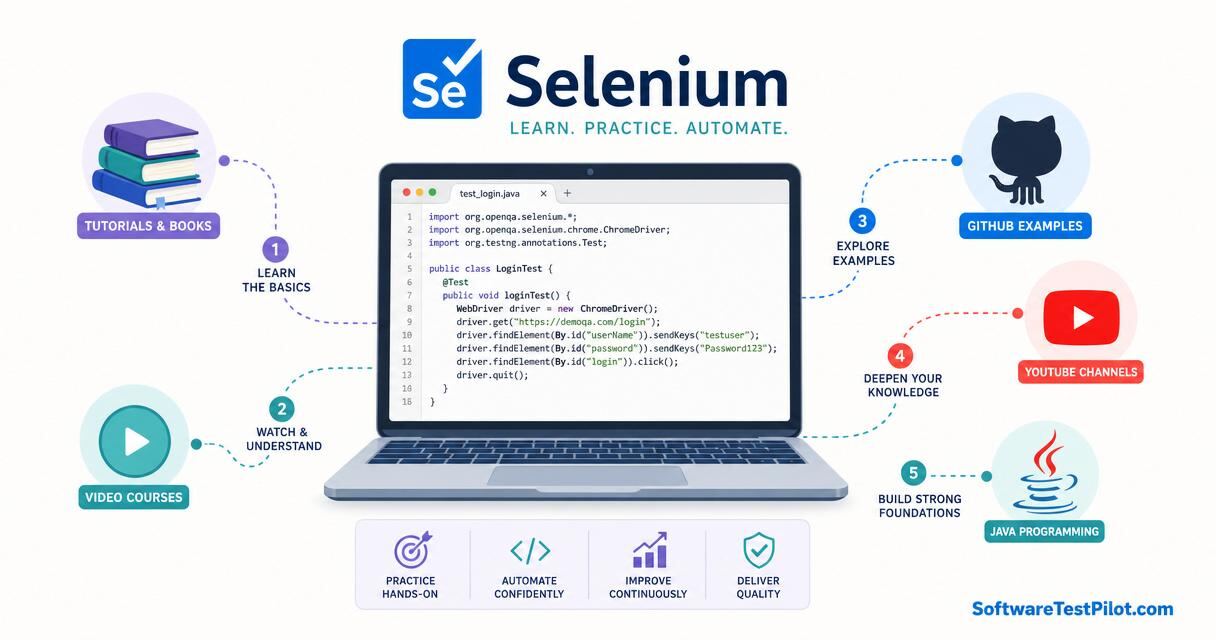
Last updated: July 1, 2026 · 9 min read · By Avinash K
Selenium is still one of the most requested automation skills in QA job descriptions. Even though Playwright and Cypress are growing fast, Selenium remains common in enterprise projects, service companies, and Java-based automation teams. The good news is that you can start learning Selenium for free.
The difficult part is not finding resources. The internet has too many. The difficult part is following the right order and practising properly. If you jump from one playlist to another, you may learn syntax but not automation thinking. This guide gives you a practical free learning path.
SoftwareTestPilot tip: Pair this article with our AI Mock Interview, Resume ATS Review, QA Jobs Radar, and interview hubs for Selenium, API testing, and SQL for testers.
Start with the official Selenium documentation
The official Selenium documentation should be your reference. It explains WebDriver, browser drivers, locators, waits, browser interactions, and grid concepts. Beginners sometimes avoid official docs because videos feel easier, but documentation teaches the correct vocabulary.
Do not try to read everything in one day. Use the docs when you learn each topic. For example, when studying waits, read the wait documentation and then practise explicit waits on a demo site. Our Selenium WebDriver Guide is a good companion.
Learn one programming language
For Selenium, Java is still a common choice in many QA teams. Python is also beginner-friendly. Choose one language and learn variables, data types, conditions, loops, functions, classes, exceptions, collections, and basic file handling. Our Java for Selenium guide gives you a focused starting point.
Do not learn programming separately for six months before touching Selenium. Learn enough basics, then apply them in automation. Testing examples make programming easier to understand.
Practise locators deeply
Locators are the foundation of Selenium. Learn ID, name, CSS selector, XPath, link text, partial link text, class name, and tag name. More importantly, learn how to choose stable locators. Avoid absolute XPath copied from browser dev tools.
Practise on forms, tables, dropdowns, alerts, frames, and dynamic elements. Many beginner failures come from weak locators and poor waits, not from Selenium itself. Compare locator strategies with our Playwright Locators guide to see how modern frameworks handle the same problem.
Use free practice websites
Use demo websites designed for automation practice such as the-internet.herokuapp.com, demoqa.com, and saucedemo.com. Pick pages with login forms, tables, alerts, windows, frames, drag and drop, file upload, and ecommerce flows. Do not practise only on one login page. Real automation requires different UI patterns.
Create a checklist of elements and automate one pattern at a time. For example, one day focus only on dropdowns. Another day focus only on tables. This builds confidence.
Watch YouTube carefully
YouTube is useful if you choose one playlist and complete it. Look for instructors who explain why they use a wait, why a locator is stable, and how the framework is structured. Avoid videos that only copy-paste code without explanation.
Pause videos and code yourself. If you only watch, you will feel you understand, but you may not be able to write code alone in an interview.
Build a beginner framework
After learning basics, create a small project using Java, Selenium WebDriver, TestNG or JUnit, Maven, Page Object Model, and simple reports. Automate login, search, form validation, and one end-to-end flow. Our TestNG vs JUnit comparison can help you choose a runner.
Keep the project clean. Use meaningful class names, avoid hardcoded waits, store test data properly, and write a README. A small clean framework is better than a large copied framework.
Free 30-day Selenium plan
Days 1 to 7: Java basics and browser dev tools. Days 8 to 14: WebDriver setup, locators, basic commands, and waits. Days 15 to 20: dropdowns, alerts, frames, windows, tables, and file upload. Days 21 to 25: TestNG or JUnit, assertions, and Page Object Model. Days 26 to 30: build and push a mini project to GitHub.
Repeat the plan if needed. Selenium learning takes practice. The goal is not to finish fast; the goal is to become confident enough to explain your code.
Interview preparation
Prepare questions on locators, waits, driver setup, exceptions, Page Object Model, test data, TestNG annotations, parallel execution, and flaky tests. Interviewers may ask you to write a simple locator or explain why Thread.sleep is a bad habit. Rehearse with our AI Mock Interview and the Selenium interview questions hub.
Use your own project during interviews. When you can explain what you built, your answers sound natural.
Free project ideas for Selenium practice
Once you understand Selenium basics, build projects instead of only watching tutorials. Project one can be a login test suite with valid login, invalid login, empty fields, and logout. Project two can be an ecommerce flow with search, filters, add to cart, coupon, and checkout validation. Project three can be a table-handling project where you read rows, validate values, and sort data.
For each project, add a README, screenshots of test results, and notes about challenges. Mention errors you solved, such as stale element reference, timeout exceptions, or locator failures. These notes show real learning.
Also practise running tests from the command line. Many beginners run tests only from the IDE. In real teams, tests run through Maven, Gradle, or CI pipelines. Even a simple mvn test command and a basic GitHub Actions workflow can make your project look more professional.
Weekly execution plan for students
Use a simple weekly rhythm so learning becomes measurable. On Monday, choose one topic and read or watch only enough to understand the basics. On Tuesday, practise the topic on a small example. On Wednesday, write notes in your own words. On Thursday, improve one portfolio file. On Friday, answer interview questions related to that topic. On Saturday, review mistakes and clean your GitHub. On Sunday, rest or lightly revise.
This rhythm prevents passive learning. It also creates visible progress every week. After four weeks, you will have notes, test cases, bug reports, API checks, SQL queries, or automation code instead of only browser history. Recruiters cannot see how many videos you watched, but they can see what you created.
If you are studying with college or a job, reduce the size but keep the habit. Even thirty focused minutes per day can build momentum. The key is consistency. QA careers are built by steady practice: reading requirements carefully, testing thoughtfully, documenting clearly, and improving after feedback.
How to turn this into a real career advantage
Reading one article or finishing one course is not enough by itself. The students who get interviews usually do three things consistently. First, they learn the concept. Second, they practise it on a small public project. Third, they explain the work clearly on GitHub, LinkedIn, and their resume. This simple loop is more powerful than collecting ten certificates without proof of skill.
For every topic you study, create one visible output. If you learn test case design, publish a test case document for a demo ecommerce site. If you learn Selenium, push a small framework to GitHub. If you learn API testing, share a Postman collection with positive and negative scenarios — our Postman API Testing Tutorial shows the structure. If you prepare for ISTQB, write notes in your own words and create a small cheat sheet.
Also keep your language practical. Do not write "expert in automation" if you only completed one beginner course. Write what you can actually do: "Created Selenium tests for login and search using Java, TestNG, explicit waits, and Page Object Model." Honest, specific statements build trust faster than big claims. Run your resume through the Resume ATS Review to check phrasing.
Common mistakes students should avoid
The first mistake is jumping between too many resources. Pick one course or plan, finish it, and build something from it. The second mistake is studying only theory. QA is a practical job. You must practise writing test cases, finding bugs, using tools, and explaining issues. The third mistake is ignoring communication. A clear bug report and a clean test summary can separate you from other freshers.
Another mistake is waiting until you feel fully ready before applying. You will never feel completely ready. Once you have a basic portfolio, a resume, and interview practice, start applying via the QA Jobs Radar while you continue learning. Real interviews teach you what to improve.
Final preparation note
Before you publish this learning on your resume or LinkedIn, review it like a tester. Check whether the links open, whether the project instructions work, whether screenshots are readable, and whether your claims match the actual work. Small details matter. A clean portfolio and honest explanation can create a better impression than a long list of unfinished skills.
This extra review step also helps you speak with confidence when an interviewer asks what you built and why it matters.