
Gemini for Software Testing in 2026: The Complete QA Playbook (Prompts, Long-Context, Coverage & FAQ)
The definitive 2026 guide to Google Gemini (2.5 Pro, 2.5 Flash, 3.1 Pro Preview, Code Assist) for software testing — RCTF prompt framework, IEEE 829 test plans, ISTQB test cases, 2M-token context, review rubric and every People Also Ask question Google surfaces.

Last updated: July 14, 2026 · 14 min read · By SoftwareTestPilot
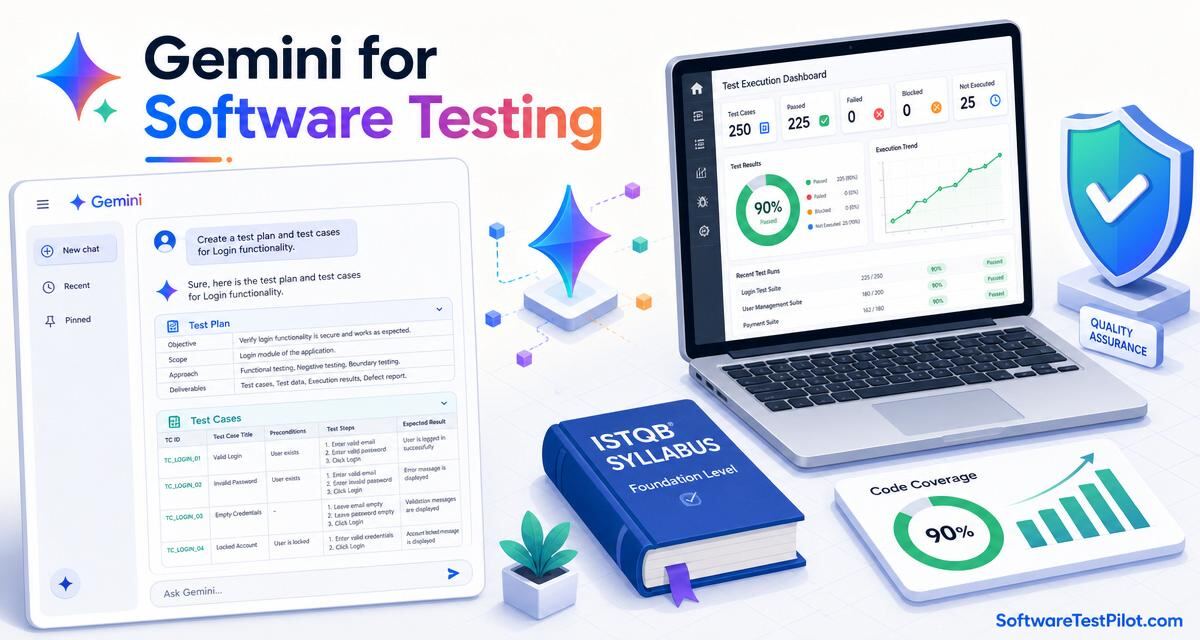
Gemini for software testing is the day-to-day use of Google's Gemini family — Gemini 2.5 Pro, Gemini 2.5 Flash, Gemini 3.1 Pro Preview, Gemini 3.5 Flash and Gemini Code Assist — inside gemini.google.com, Google AI Studio, Vertex AI, VS Code, JetBrains, Android Studio and the Google Workspace side panel (Docs, Sheets, Slides, Gmail) to draft test plans, generate test cases, write bug reports, produce Gherkin, review PRs and lift coverage. Measured on 2026 teams, Gemini cuts QA-artefact authoring time by 55–75%, ingests entire PRDs and monorepos in a single prompt thanks to its 1M–2M-token context window, and — via Deep Research — produces competitive test-strategy briefs in minutes.
This pillar is the reference to bookmark before pointing Gemini at a single artefact. Pair with Gemini test case generation, Gemini for QA testing, Gemini test automation, Claude for software testing, ChatGPT for QA testing and GitHub Copilot for testing.
Key takeaways
- Gemini's structural advantage is context — up to 2M tokens on 2.5 Pro (Vertex AI). Drop a full PRD, OpenAPI spec, or monorepo listing in one prompt.
- Use the RCTF prompt framework (Role, Context, Task, Format) and pin ISTQB / ISO 29119 vocabulary in the Role.
- Gemini 2.5 Pro (or 3.1 Pro Preview) for hard reasoning; 2.5 Flash / 3.5 Flash for high-volume; Deep Research for competitive/regulatory briefs.
- Every artefact passes a 7-point QA review rubric — Gemini drafts; a human SDET signs off.
- Use paid Gemini API / Vertex AI / Gemini for Workspace — not the free consumer plan — for anything touching customer data.
1. Which Gemini model for which QA task
The 2026 Gemini line-up maps cleanly to QA workflows. Refer to the official Gemini models page for the current context windows and pricing.
- Gemini 2.5 Pro — 2M-token context in Vertex AI, 1M in AI Studio. The go-to for long-context PRD ingestion, IEEE 829 test-plan drafting, compliance mapping and RTM building.
- Gemini 3.1 Pro Preview — the next-generation reasoning model. Best for the hardest reasoning tasks: risk-based prioritisation, security threat models, ambiguity detection in 500-page specs.
- Gemini 2.5 Flash / 3.5 Flash — the cost-efficient workhorses. Bulk test-case generation, bug-report drafting, defect classification, screenshot triage.
- Gemini 3.1 Flash-Lite — cheapest and fastest. High-volume classification, defect deduplication, log-noise summarisation.
- Gemini Code Assist — the in-editor assistant (VS Code / JetBrains / Android Studio / CLI). Best for generating and refactoring test code with repo context.
- Deep Research (Gemini) — multi-step research agent. Best for competitive analysis briefs, regulatory landscape reviews (EU AI Act, ISO 27001 gaps), tool-selection scorecards.
2. The RCTF prompt framework for Gemini
- Role — "You are a senior SDET / ISTQB-Advanced test analyst. Prioritise risk coverage, boundary values and clarity for a QA lead reviewer."
- Context — paste the requirement / user story / OpenAPI spec / page object / stack trace, the framework + version, the compliance regime (SOC 2, HIPAA, GDPR, EU AI Act) and the coverage target.
- Task — one specific artefact: "Generate 15 test cases", "Draft an IEEE 829 test plan section 4", "Write a Playwright E2E for AC-14 with an @axe accessibility check".
- Format — exact output shape: markdown table with columns, JSON schema, Gherkin, Vitest .test.ts. End with a rubric self-critique.
3. Ten copy-paste Gemini prompts for software testing
Prompt 1 — IEEE 829 master test plan from a 200-page PRD
Role: senior test manager, ISTQB-Advanced, ISO/IEC/IEEE 29119-3 fluent.
Context: product = <name>, release = <R>, full PRD pasted below (---PRD---).
Task: draft an IEEE 829 master test plan with sections 1–16
(scope, references, features, approach, pass/fail, suspension,
deliverables, environment, staffing, schedule, risks, approvals).
Include a 5x5 risk matrix and SMART entry/exit criteria.
Format: markdown, one H2 per section, one table per matrix.
Prompt 2 — 20 test cases from a user story (ISTQB techniques)
Role: senior test analyst, ISTQB techniques (EP, BVA, DT, ST, UC).
Context: user story = <paste AC>. Coverage target = branch + boundary.
Task: 20 test cases — 10 positive, 6 negative, 4 boundary. Columns:
TC-ID, Title, Preconditions, Steps, Expected, Priority, Type.
Format: markdown table. End with a 7-point rubric self-critique.
Prompt 3 — bug report from a Slack thread + screenshot
Role: senior QA engineer, IEEE 1044 severity fluent.
Context: paste Slack thread + attach screenshots + env details.
Task: Jira-ready bug — title, severity, environment, steps,
actual, expected, evidence, workaround, suggested owner. Redact PII.
Format: markdown, ≤ 250 words, no speculation.
Prompt 4 — Gherkin scenarios from an acceptance criterion
Role: BDD lead, Cucumber 7 / Gherkin 6.
Context: AC = <paste>. Declarative phrasing.
Task: 5 scenarios — happy, 2 alt, 2 error. One scenario outline
with Examples. Tag @regression + @auth.
Format: .feature file, plain Gherkin.
Prompt 5 — Deep Research — competitive test-tool scorecard
Deep Research prompt:
Compare Playwright, Cypress, Selenium 4, WebdriverIO and Puppeteer
across 10 criteria (installation, auto-wait, trace viewer, CI cost,
cross-browser matrix, community size, mobile support, license, TypeScript
DX, price). Produce a scorecard with a citation per criterion.
Prompt 6 — RTM from PRD + test cases (long context)
Role: test analyst.
Context: full PRD requirements + all test-case IDs = <paste> (1M tokens OK).
Task: requirements traceability matrix. Columns: REQ-ID, description,
priority, linked TC-IDs, coverage %, gap notes.
Format: markdown table. Flag any REQ with 0 linked TCs.
Prompt 7 — Test Summary Report (TSR)
Role: QA lead, IEEE 829 TSR.
Context: JUnit XML + coverage LCOV + defect list = <paste>.
Task: TSR sections 1–9 incl. variances, comprehensiveness, results,
evaluation, recommendations. Go/no-go verdict with reasoning.
Format: markdown, one paragraph per section.
Prompt 8 — Playwright spec from AC (Gemini Code Assist)
@workspace Role: SDET, Playwright TS, deterministic waits.
Context: AC = <paste>, POM = #file:LoginPage.ts.
Task: Playwright spec — 1 happy + 2 error + 1 axe a11y.
getByRole locators only. No page.waitForTimeout. Trace on retry.
Format: single .spec.ts. Rubric self-critique.
Prompt 9 — API test plan from OpenAPI (long context)
Role: senior API tester, OWASP API Top 10 fluent.
Context: full OpenAPI 3.1 spec (---SPEC---) up to ~200 endpoints.
Task: test plan — positive, negative, auth (BOLA/BFLA), rate-limit,
schema validation. Map every negative test to an OWASP API Top 10 item.
Format: markdown, one H3 per endpoint, table of tests underneath.
Prompt 10 — Non-functional requirements (ISO 25010)
Role: senior test analyst, ISO/IEC 25010 fluent.
Context: product = <name>, SLA = 99.9% p95 < 300ms.
Task: NFR checklist across 8 quality characteristics with one
measurable criterion each. Flag NFRs without tests.
Format: markdown table.
4. The 7-point review rubric for Gemini-drafted QA artefacts
- Grounded — every fact traces to the pasted spec / AC / stack trace. No invented endpoints, no hallucinated error codes.
- Standards-aligned — IEEE 829 / ISO 29119-3 / ISTQB terminology used correctly.
- Coverage explicit — happy path + null/empty + boundary + unicode + timezone + concurrency named; OWASP mapped for security.
- Non-speculative — no "the bug is probably…" in a report; only observed facts.
- PII-clean — synthetic data only (user{N}@example.com, Stripe test cards).
- Actionable — every test case has preconditions + steps + expected; every risk has an owner and a mitigation.
- Format-correct — markdown table renders in Jira/Confluence, .feature parses in Cucumber, .spec.ts compiles under tsc.
Two or more failures → regenerate with a tighter prompt.
5. Governance, PII and IP posture
Gemini in 2026 ships in three surfaces relevant to QA — gemini.google.com (chat + Deep Research + Canvas), the Gemini API in Google AI Studio and Vertex AI, and Gemini Code Assist (VS Code / JetBrains / IntelliJ + Android Studio + the CLI). All three respect the Google Cloud terms: paid Gemini API traffic and Google Workspace-connected Gemini (Business / Enterprise) do not train Google models. Free consumer gemini.google.com traffic may be used to improve models unless the user opts out.
- Use paid Gemini API, Vertex AI, or Gemini for Google Workspace (Business / Enterprise) — not the free consumer plan — for anything touching customer data.
- Never paste raw production data, HAR files, JWTs, PANs or customer PII. Redact with the rules from the ChatGPT bug report pillar.
- Prefer the Gemini API with a Cloud Logging audit trail; keep prompts and outputs in a QA prompt library under version control.
- Map governance to the NIST AI RMF and the EU AI Act for regulated products.
- Add an "AI attribution" section to your PR / test plan template; a human SDET signs off before merge.
6. ROI — what Gemini actually saves on QA work
Annual ROI = (Artefacts/year × time saved per artefact × loaded QA cost)
           + (Defect-escape reduction × incident cost)
           + (Compliance-audit prep hours reclaimed × loaded lead cost)
           − (Gemini for Workspace / Vertex AI / API cost)
           − (Review overhead: ~15% of "time saved")
Honest 2026 ranges: test-plan drafting drops from ~2 days to ~2 hours (85% reduction); test-case authoring cuts 55–70%; bug-report triage cuts 40–60%; audit evidence prep (SOC 2, ISO 27001) drops from weeks to days. Deep Research replaces ~1–2 days of manual desk research with a 15-minute agent run. Diminishing returns past ~80% coverage.
7. Gemini vs Claude vs ChatGPT vs Copilot for QA
Complementary, not substitutes, in 2026:
- Gemini — leads on ultra-long context (2M tokens, drop 500-page RFPs in), Google Workspace integration (Docs / Sheets test-plan authoring), Deep Research and native multimodal (audio, video, image) inputs.
- Claude — leads on structured long-form artefacts, ISTQB fidelity, agentic Claude Code. See Claude for software testing.
- ChatGPT (GPT-5.5) — leads on general reasoning breadth and image analysis. See ChatGPT for QA testing.
- GitHub Copilot — leads inside the editor for test code. See Copilot for testing.
Many 2026 QA orgs run all four: Copilot in the editor, Claude for structured artefacts, ChatGPT for image + one-offs, Gemini for long-context ingestion + Workspace + Deep Research.
8. What Gemini for testing means for QA careers
QA engineers who can drive Gemini to ingest 500-page specs and output audit-ready artefacts are the ones QA leads keep on the roadmap. See the QA salary guide, the SDET career roadmap, the AI mock interview, the free ATS resume review and live roles on the QA Jobs Radar.