
ChatGPT Cypress Automation in 2026: The Complete Playbook (Commands, Intercepts, Component Tests & FAQ)
The definitive 2026 ChatGPT Cypress automation guide — how to generate Cypress 13+ e2e and component tests, custom commands, network intercepts, session-based auth, CI on Cypress Cloud and GitHub Actions with ChatGPT, plus 15 copy-paste prompts, a 6-point review rubric, ROI and every PAA question Google surfaces.

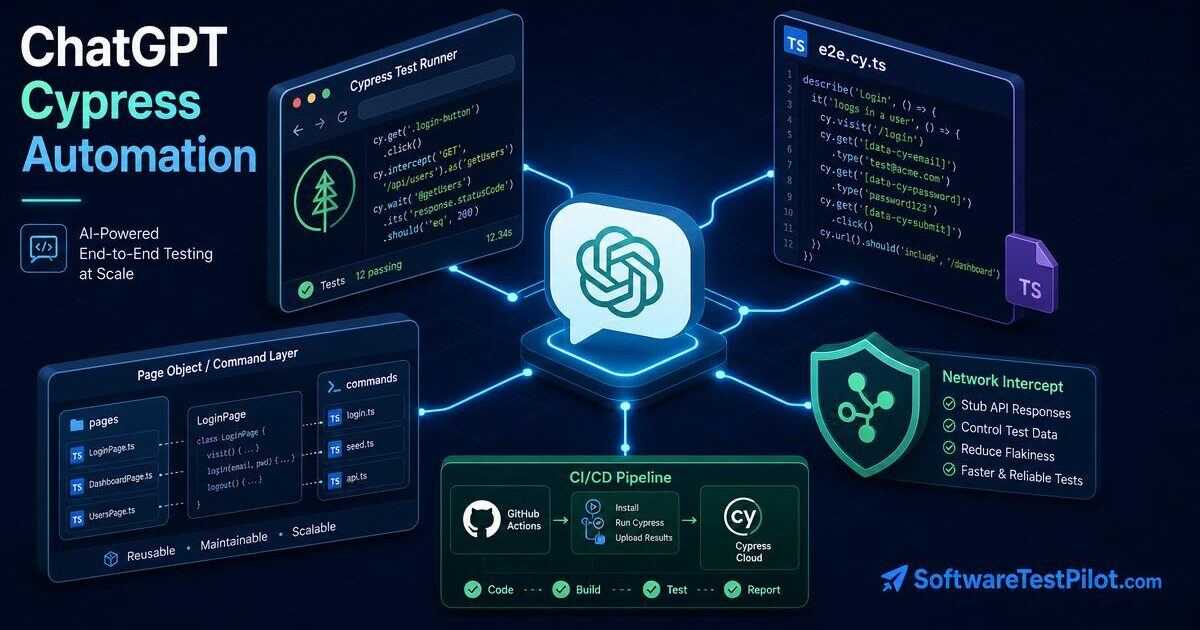
Last updated: July 14, 2026 · 18 min read · By SoftwareTestPilot
ChatGPT Cypress automation is the use of OpenAI's large language models — alongside Claude Opus 4.5 and Gemini 2.5 Pro — to design, generate, refactor, heal and review Cypress 13+ end-to-end and component tests. Used well on a 2026 SDET team, it cuts Cypress script-authoring time by 40–55%, eliminates cy.wait(ms) and other flake-drivers by 25–40%, and drafts cy.intercept stubs, custom commands and GitHub Actions matrices in minutes. Used badly, it ships fixed waits, hallucinated selectors and cy.wait(3000) before every assertion.
This is the pillar every Cypress engineer, front-end SDET and QA lead should bookmark before wiring ChatGPT into a Cypress stack. It covers what ChatGPT does well and badly for Cypress specifically, the RCTF prompt framework, fifteen copy-paste prompts for Cypress 13+ e2e and component tests (custom commands, cy.session, cy.intercept, cy-data attributes, cypress-axe, Cypress Cloud, GitHub Actions matrices), a self-healing selector loop, a strict 6-point review rubric, honest ROI, governance and the People Also Ask questions Google surfaces. Pair it with our ChatGPT for test automation pillar, the ChatGPT for Selenium pillar, the ChatGPT for QA testing pillar, the 50 ChatGPT prompts for software testers, the GitHub Copilot for QA guide, the complete QA automation guide and the Selenium vs Playwright comparison.
Key takeaways
- Measured productivity lift on healthy 2026 Cypress teams: 40–55% on script authoring, 25–40% fewer flaky-selector and flaky-wait PRs when you pair ChatGPT with the 6-point rubric.
- Every Cypress prompt should follow RCTF — Role, Context, Task, Format — and pin the exact version (Cypress 13.x, Node 22, TypeScript 5).
- Never ship AI output containing
cy.wait(ms), bare CSS class selectors, absolute XPath or hardcoded credentials. Prefercy.findByRole,cy.findByLabelTextand[data-cy="..."].- Never paste production data, PII, cookies or auth tokens. Use the redaction template in this guide.
- ChatGPT is a first draft engine, not a merge gate. Every AI-drafted Cypress test passes the 6-point rubric or gets regenerated.
1. What is ChatGPT Cypress automation?
"ChatGPT Cypress automation" is the practice of embedding ChatGPT (or Claude, Gemini or a self-hosted Llama 4) into the parts of the Cypress lifecycle where a human SDET spends repeatable time: designing test cases from acceptance criteria, generating Cypress 13+ e2e and component tests, writing custom commands, mocking APIs with cy.intercept, sharing auth state with cy.session, drafting cypress.config.ts, generating GitHub Actions matrices for Cypress Cloud, summarising red-build failures and reviewing pull requests. It sits on top of your Cypress framework — it does not replace it.
+---------------------------------------------------------------------+
|          CHATGPT CYPRESS AUTOMATION — WHERE IT FITS                 |
+---------------------------------------------------------------------+
| STAGE            | HUMAN OWNS         | CHATGPT ASSISTS WITH        |
+------------------+--------------------+-----------------------------+
| Framework design | Architecture       | cypress.config.ts, plugins  |
| Selector policy  | Stability rules    | data-cy + findByRole picks  |
| Test authoring   | Acceptance criteria| First-draft .cy.ts specs    |
| Waits            | Sync strategy      | Replace cy.wait(ms)         |
| API mocking      | Contract truth     | cy.intercept stubs, fixtures|
| Auth             | Login flow         | cy.session, session caching |
| Component tests  | Component contract | Mount + assertion drafts    |
| A11y             | Real AT testing    | cypress-axe scaffolding     |
| CI/CD            | Gates & secrets     | GH Actions matrices, Cloud  |
| Failure triage   | Root cause         | Video/log summary           |
+------------------+--------------------+-----------------------------+
Independent research from GitHub's Copilot code-quality study puts the productivity boost on well-scoped code tasks at 40–55%. The official Cypress best practices are the ground truth every AI prompt should be checked against, and the DORA State of DevOps confirms AI-assisted teams are the most likely to reach elite delivery when human review stays in the loop.
What it is not: a replacement for a Cypress framework, a chatbot that runs your suite for you, or a magic autopilot. Any "AI Cypress autopilot" pitch that skips human review is selling marketing.
2. The RCTF prompt framework for Cypress
The single biggest lever on ChatGPT output quality for Cypress is prompt structure. Every prompt should have four explicit layers — Role, Context, Task, Format:
- Role — "You are a senior SDET fluent in Cypress 13, TypeScript 5, @testing-library/cypress and cypress-axe."
- Context — paste the framework version, the existing
cypress/support/commands.ts, the target acceptance criteria and the style rules ("selector order:cy.findByRole,cy.findByLabelText,cy.get('[data-cy=...]'). Nevercy.wait(ms). Auth viacy.session."). - Task — "Write one
checkout-coupon.cy.tsspec that uses the existing custom commands, mocksPOST /api/couponswithcy.interceptand covers valid, expired and stacked coupons." - Format — "Output a single
.cy.tsfile. No comments, nocy.wait(ms), no hardcoded credentials. End with a self-critique against this rubric: assertion truth, selector quality, wait discipline, network isolation, coverage vs risk, reproducibility."
Then run the 3-step iteration loop: baseline → self-critique → regenerate. On our internal audits this alone moves Cypress coverage scores from ~62% to ~89% on the same feature.
3. Copy-paste prompts for Cypress e2e tests
Prompt: generate a Cypress 13 e2e test from an acceptance criterion
You are a senior SDET fluent in Cypress 13, TypeScript 5,
@testing-library/cypress and cypress-axe.
Context:
- Selectors: cy.findByRole, cy.findByLabelText, cy.get("[data-cy='...']").
  Never cy.get by CSS class, never absolute XPath.
- Waits: web-first assertions and cy.intercept aliases. NEVER cy.wait(ms).
- Auth: cy.session with a login command already in support/commands.ts.
- API: mock POST /api/coupons with cy.intercept and a fixture.

Acceptance criteria:
- Cart of $100 + SAVE10 -> total $90.
- EXPIRED2023 -> error snackbar containing "expired".
- Two coupons cannot be stacked.

Task: produce ONE checkout-coupon.cy.ts that uses cy.session for auth,
cy.intercept for the coupon API and 3 it() blocks covering the criteria.

Format: single .cy.ts file. End with a self-critique against:
assertion truth, selector quality, wait discipline, network isolation,
coverage vs risk.
Prompt: fix a flaky Cypress test
The following Cypress test fails ~20% of runs in GitHub Actions but is
green locally. Analyse the failure log below, list the top 3 flake root
causes in order of likelihood, and rewrite the test to fix each without
adding cy.wait(ms). Prefer cy.intercept aliases and web-first assertions.

[paste .cy.ts file]
[paste last 80 lines of failure log]
Prompt: convert a Selenium test to Cypress
Convert the following Selenium 4 (Java) test to a Cypress 13 spec in
TypeScript. Map each By locator to cy.findByRole / cy.findByLabelText /
cy.get([data-cy=...]) in that preference order. Replace WebDriverWait
with web-first assertions and cy.intercept aliases. Preserve test names.
[paste .java file]
4. Prompts for custom commands, cy.session and cy.intercept
Prompt: generate a cy.session-backed login command
You are a senior SDET fluent in Cypress 13 + TypeScript.
Generate a Cypress custom command loginAs(user: 'admin' | 'editor' | 'viewer')
that wraps cy.session for cross-spec caching, calls POST /api/auth/login
via cy.request (not the UI), sets the auth cookie and validates the
session by hitting /api/auth/me. Add TypeScript typings under
cypress/support/e2e.d.ts. No fixed waits, no hardcoded passwords
(read from Cypress.env).
Output: cypress/support/commands.ts + cypress/support/e2e.d.ts.
Prompt: generate a cy.intercept API mock
You are a senior SDET fluent in Cypress 13 network intercepts.
Given the OpenAPI operation below, generate:
- a Cypress fixture in cypress/fixtures/coupons.json with 3 realistic
  coupon records (no PII).
- a cy.intercept("POST", "/api/coupons", ...) that responds with the fixture,
  aliased as @applyCoupon.
- a helper waitForCoupon() that uses cy.wait("@applyCoupon") and asserts
  the request body matches the schema.
Output: 2 files, no cy.wait(ms).
[paste OpenAPI operation]
Prompt: propose a stable Cypress selector
For the HTML element below, produce a Cypress selector following:
1. cy.findByRole("role", { name: "..." }) if a role + name is available.
2. cy.findByLabelText("...") for form fields.
3. cy.get("[data-cy='...']") if a data-cy attribute exists.
4. cy.contains() for text-anchored elements.
Never a bare CSS class, never absolute XPath.
Output: a single line + one-sentence justification.
HTML: [paste rendered element]
5. Prompts for Cypress component testing (React, Vue, Svelte)
Prompt: generate a React component test
You are a senior SDET fluent in Cypress 13 component testing + React 19 +
TypeScript + @testing-library/cypress.
Context:
- Bundler: Vite 6.
- Mounting: import { mount } from "cypress/react".
- Selectors: cy.findByRole / cy.findByLabelText only.
- Async: web-first assertions; no cy.wait(ms).

Given the component below, generate one .cy.tsx that:
- mounts the component with realistic props (positive, negative case)
- asserts on the accessible tree, not the DOM structure
- uses cy.intercept for any fetch calls
- includes one cypress-axe check (cy.injectAxe + cy.checkA11y)

[paste .tsx component]
Prompt: generate a Vue 3 component test
Same as above but for Vue 3 + Cypress component testing, using
import { mount } from "cypress/vue". Preserve Composition API patterns.
[paste .vue component]
6. Prompts for accessibility (cypress-axe) and visual (Percy / Applitools)
Prompt: add cypress-axe to an existing spec
You are a senior a11y-focused SDET fluent in cypress-axe and WCAG 2.2 AA.
Given the .cy.ts below, add:
- cy.injectAxe() after each page load.
- cy.checkA11y() at 3 key states: initial, after primary interaction,
  final. Configure to fail on serious and critical violations only.
- A11y-specific it() block that tabs through the form, asserting
  focus order matches the visual order.
Output: single updated .cy.ts. Cite the WCAG SC for each check.
[paste .cy.ts]
Prompt: add Percy visual snapshots
You are a senior SDET fluent in Cypress 13 + @percy/cypress.
Given the .cy.ts below, add cy.percySnapshot("name") at 3 stable states
(loaded, filled form, submitted). Do not snapshot loading or animation
states. Configure Percy to widths [375, 768, 1280].
[paste .cy.ts]
7. Prompts for GitHub Actions and Cypress Cloud
Prompt: generate a GitHub Actions matrix on Cypress Cloud
You are a senior DevOps engineer.
Generate a GitHub Actions workflow that:
- runs on push to main and every PR
- uses ubuntu-latest with Node 22
- installs deps via npm ci and caches ~/.npm
- runs Cypress via cypress-io/github-action@v6 with:
  * record: true (Cypress Cloud)
  * parallel: true across 4 containers
  * group: "e2e-chrome"
  * browser: chrome
- uploads video and screenshots as artifacts on failure only
- posts a PR comment with the Cypress Cloud run URL
Output: a single .github/workflows/cypress.yml, nothing else. Comment
above every ${{ secrets.* }} reference to catch invented secret names.
Prompt: generate a Docker image for CI
Generate a Dockerfile based on cypress/included:13.15.0 that:
- copies package.json and package-lock.json
- runs npm ci
- sets CYPRESS_CACHE_FOLDER=/root/.cache/Cypress
- runs as a non-root user
Output: Dockerfile only.
8. The 6-point review rubric for AI-drafted Cypress code
Every AI-drafted Cypress test file goes through this rubric before merge. Any test failing two or more criteria is regenerated, not review-commented:
- Assertion truth — the assertion verifies the acceptance criterion, not just
should("be.visible"). - Selector quality —
cy.findByRole,cy.findByLabelText, orcy.get("[data-cy=...]")only. Never bare CSS class, never absolute XPath, nevernth-child. - Wait discipline — no
cy.wait(ms). Use web-first assertions andcy.wait("@alias")oncy.interceptaliases. - Network isolation — every 3rd-party call is stubbed via
cy.intercept. Tests don't depend on staging uptime. - Coverage vs risk — negative, boundary and one accessibility check present, not just happy path.
- Reproducibility — runs green 20× locally AND once through Cypress Cloud parallelisation before it enters CI.
This one rubric is the difference between AI making your Cypress suite better and AI making it faster to break in production.
9. Where ChatGPT Cypress automation still fails
- cy.wait(ms) by default. When you ask ChatGPT to fix a flaky test without pasting the DOM or intercept aliases, it drops back to
cy.wait(3000). Enforce "no fixed waits" in the prompt and in ESLint (eslint-plugin-cypress). - Bare CSS class selectors. Without an explicit selector policy, ChatGPT emits
cy.get(".btn-primary"). Enforce data-cy + findByRole in the prompt AND as an ESLint rule. - Cypress version drift. Models still emit Cypress 9 patterns (
cy.server,cy.route) unless you name the version. Always pin Cypress 13.x and TypeScript 5. - Hallucinated custom commands. ChatGPT will call
cy.loginAs()that does not exist. Always pastecypress/support/commands.ts. - Missing cy.session. Default output re-logs-in on every spec. Force
cy.sessionwith a session id and validation function. - Component test bundler mismatch. ChatGPT defaults to webpack; if you use Vite, pin it explicitly.
- Prompt log leakage. Free / personal ChatGPT plans train on your prompts by default. Enterprise / Team only, with training turned off.
10. Privacy, PII redaction and governance
The fastest way to lose the ChatGPT licence — and possibly your job — is pasting production cookies, auth tokens or customer data into a prompt. Use this redaction pre-pass on every prompt that touches app data, fixtures or logs:
Before sending any prompt containing app data, replace:
- emails      -> user{N}@example.com
- phones      -> +1-555-0100 through +1-555-0199
- names       -> Persona A, Persona B, ...
- card PANs   -> 4242 4242 4242 4242 (Stripe test)
- addresses   -> 1 Infinite Loop, Cupertino, CA 95014
- IDs / UUIDs -> TEST-000-0001 (sequential)
- session cookies / tokens -> <REDACTED>

Keep shape (length, format) so validation logic still triggers.
On the plan side: ChatGPT Enterprise and Team have training on your prompts off by default and add SSO, admin controls and longer context. Personal ChatGPT Plus is fine for open-source and public-doc prompts only. Regulated workloads should use Azure OpenAI, AWS Bedrock or a self-hosted Llama 4. Cross-check every policy against the NIST AI Risk Management Framework and the EU AI Act.
11. ROI — what ChatGPT actually saves a Cypress team
Annual ROI = (Hours saved ⋅ loaded SDET cost)
           + (Escape defects avoided ⋅ incident cost)
           − (ChatGPT / Copilot / Cypress Cloud licences)
           − (Review overhead: 10–20% of "hours saved")
           − (Governance headcount)
Honest 2026 ranges on healthy Cypress teams:
- Spec authoring: 40–55% faster from acceptance criterion to a green Cypress run.
- Custom commands + cy.session: 60–80% faster on setup boilerplate.
- cy.intercept mocks from OpenAPI: 70%+ faster than hand-writing fixtures.
- Selector maintenance: 25–40% fewer flaky-selector PRs with the data-cy + findByRole policy.
- Failure triage: 30–50% shorter time-to-first-comment on red Cypress Cloud runs with LLM summaries of the video + logs.
Anything above 10× ROI in the first quarter is a comparison against a baseline that never existed. Anything below break-even in year one usually means governance was skipped and hallucinated Cypress tests are eating the "saved" time.
12. 30-day rollout for a Cypress team
- Days 1–7 — foundations. Enable ChatGPT Enterprise / Team, turn on data-exclusion, publish the RCTF template, redaction rules and 6-point rubric in
docs/ai-usage.md. Pin Cypress 13.x, Node 22 and TypeScript 5 as the reference versions for every prompt. - Days 8–14 — prompt library. Each SDET submits three prompts they use daily. Curate the top 20 into
docs/prompts/cypress/; reject any prompt missing an RCTF layer or a version pin. - Days 15–21 — guardrails. Add
eslint-plugin-cypressrules that blockcy.wait(ms), bare CSS class selectors,cy.server/cy.routeand hardcoded credentials. Update the PR template with the 6-point rubric checkbox. - Days 22–30 — measure. Baseline five KPIs — authoring time, flake rate, PR review comments, coverage %, MTTR on Cypress Cloud. Compare to pre-rollout. Cancel or expand based on data, not vibes.
13. What ChatGPT Cypress automation means for QA careers
The 2026 hiring data is clear: Cypress engineers who can pair ChatGPT with cy.intercept, cy.session, component testing and Cypress Cloud are seeing 15–30% salary lifts. Manual-only front-end QAs who ignore AI are seeing rate compression. See the QA engineer salary guide and the SDET career roadmap.
Actively interviewing? Practice with the AI mock interview, tune your CV with the free ATS resume review and browse live openings on the QA Jobs Radar. For technical rounds, work through the Playwright interview questions, Selenium interview questions, API testing interview questions and SQL interview questions pillars.