
Black Box Testing: The Complete 2026 Guide with Examples
Black box testing explained end-to-end: definition, techniques (BVA, EP, decision table, state transition), types, tools, real examples, pros/cons, and interview-ready answers. Written for QA engineers and test leads.

Last updated: July 17, 2026 · 14 min read · By SoftwareTestPilot
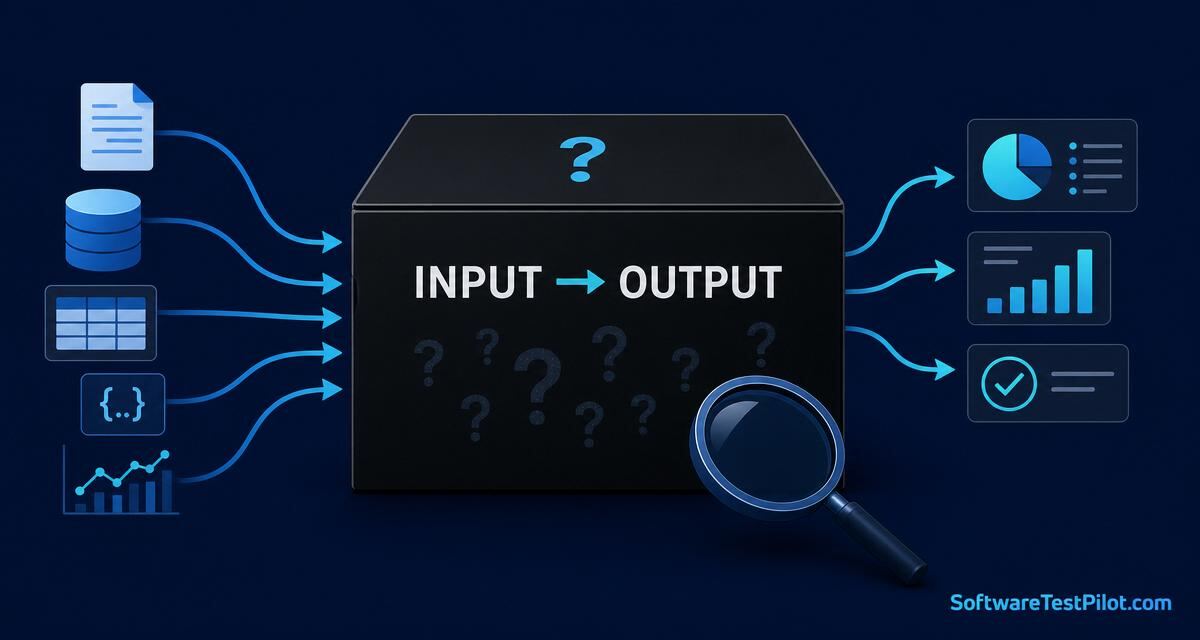
Black box testing is the QA technique where you evaluate software purely by feeding it inputs and observing outputs, without ever looking at the source code. It is the technique behind every acceptance test, every functional check, and 80% of the questions asked in a manual-QA interview. This guide gives you the precise definition, the four test-design techniques that make it rigorous, the tools that automate it in 2026, and worked examples you can copy into your own test suite today.
If you are preparing for interviews, pair this article with our software testing interview questions pillar and the freshers Q&A hub.
Key takeaways
- Black box testing validates behaviour, not implementation — perfect for acceptance, system, and regression testing.
- Four techniques do 90% of the work: BVA, equivalence partitioning, decision tables, state transition.
- Combine it with white box testing for full coverage — the two are complements, not rivals.
- 2026 automation stack: Playwright / Selenium for UI, Postman / REST-Assured for API, k6 for load.
1. What is black box testing? A precise definition
Black box testing is a software testing method where the tester examines the functionality of an application without knowledge of its internal code structure, implementation details, or internal paths. You treat the system as an opaque box: give it an input, observe the output, and assert against the requirement.
The ISTQB glossary calls this “specification-based testing” — every test derives from a requirement, user story, or API contract rather than from a code file. This matters because it lets non-developers (business analysts, product owners, UAT users) participate in QA meaningfully.
Three anchors define the technique:
- Requirements-driven. Test cases come from specs, wireframes, and acceptance criteria — not from reading source.
- Behavioural. Pass/fail is judged on observable output, not on which line of code executed.
- Toolchain-agnostic. A tester using Postman for API and a tester using Playwright for UI are both doing black box testing.
2. Types of black box testing
Black box testing covers most of the non-code-facing test types on a modern project. The four you must know cold:
- Functional testing — does the feature behave per the acceptance criteria? (Login accepts valid creds, rejects invalid.) See our types of software testing index.
- Non-functional testing — performance, usability, security, accessibility. Same opaque-box approach; different quality attribute.
- Regression testing — reruns after every change to catch newly-broken behaviour. See the regression testing guide.
- Acceptance testing (UAT / alpha / beta) — business users validate against real workflows. Almost always black box because they cannot read the code.
3. The 4 black box test-design techniques (with worked examples)
Random inputs give you random coverage. These four formal techniques are how mature QA teams design black box tests systematically.
3.1 Boundary Value Analysis (BVA)
Defects cluster at boundaries. Test at the boundary, just above, and just below. For a field that accepts age 18–60, you test 17, 18, 19, 59, 60, 61. Deep dive with worked examples: Boundary Value Analysis (BVA).
3.2 Equivalence Partitioning
Divide the input domain into classes where the system should behave the same, then pick one representative from each class. Age 18–60 gives you three partitions: invalid-low (0–17), valid (18–60), invalid-high (61+) — three tests instead of dozens. Full guide: Equivalence Partitioning.
3.3 Decision Table Testing
When output depends on combinations of conditions, a decision table forces you to cover every rule. Classic example: a shipping calculator whose fee depends on order value, membership tier, and destination country — one decision table replaces guesswork with completeness. Deep dive: Decision Table Testing.
3.4 State Transition Testing
For features with modes (a shopping cart moving through empty → active → checkout → paid), you test every legal transition and every illegal one. Prevents the class of bugs where a user re-triggers a state and corrupts the flow.
Use all four together on the same feature and you have provably strong coverage without reading a line of code.
4. Worked example: black-box testing a login form
Let’s black-box test a real login endpoint. The requirement: “Users log in with an email and a password of 8-32 characters. Three failed attempts lock the account for 15 minutes.”
+---------------------------------------------------------------------+
|                  BLACK-BOX TEST DESIGN: LOGIN                       |
+---------------------------------------------------------------------+
| Technique              | Test case                    | Expected    |
+------------------------+------------------------------+-------------+
| Equivalence (valid)    | valid@test.com / Passw0rd!   | 200 OK      |
| Equivalence (invalid)  | notAnEmail / Passw0rd!       | 400 Bad     |
| BVA (min length)       | valid / 8-char password      | 200 OK      |
| BVA (min-1)            | valid / 7-char password      | 400 Bad     |
| BVA (max length)       | valid / 32-char password     | 200 OK      |
| BVA (max+1)            | valid / 33-char password     | 400 Bad     |
| State transition       | 3 wrong pw -> 4th attempt    | 423 Locked  |
| State transition       | wait 15 min -> retry         | 200 OK      |
+---------------------------------------------------------------------+
Eight tests, four techniques, zero source code read — but you have covered the requirement completely. That is disciplined black-box testing.
5. The 2026 black-box automation toolchain
Black box does not mean manual. Every technique above automates cleanly with modern tools:
- UI: Playwright, Cypress, Selenium. Practice with the Playwright interview questions hub.
- API: Postman, REST Assured, HTTP files in VS Code. See the API testing Q&A hub.
- Load / performance: k6, JMeter, Gatling — black-box by definition, they only see the endpoint.
- Accessibility: axe-core, Pa11y — black-box against the DOM.
None of these tools read your source. All produce reliable, repeatable black-box coverage in CI.
6. Black box vs white box vs gray box
| Aspect | Black box | White box | Gray box |
|---|---|---|---|
| Knowledge of code | None | Full | Partial (schema / API) |
| Owned by | QA, business, UAT users | Developers | SDETs, integration testers |
| Focus | Behaviour vs requirement | Code paths & branches | API + DB + UI together |
| Techniques | BVA, EP, decision table, state | Statement, branch, path coverage | Matrix, orthogonal array |
| Best for | Acceptance, regression, E2E | Unit, integration, security | Contract, schema, DB validation |
Full comparison in white box testing techniques and gray box testing explained.
7. Pros, cons, and when to use black box testing
Pros: Independent of implementation, testable by non-developers, cheaper to maintain when internals refactor, aligns tightly with acceptance criteria.
Cons: Cannot verify code coverage, may miss dead code paths, redundant tests if not designed with formal techniques, limited to observable behaviour.
Use black box for functional, acceptance, regression, and end-to-end tests. Layer white box unit and integration tests underneath for full assurance — the test pyramid shows the ideal balance.
8. Your 24-hour action step
Pick one feature in your current sprint. Design 6–8 black-box test cases using BVA + equivalence partitioning + one decision table row. Add them to your regression suite in Playwright or Postman. That is one hour of work that will prevent your next production defect.
Then benchmark your career impact on the QA Salary Guide, sharpen your resume with the ATS Resume Reviewer, and rehearse black-box design questions on the AI Mock Interview. For deeper reading, the ISTQB Foundation syllabus covers all four techniques in exam depth.
9. 2026 black-box strategy — model-based testing + AI oracle assist
Black-box testing in 2026 leans hard on two shifts. First, model-based testing (GraphWalker, Altwalker) — you draw the SUT as a state machine and let the tool generate optimal path coverage. This gives you objective "we covered all illegal transitions" evidence instead of subjective test-case counts. Second, LLM oracles — for outputs that are hard to assert (natural language responses, generated PDFs, dashboards), you ask an LLM to score the output against the AC on a rubric. Combined workflow:
| Technique | What it produces | 2026 tool |
|---|---|---|
| Equivalence + BVA | Minimal input matrix | Manual + PICT |
| Decision table | Rule coverage | DecisionTables.io |
| State transition | Path coverage | GraphWalker |
| Use case | End-to-end scenarios | Playwright + Cucumber |
| LLM oracle | Semantic assertion | Claude/GPT-5 rubric |
Teams that add MBT + LLM oracles to a mature black-box suite report ~25% more high-severity bugs caught per release without a headcount increase.